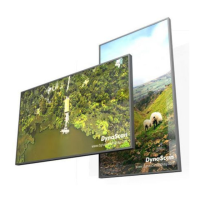
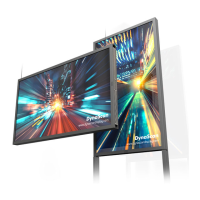
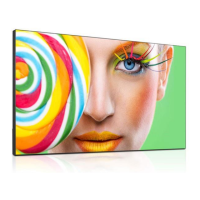
The DynaScan DS552LT5 is a 55-inch Ultra-High Brightness Digital Signage display designed for commercial environments. It offers a native resolution of 1920 x 1080 and a brightness of 3500 cd/m² (Typ.), making it suitable for applications where high visibility is crucial, even in bright ambient light. The display boasts a contrast ratio of 3,000:1 and a fast response time of 9 ms (Typ.), ensuring clear and dynamic image presentation. Its wide viewing angle of 178°/178° allows for consistent image quality from various perspectives. The DS552LT5 is built for longevity, with a life expectancy of 100,000 hours (Typ.). The panel surface features AR 1.5%, 2H treatment for enhanced durability and reduced glare.
Technical Specifications:
- Model: DS552LT5
- LCD Panel Size: 54.64 inches
- Native Resolution: 1920 x 1080
- Brightness: 3500 cd/m² (Typ.)
- Contrast Ratio: 3,000:1
- Response Time: 9 ms (Typ.)
- Viewing Angle: 178°/178°
- Life Time: 100,000 hrs (Typ.)
- Panel Surface: AR 1.5%, 2H
- Power Supply: Internal, 100 - 240V, 50 / 60Hz
- Power On Mode: Typ. 160W / Max. 240W
- Standby Mode: < 1W
- AC Out: < 100W
- Bezel Width (T/B/L/R): 10.9/10.9/10.9/10.9 mm
- Cabinet Color: Black
- Monitor Dimension (LxHxD, w/o Stand): 1239.4 x 710.0 x 87.7 mm
- Monitor Weight (set / package): 27.5 kg / 32.5 kg
- VESA Mounting (Dimension): 4 Holes (400x400 mm)
- OSD Language: English
- Operation Temperature: 0°C ~ 45°C
- Storage Temperature: -20°C ~ 60°C
- Humidity: 10%~80% RH Non-Condensing
- I/O Ports: DVI-D (IN *1 / OUT *1, support HDMI), DP (IN *1), HDMI (IN *1), RS-232 (IN *1 / OUT *1), Audio (OUT *1), RJ-45 (*1), Micro SD card (*1), USB port (*1)
- Fuse: 5A
Usage Features:
The DS552LT5 supports various input modes including HDMI, DP, and DVI, allowing for flexible connectivity with different video sources. It features an internal operating system, DSM365, based on Android, which enables the installation of applications via USB flash drive, Micro SD card, or the Internet. This provides a smart signage solution with enhanced content management capabilities.
For multi-display setups, the DS552LT5 can be daisy-chained for video wall applications. It supports a maximum video wall configuration of 15 x 15 displays. The "Display Manager" application is required for external control features, and the daisy chain setting (video wall function) supports a resolution of 1920 x 1080 (1080p). The display includes a Bezel Compensation function that adjusts the image to account for the width of display bezels, ensuring accurate image display across multiple screens.
The display can be operated using either a remote control or rear panel controls. The remote control has a receiving angle of 100 degrees and an operating range of 2.5 meters (8 feet). Ambient light, such as fluorescent or neon lights, may affect remote control performance. The display also features an On Screen Display (OSD) menu for easy navigation and adjustment of settings such as input source, picture (color temperature, contrast, gamma, black level), time, video wall configurations, backlight (auto brightness, high/low level, high/low level time, local dimming), and advanced settings (display mode, screen protection, IR control, power off mode, volume, reset to default setting).
An Auto Brightness adjustment feature allows the display's brightness to adapt to ambient light conditions, with user-definable high and low brightness levels and corresponding time settings. This helps optimize visibility and energy consumption. The display also includes a screen protection feature to prevent image burn-in from prolonged display of static images.
Installation:
The DS552LT5 is designed for wall mounting using a VESA Standard wall mount (400x400 mm). The installation angle must be within 15 degrees of the vertical axis. It is crucial to ensure the mounting location can support the weight of the LCD and to avoid installing the wall mount while the power is on to prevent electrical shock. When used in portrait orientation, the LCD should be rotated clockwise so that the left edge becomes the top edge. Proper ventilation is essential, and clearance should be left around the display, especially for screens inset into a wall.
Maintenance Features:
Regular maintenance is recommended to ensure optimal performance and longevity. The display casing should be gently wiped with a soft cloth, and the LCD backside should be cleaned at least once a month to remove dust and particles. For the screen panel, a soft, lint-free cloth should be used to gently wipe off dust. It is important to avoid using hard materials, excessive force, or cleaning solutions on the panel, as these can cause damage or discoloration. The manual explicitly prohibits the use of benzene, alkaline, alcohol-based cleaning solutions, glass cleaner, wax, polisher, or detergent on the casing.
The device includes an Over Heat Protection feature that automatically reduces brightness when the internal temperature exceeds certain thresholds (e.g., 50% brightness at 56°C, 25% at 61°C, 3% at 66°C) to prevent damage. Once the temperature decreases, brightness restores to 100%, and the protection is disabled.
In case of issues such as no image, unstable image, remote control malfunction, or auto on/off not working, the troubleshooting section provides recommended solutions, including checking cable connections, power status, remote control batteries, and OSD settings. For more complex issues, users are advised to contact a DynaScan certified service professional. Disassembling the LCD is strictly prohibited to prevent electric shock and other hazards.


 To Next Page
 General