English - 15 -
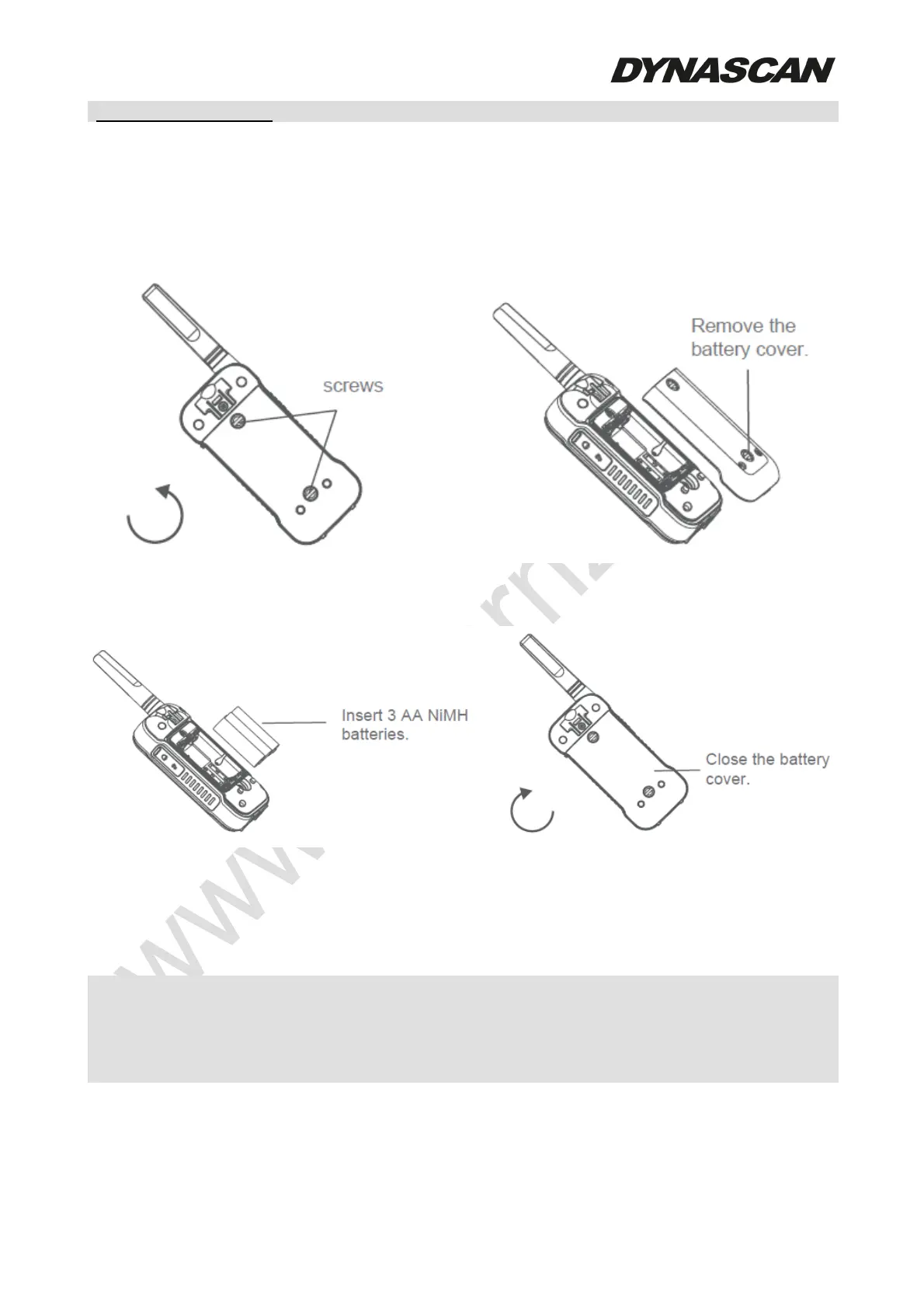
Installing the three AA Ni-MH rechargeable batteries:
1. Remove the belt clip.
2. Unlock two screws counterclockwise and open the cover to install 3xAA Ni-MH batteries
according to polarity shown in battery compartment.
3. Close the cover and tighten the two screws clockwise.
4. Tighten the screws clockwise to close the battery cover firmly.
Battery level indicator:
Battery full bars indicate battery witch complete charge. When the icon shows 1 bar, the
battery is low, will sound an alert tone and blinking the icon display.
- Remove the battery from radio for storage purposes. Batteries may damage over
time and cause permanent damage to your devices.
- Do not use old/new/alkaline/Ni-MH batteries at the same time.
- Charge the supplied Ni-MH batteries once every 3 months when not in use.
Using the Micro-USB charger:
The micro-USB charger is a handy port that allows you to conveniently charge your Ni-MH
battery. Use certified adapter (5 V,
≥1 A). Do not attempt to charge alkaline batteries.



 To Next Page