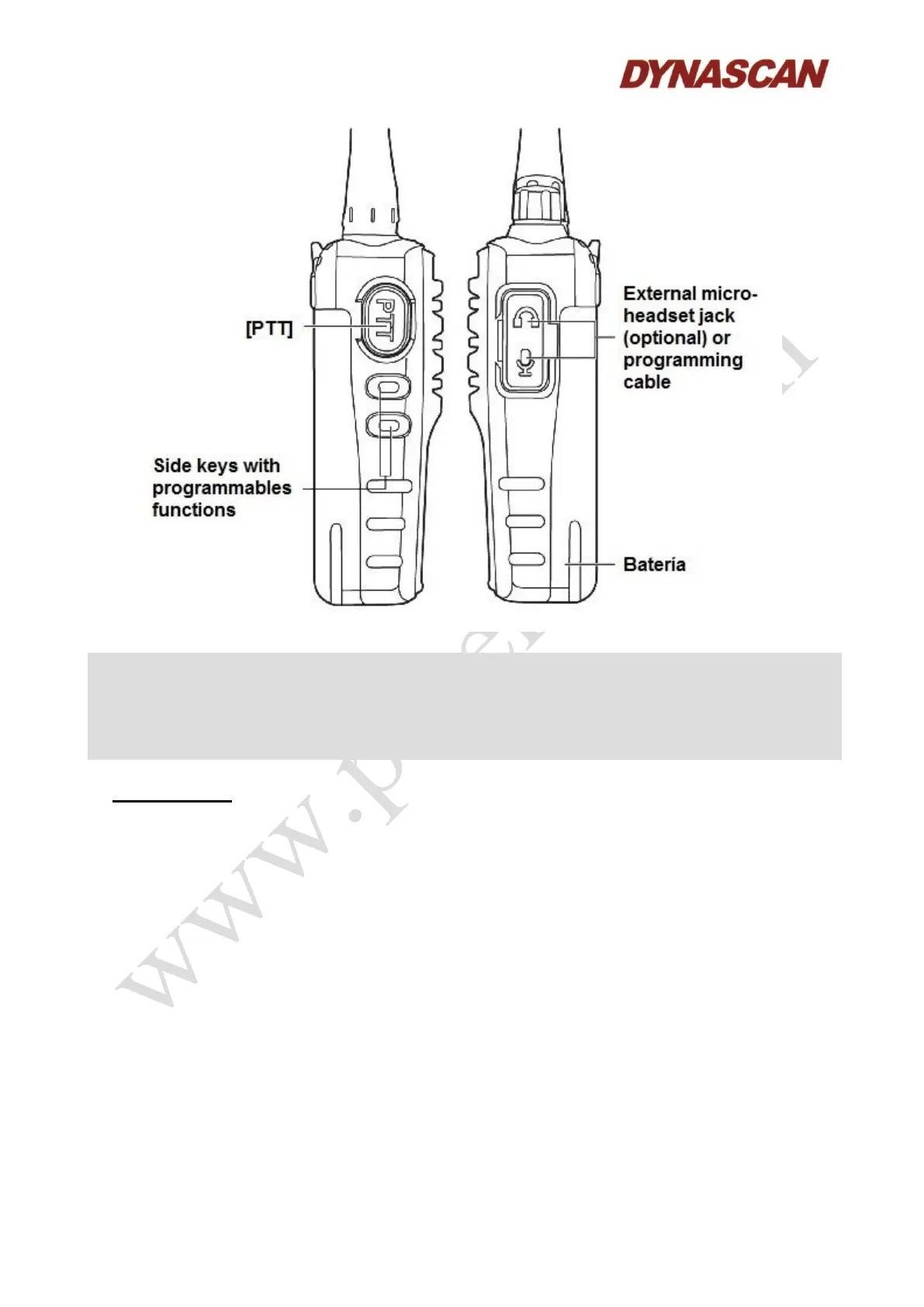
Notes:
- The side keys 1 and 2 can be configured via the programming software with the following
functions: No function, squelch, high/low transmission power, scanning (monitor), VOX
function (voice activated transmission).
- For more information, consult with your salesperson.
8.- OPERATION:
8.1.- POWER ON/OFF:
To turn ON the transceiver, rotate the [ON/OFF/Vol] knob clockwise, you will hear a “beep”. The
transceiver will annunciation the current channel number by voice (the voice guide function must be
enabled).
To turn OFF the transceiver, rotate the [ON/OFF/Vol] knob counterclockwise until a “click”
sounds.
8.2.- STATUS LED INDICATOR:
Will lights up red color when transmitting, lights up green when a signal is received and blinks red
when the battery charge is low.
8.3.- VOLUME ADJUSTMENT:
Rotate the [ON/OFF/Vol] knob clockwise to increase the volume level and turn it counterclockwise
to reduce it.



 To Next Page