AIR setups
Dynaudio Professional AIR reference manual – 2014-09-28 34
5.1 setup – digital
5.1 setup – digital
Master
Left
System Ctrl.
Master
Left
Surround
Master
Center
L + R C + LFELS + RS
Slave
Right
Surround
Sub
Subwoofer
Slave
Right
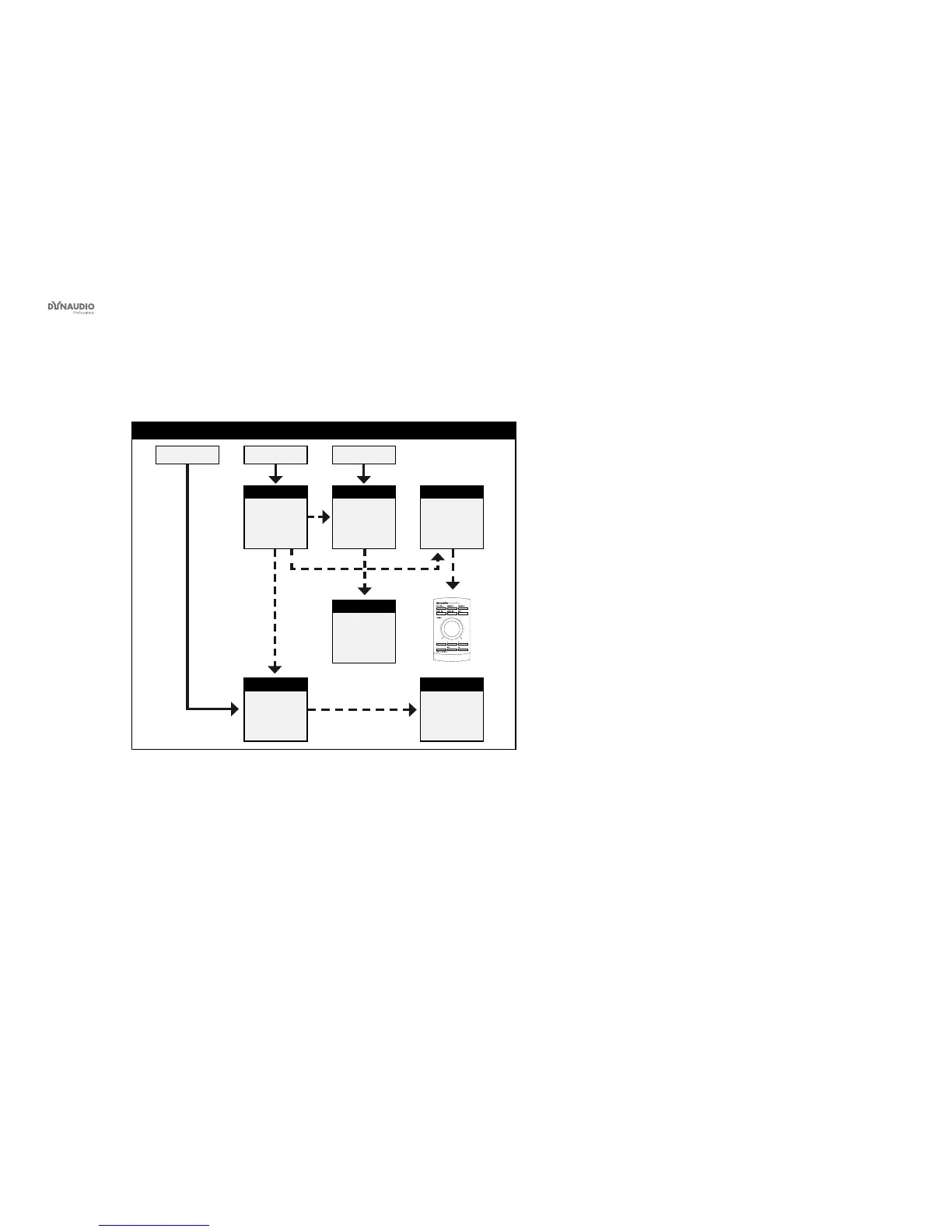
Fig. 16: This illustration shows how to connect a 5.1 digital setup.
Understanding and using this setup
►
Audio signals are represented by solid lines.
►
TC link signals are represented by dashed lines.
►
The left monitor is set as the System Controller by
setting the TC Link button on the rear panel to the
“out” position.
►
The left monitor receives both the left and right
input signals.
►
The right monitor receives audio via the TC-LINK
RJ-45 connection from the left monitor.
►
The left surround monitor (LS) receives both the
left and right surround channel signals.
►
The right surround monitor receives audio via the
TC-LINK RJ-45 connection from the left surround
monitor.
►
The center monitor (C) receives both center and
LFE channels.
►
The LFE monitor receives audio via the RJ-45
connection from the center monitor.
►
The AIR Remote or a computer running the AIR
Control software (both optional) can be connected
to any available TC LINK Out connection.
►
Bass management is only available in this digital
setup if the optional Digital input cards are in-
stalled.
►
On the System controller (C), set setup to “5.1
digital/Digi 6”.



 To Next Page