Placing the monitors
Dynaudio Professional AIR reference manual – 2014-09-28 51
Front monitors,
left and right
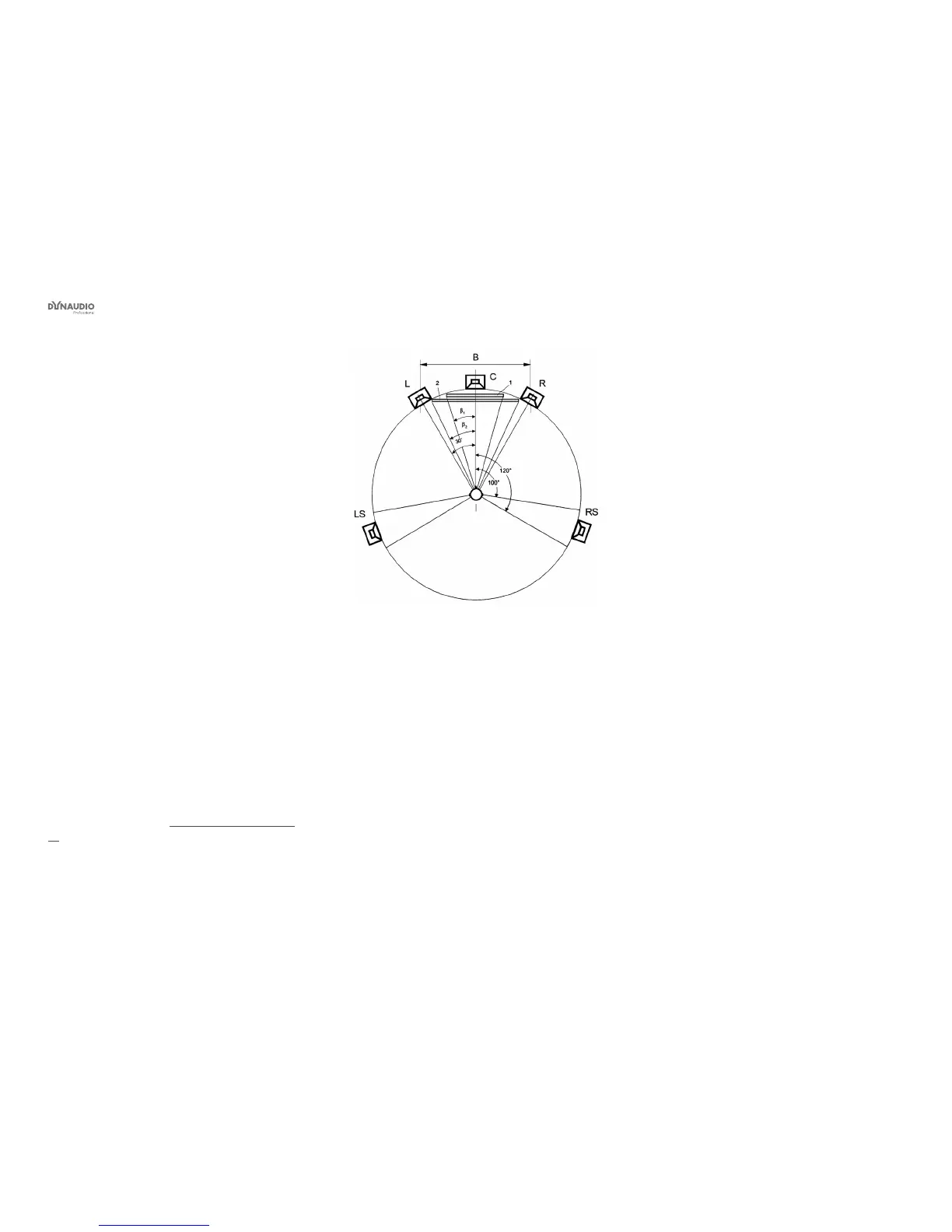
For proper stereo monitoring, the monitors should be
placed at an angle of ±30º in front of the listening po-
sition. This goes both for a basic stereo setup and for
the left and right front monitors in a four or ve channel
setup.
Center front monitor
The center front loudspeaker can be placed either
►
in the middle and in the same distance from the
listening position as the left and right front monitors
or
►
in the middle and on a straight line between the
left and right front monitors.
Surround monitors,
left and right
The surround monitors should be placed at an angle of
±110° (±10°) and at the same distance to the listening
position as the left and right front monitors.
For more information, see “Monitor positions” on page
52.
Fig. 29: ITU 775



 To Next Page