DL5.0C Pro User Manual
©Dyness reserves the copyright of this document
Equipment Installation
Table 3-2 Installation steps
Step 1 Installation preparation
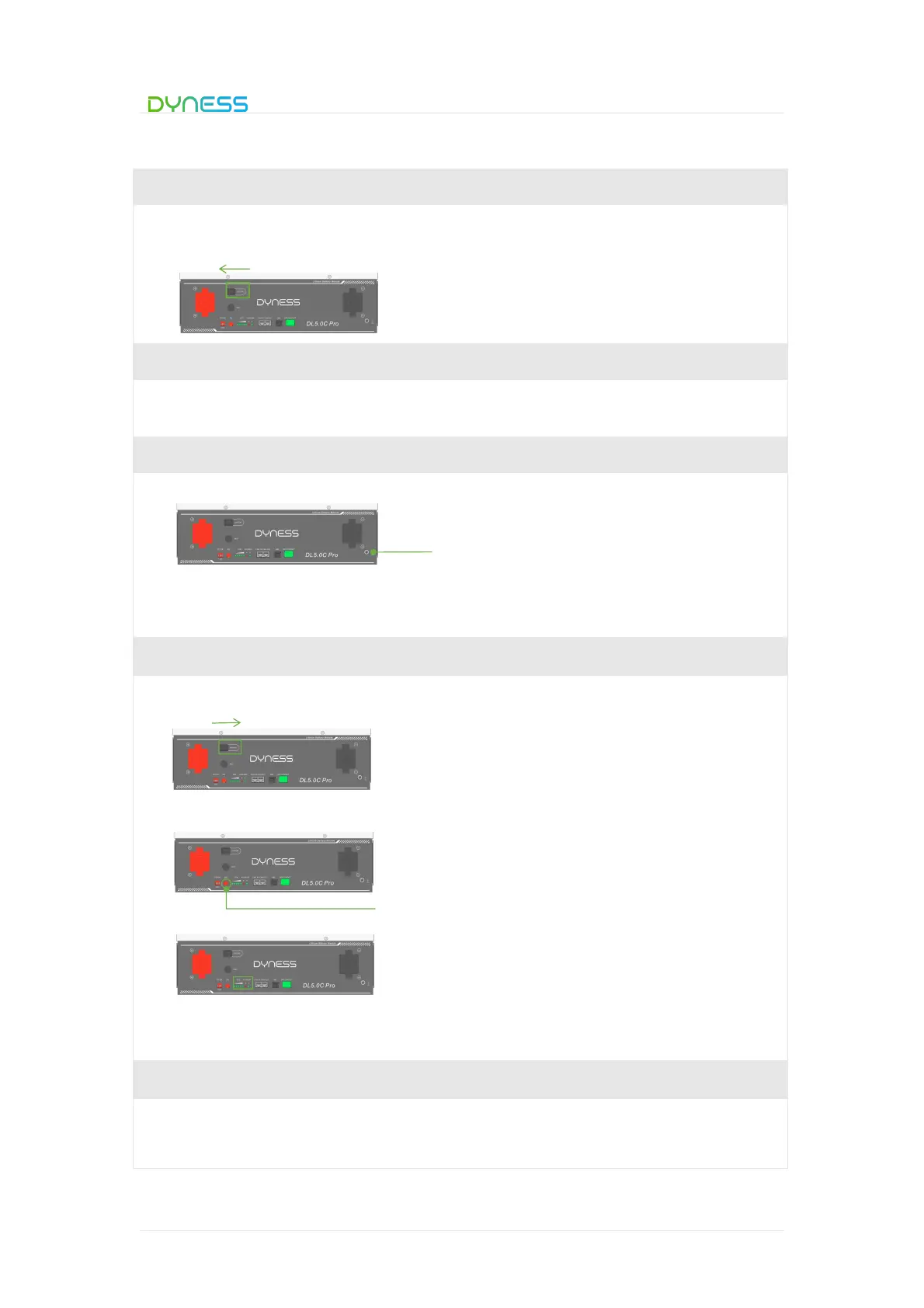
Confirm that the ON/OFF switch on the front panel of DL5.0C Pro unit is in the “OFF”
state to ensure no live operation.
Step 2 Mechanical installation
1. Battery placement position determination
2. Battery module installation
Step 3 Electrical installation
1. Ground cable installation
2. Battery module parallel cable installation(Refer to Figure 3-9)
3. Parallel communication cable connection(Refer to Figure 3-9)
Step 4 Battery system self-test
1. Turn the ON/OFF switch to the "ON" state.
2. Press SW button 3secs to wake up battery.
3. Check the system output voltage and led status
4. Shut down the system
Step 5 Connecting inverter
1. Connect total positive & total negative cable of the battery system to the DC breaker.
2. Close the DC breaker between inverter and battery



 To Next Page