EasyManua.ls Logo

Dynex DX-26LD150A11 - User Manual

Dynex DX-26LD150A11
52 pages
Print Icon
To Next Page IconTo Next Page
Loading...
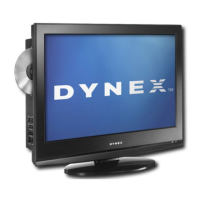
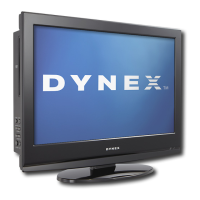
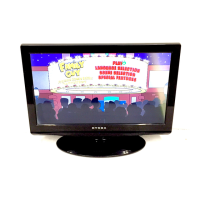
26" and 32" LCD TV/DVD Combo
DX-26LD150A11
DX-32LD150A11
USER GUIDE
DX-26LD-36LD_09-1090.book Page 1 Wednesday, January 27, 2010 8:33 AM

Table of Contents

Other manuals for Dynex DX-26LD150A11

Questions and Answers

  • V
    Valerie TrevinoAug 19, 2025
    What to do if my Dynex TV DVD Combo has no picture or sound?
    • J
      James FergusonAug 19, 2025
      If your Dynex TV/DVD combo has no picture or sound and the screen is dark, ensure the power cord is properly plugged into a working power outlet. Also, try pressing the power button on either the TV/DVD combo or the remote control. If that doesn't work, try tuning to another channel, as the issue might be with the TV station itself.
  • B
    Brooke JohnsonAug 21, 2025
    How to fix a Dynex TV DVD Combo remote control that is not working?
    • J
      Julie LeeAug 21, 2025
      If the remote control for your Dynex TV/DVD combo isn't working, first replace the batteries, ensuring they are correctly installed. Also, make sure the power cord of the TV/DVD combo is properly connected to an AC power outlet.
  • S
    Steven WeaverAug 23, 2025
    What to do if my Dynex DX-26LD150A11 TV DVD Combo shows only static?
    • H
      Heather FosterAug 25, 2025
      If your Dynex TV/DVD combo displays only noise (snow) on the screen, ensure the antenna or cable TV is correctly connected. If the connection is correct, try tuning to another channel, as the issue might be with the TV station.
  • M
    Mary HendersonAug 26, 2025
    How to eliminate static from my Dynex DX-26LD150A11 TV DVD Combo?
    • N
      Nicholas WilsonAug 26, 2025
      If you are experiencing audio noise or static with your Dynex TV/DVD combo, move radio frequency communication equipment, such as a cordless phone, away from the device.
  • S
    sarahmaxwellAug 28, 2025
    How to fix color issues on my Dynex TV DVD Combo?
    • J
      Julia PetersonAug 28, 2025
      If your Dynex TV/DVD combo displays no color, the picture is dark, or the color is incorrect, adjust the color saturation.
  • J
    James CunninghamAug 30, 2025
    What to do if the buttons on my Dynex DX-26LD150A11 don't work?
    • A
      Amber HarrisAug 30, 2025
      If the buttons on your Dynex TV/DVD combo do not work, unplug the power cord for a few seconds, then plug it back in and turn on the device.
  • D
    Dana CherrySep 1, 2025
    How to reset the password on my Dynex TV DVD Combo?
    • P
      pwatsonSep 1, 2025
      If you've lost the password for your Dynex TV/DVD combo, go to the Parental Controls menu and enter 9999 as the password, then set a new password.
  • C
    Craig WhiteSep 4, 2025
    Why can't my Dynex DX-26LD150A11 tune to certain channels?
    • B
      Becky BrownSep 4, 2025
      If your Dynex TV/DVD combo cannot tune to one or more channels, the program you want to watch may be blocked through the parental controls. Alternatively, the channel may have been deleted from the channel list. You can tune to the channel by pressing the number buttons or add the channel back to the channel list.
  • D
    Donald JonesSep 6, 2025
    How to remove dotted lines from my Dynex DX-26LD150A11 screen?
    • M
      Matthew BrownSep 6, 2025
      If your Dynex TV/DVD combo picture has dotted lines or stripes, try adjusting the antenna. Also, move your TV/DVD combo away from noise sources, such as cars, neon signs, or hair dryers.
  • L
    Lori MyersSep 8, 2025
    How to fix double images on my Dynex DX-26LD150A11?
    • M
      Mark McconnellSep 8, 2025
      If your Dynex TV/DVD combo picture has double images, use a highly directional outdoor antenna or change to cable or satellite TV.

Summary

CHILD SAFETY

Wall mounting

Instructions and precautions for securely mounting the TV to a wall.

Important safety instructions

Warnings

Electrical shock, lightning, power line, and LCD panel handling precautions.

Cautions

Precautions for damage requiring service and power source.

Installing and removing the stand

Installing the stand (DX-26 LD150 A11)

Step-by-step guide to attaching the stand to the 26-inch TV/DVD combo.

Installing the stand (DX-32 LD150 A11)

Step-by-step guide to attaching the stand to the 32-inch TV/DVD combo.

Making connections

Connecting the power

Instructions for connecting the TV/DVD combo to a power outlet.

Connecting an HDMI device (best picture)

Guide to connecting an HDMI device for the highest quality video and audio.

Turning on your TV for the first time

Choose your menu language

Step to select the initial menu language for the TV's setup wizard.

Understanding the basics

Turning your TV;DVD combo on or off

Instructions for turning the TV/DVD combo on, off, and into standby mode.

Selecting the video input source

Guide to selecting the video input source (TV, AV, HDMI, etc.) using the INPUT button.

Adjusting the picture

Adjusting the picture

Guide to adjusting picture settings like Brightness, Contrast, Color, and Tint.

Adjusting the sound

Adjusting the sound

Guide to adjusting sound settings like Sound Mode, Bass, Treble, and Balance.

Changing channel settings

Automatically scanning for TV channels

Instructions for automatically scanning for and storing TV channels.

Setting parental controls

Turning parental controls on or off

Steps to turn parental controls and system lock on or off.

Setting or changing the password

Guide to setting or changing the parental control password.

Setting parental control levels

Using closed captioning

Using USB

Using the DVD player

Playing a DVD

Step-by-step instructions for playing a DVD disc on the player.

Troubleshooting

Video and audio

Solutions for common video and audio problems with the TV/DVD combo.

Dynex DX-26LD150A11 Specifications

General IconGeneral
BrandDynex
ModelDX-26LD150A11
CategoryTV DVD Combo
LanguageEnglish

Related product manuals