EasyManua.ls Logo

Dynex DX-R20TR - User Manual

Dynex DX-R20TR
67 pages
Print Icon
To Next Page IconTo Next Page
Loading...
USER GUIDE
GUIDE DE L’UTILISATEUR • GUÍA DEL USUARIO
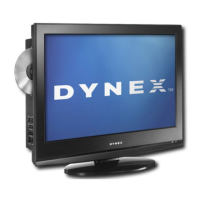
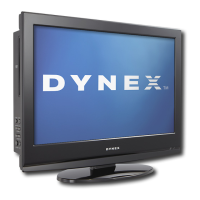
ATSC 20" Round TV/DVD Combo
Product Description [French]
Product Description [Spanish]
DX-R20TR
DX-R20TR.fm Page -1 Thursday, January 18, 2007 3:19 PM

Table of Contents

Questions and Answers

  • V
    Victor MillerAug 18, 2025
    How to fix no picture or sound on Dynex DX-R20TR?
    • L
      Linda GrayAug 18, 2025
      If your Dynex TV DVD Combo displays no picture or sound, ensure the power cord is properly connected to a functioning power outlet. Verify that your device isn't in Listen mode. Also, adjust the brightness and contrast settings.
  • R
    Robert TurnerAug 21, 2025
    What to do if there is no sound on Dynex DX-R20TR TV DVD Combo?
    • C
      Cheyenne WhiteAug 21, 2025
      If there is no sound on your Dynex TV DVD Combo, first ensure that the mute function is off. If it is, try increasing the volume.
  • J
    Jeffrey SanchezAug 23, 2025
    Why does my Dynex TV DVD Combo picture have wavy lines?
    • A
      ashley12Aug 25, 2025
      If your Dynex TV DVD Combo picture has wavy lines, it might be due to interference from nearby cars, motorcycles, fluorescent lights, or overhead power cables. Try moving your TV DVD Combo or adjusting the antenna to resolve this.
  • C
    Cynthia GrayAug 26, 2025
    How to fix snow on Dynex DX-R20TR?
    • R
      richardtuckerAug 26, 2025
      If the picture on your Dynex TV DVD Combo has snow, make sure the antenna is securely connected. If it is, try adjusting the antenna position.
  • D
    Douglas LynnAug 28, 2025
    Why is color spotty on Dynex TV DVD Combo?
    • D
      drobertsonAug 28, 2025
      If the color on your Dynex TV DVD Combo is spotty, it could be due to moving the TV DVD Combo, magnets placed too close, or appliances being turned on or off. Turn off your Dynex TV DVD Combo for 15 minutes, then turn it back on to allow it to automatically degauss (demagnetize) the picture. If the issue persists, turn off the TV DVD Combo and leave it off overnight.
  • D
    Donald HornAug 31, 2025
    How to resolve double or triple image on Dynex DX-R20TR?
    • K
      Kathleen WilsonAug 31, 2025
      If your Dynex TV DVD Combo picture has a double or triple image, and you are using an inside antenna, consider installing an outside antenna. Ensure the antenna is securely connected and that the antenna cables and connectors are in good condition, replacing them if necessary. Adjust the antenna for optimal reception.
  • C
    castrojeffreySep 2, 2025
    What to do if there is no sound on my Dynex DX-R20TR TV DVD Combo?
    • D
      Dr. Casey MartinezSep 2, 2025
      If you are not getting any sound from your Dynex TV DVD Combo, make sure that the sound is not muted. If it isn't, try increasing the volume.
  • N
    Nicole MillerSep 4, 2025
    How to fix snow on Dynex DX-R20TR picture?
    • R
      Roy HawkinsSep 5, 2025
      If the picture on your Dynex TV DVD Combo has snow, ensure that the antenna is securely connected. If it is, try adjusting the antenna to improve the signal.
  • W
    wleeSep 7, 2025
    How to fix picture with no color on Dynex DX-R20TR TV DVD Combo?
    • C
      cnelsonSep 7, 2025
      If the picture on your Dynex TV DVD Combo has no color, try adjusting the color controls to restore the color.
  • S
    Sabrina CoxSep 9, 2025
    What to do if Dynex DX-R20TR TV DVD Combo picture is scrambled and sound is poor?
    • P
      Pamela JordanSep 9, 2025
      If the picture on your Dynex TV DVD Combo is scrambled and the sound quality is poor, you might be tuned to a channel with a weak signal. Try changing the channel to see if the issue resolves.

Summary

Dynex DX-R20 TR ATSC 20 Round TV;DVD Combo User Guide

Important Safety Instructions

General Safety Guidelines

General precautions for safe operation, including handling water and cleaning.

Electrical Safety and Grounding

Guidelines to prevent electrical shock, ensure proper grounding, and protect power cords.

Ventilation and Heat Management

Proper placement and airflow to prevent overheating and ensure reliable operation.

Installation and Placement Safety

Precautions for stable installation, wall mounting, and protection against lightning.

Servicing, Overloading, and Liquid Entry

Warnings against self-servicing, overloading circuits, and preventing liquid/object entry.

Damage Requiring Service and Safety Checks

Identifies situations needing professional service and the importance of post-service safety checks.

Power Source and Screen Care

Proper power connection, screen handling, and information on non-active pixels.

Outdoor Antenna Grounding

Explains the importance of grounding outdoor antenna systems for surge protection.

Features

Front Panel Overview

Details the functions of buttons and connectors on the front of the TV combo.

Back Panel Connections

Identifies and explains the various input/output ports located on the back of the TV.

Remote Control Functions

Provides a comprehensive list of remote control buttons and their corresponding actions.

Setting Up Your TV Combo

Connecting an Antenna

Instructions and diagrams for connecting an antenna to the TV combo.

Connecting Cable TV

Guides on connecting cable TV, with and without a converter box.

Connecting Other Video Devices

Instructions for connecting external audio/video devices like DVD players and VCRs.

Using the TV

Adjusting the Video Settings

Guide to modifying video parameters like contrast, brightness, color, sharpness, and tint.

Setting Parental Controls

Setting a Parental Control Password

Guide to setting a password for parental controls to block or override content ratings.

Blocking and Unblocking TV Ratings

Procedure to block or unblock TV program ratings based on content categories.

Blocking and Unblocking Movie Ratings

Steps to block or unblock movie ratings using the MPAA rating system.

Setting ATSC Parental Lock

Guide to setting the ATSC parental lock for V-CHIP enabled digital broadcasts.

Using the DVD Player

Playing a Disc

Instructions on inserting discs, opening/closing the tray, and starting playback.

Controlling Disc Playback

Details on using remote buttons to control DVD playback like pause, stop, skip, and slow motion.

Troubleshooting

Specifications

Legal Notices

90-Day Limited Warranty

Outlines the terms, duration, and coverage of the 90-day limited warranty.

Dynex DX-R20TR Specifications

General IconGeneral
DVD PlayerYes
HDMI Ports1
Aspect Ratio16:9
Built-in SpeakersYes
Resolution1366 x 768
InputsComposite

Related product manuals