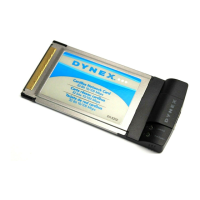
Desktop 10/100Mb Network
Card
Contents
Introduction..............................................................................................2
Features ....................................................................................................3
Important safety instructions....................................................................3
Package contents ......................................................................................4
Installing the adapter................................................................................4
Using Wake On LAN...................................................................................6
Troubleshooting........................................................................................7
Specifications............................................................................................9
Legal notices ...........................................................................................10
One-year limited warranty......................................................................11
Introduction
The DX-E102 is the easiest way to upgrade your computer's network speed from 10 to 100
Mbps. It supports both 10 Mbps and 100 Mbps speeds in both half-duplex and full-duplex
transfer modes, using auto-negotiation technology to automatically detect the network
speed. It can be used with most operating systems and includes a boot ROM socket for use
with diskless workstations, providing network security and easy management.
DX-E102-ENG.fm Page 2 Tuesday, October 20, 2009 7:43 PM


 To Next Page