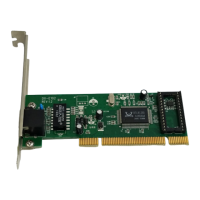
Desktop 10/100Mb Network Card
9
3 Type ping xxx.xxx.xxx.xxx (where xxx.xxx.xxx.xxx is the IP address you want to
ping). In this case, computer B with the IP address=192.168.0.1 is being pinged from
computer A.
4 Press Enter to begin pinging. If the connection is good, you receive four “Reply from”
messages.
5 Type exit at the prompt to return to Windows.
Specifications
Interface 32-bit PCI interface
Standards IEEE 802.3 10Base-T, IEEE802.3u 100Base-TX
Transmission 10 Mbps or 20 Mbps, 100 Mbps or 200 Mbps
Hardware IBM PC compatibles (must have PCI slot)
Supported connectors RJ45
IRQ line Assigned by system
Topology Star
I/O address Assigned by system
Safety and emissions FCC
System support Microsoft Windows 7, Vista, XP, 2000, and
Mac OS X v10.4.0 or higher
Operating temperature 32°F~104°F (0°C~40°C)
Humidity 10%~90%, non-condensing
DX-E102-ENG.fm Page 9 Tuesday, October 20, 2009 7:43 PM


 To Next Page