CHAPTER 2
Side and Top Cover Installation
Above Ground Model 250i Motorcycle Dynamometer Installation Guide
2-42
SIDE AND TOP COVER INSTALLATION
Before replacing the covers, be sure to install the battery, pickup card,
eddy current brake, and any accessories you may have purchased with
your dyno. Refer to Chapter 3 for accessory installation instructions.
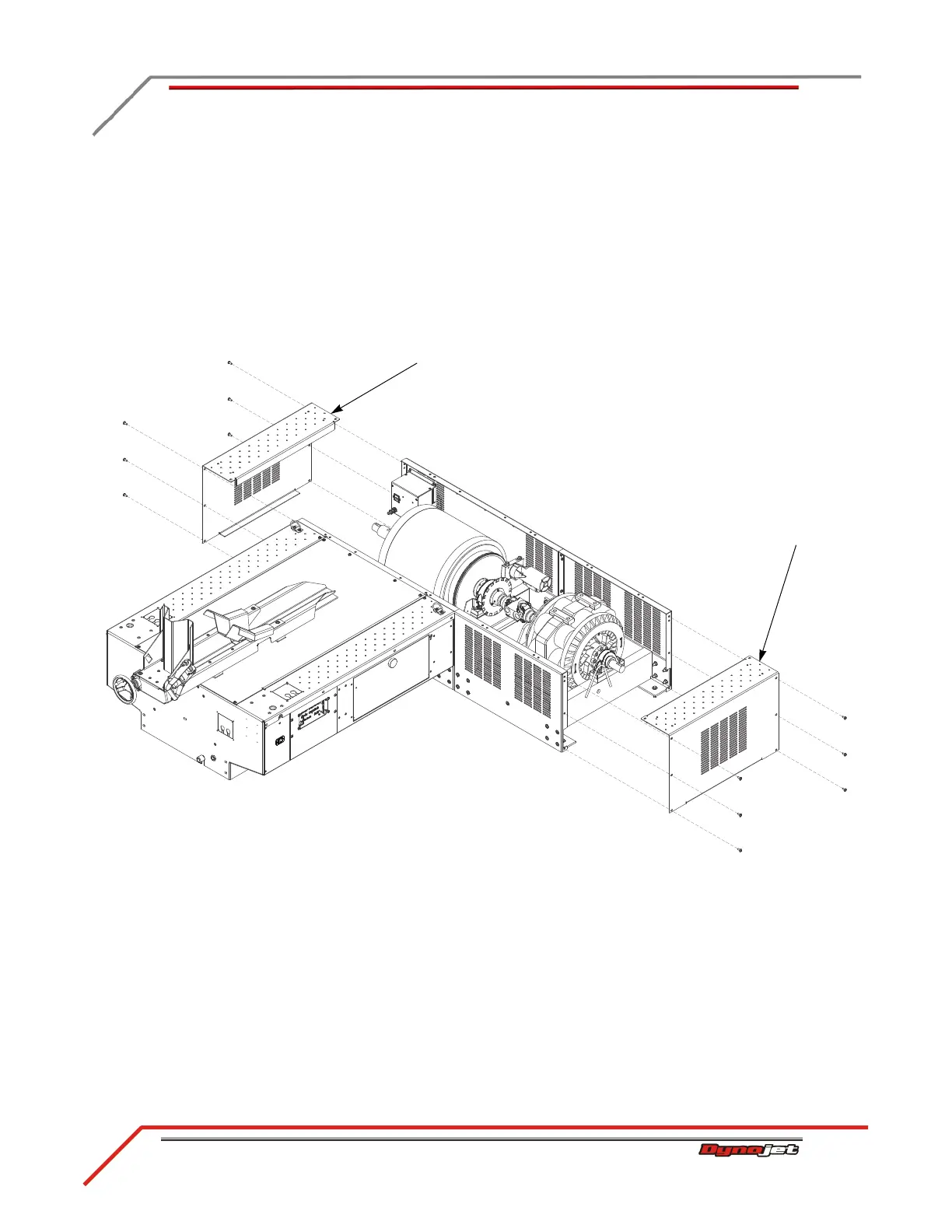
1 Secure the drum side cover to the dyno using six of the screws you removed
earlier.
2 Secure the eddy current brake side cover to the dyno using six of the screws you
removed earlier.
Figure 2-38: Replace the Side Covers
drum side cover
brake side cover



 To Next Page