Controlling audio
To play audio through your headphones, you’ll need to either
connect them using Bluetooth
®
or the in-flight adaptor cable.
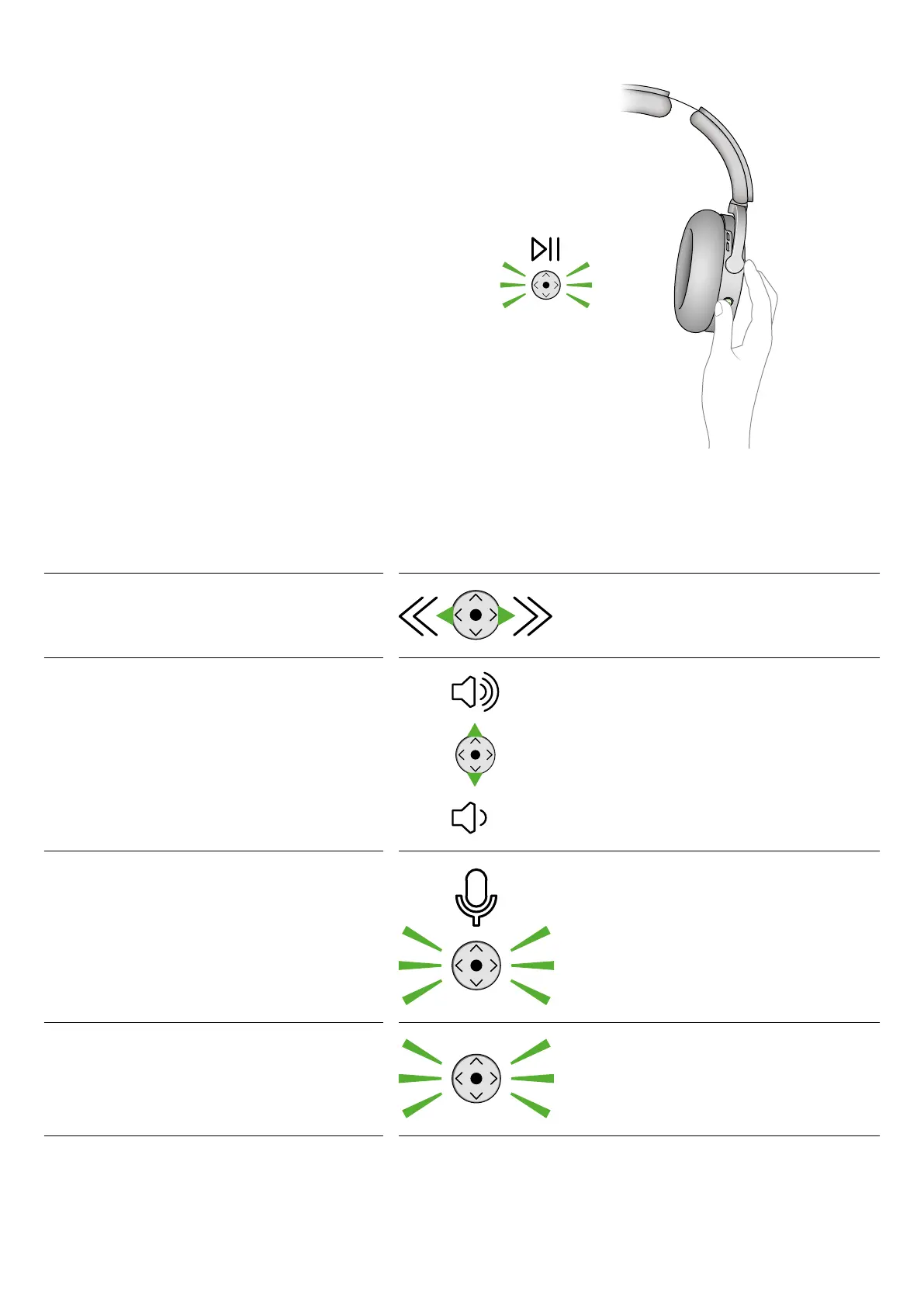
Use the intuitive joystick
Control your audio using the MyDyson™ app or the joystick on
the back of your right ear cup.
Play and pause
Press the middle of the joystick to play.
Press it again to pause.
Skip and seek
Tap the joystick on the left or right to skip tracks.
Press and hold to fast forward or rewind.
Volume
Push the joystick up or down to adjust the volume.
Activating voice assistant
Press and hold the middle of the joystick for two seconds to
activate the voice control on your mobile device.
Answering phone calls
To accept an incoming call, press the joystick.
To decline a call, press and hold the joystick.
To end a call, press the joystick.
Intuitive joystick


 To Next Page