Configuring your headphones
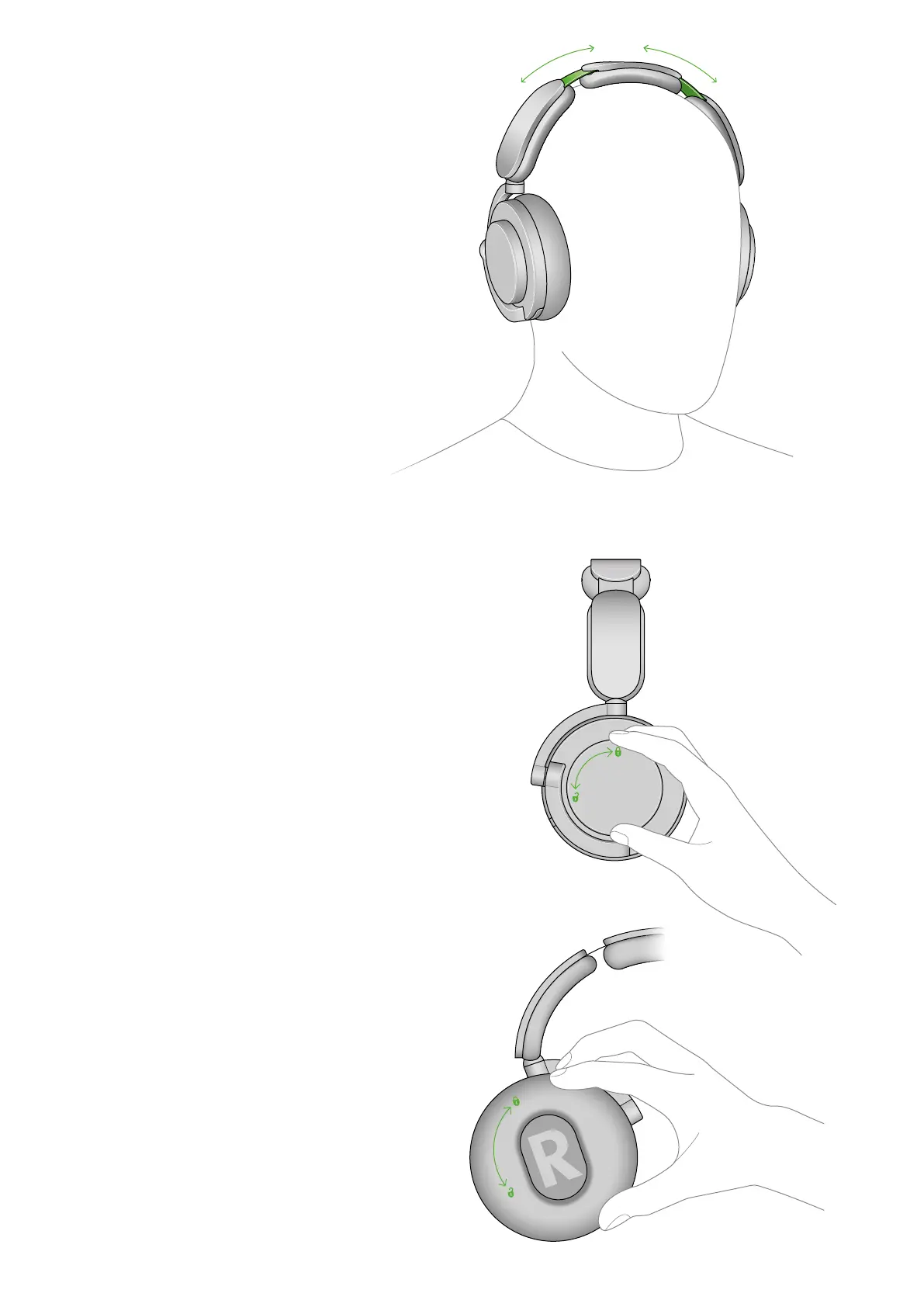
Adjusting the headband
To adjust the headband, grip and slide it into
place for a comfortable fit.
Replacing the ear cushions
To remove an ear cushion, twist it anti-clockwise.
Select the correct replacement for the left or right
ear. These are marked with an L and an R on both
the headset and the ear cushions themselves.
Line up the long and short slots on the ear
cushions with the matching ridges on the headset.
Push down and twist clockwise, until it clicks
into place. Make sure the ear cushion is flush to
the headphones to ensure proper functionality.
When you replace the ear cushions, we
recommend you go to the Product settings
section of the MyDyson™ app and recalibrate
your headphones. You’ll find this under
Replacing accessories.
Replacing the outer caps
To remove an outer cap, twist the outermost
circular part anti-clockwise. Align the replacement
outer cap on the headphones and twist clockwise
until it clicks.


 To Next Page