E-flite LP5DSM Spektrum DX5e
E-flite HP6DSM Spektrum DX6i
ParkZone Vapor Transmitter Spektrum DX7
JR X9303 2.4 Spektrum Modules
JR 12X 2.4
Note: The Spektrum DX6 (SPM2460) is equipped with DSM (not DSM2)
technology and is not compatible with the receiver/5-in-1 of the Blade mCX
BNF.
The following steps outline the binding process:
•Confirmtheprocessofenteringthebindmodeforyourchosen
transmitter by reviewing the instruction manual included with the
transmitter.
•Makesuretheflightbatteryisdisconnectedfromthe5-in-1unitandthe
transmitter is turned off.
•Plugtheflightbatteryintothe5-in-1unit.After5secondstheLEDonthe
5-in1 unit will begin flashing.
•AfterverifyingtheLEDisflashingonthereceiver/5-in-1followthesteps
that allow your chosen transmitter to enter bind mode.
•Ifyouenteredbindmodecorrectly,youwillseeasolidLEDapproximately
5-10secondslateronthereceiver/5-in-1.Youshouldnowbeboundtothe
transmitter, and have full control and function.
If you encounter any problems, repeat the binding process again or call the
Horizon Support Team at 1-877-504-0233.
12 13
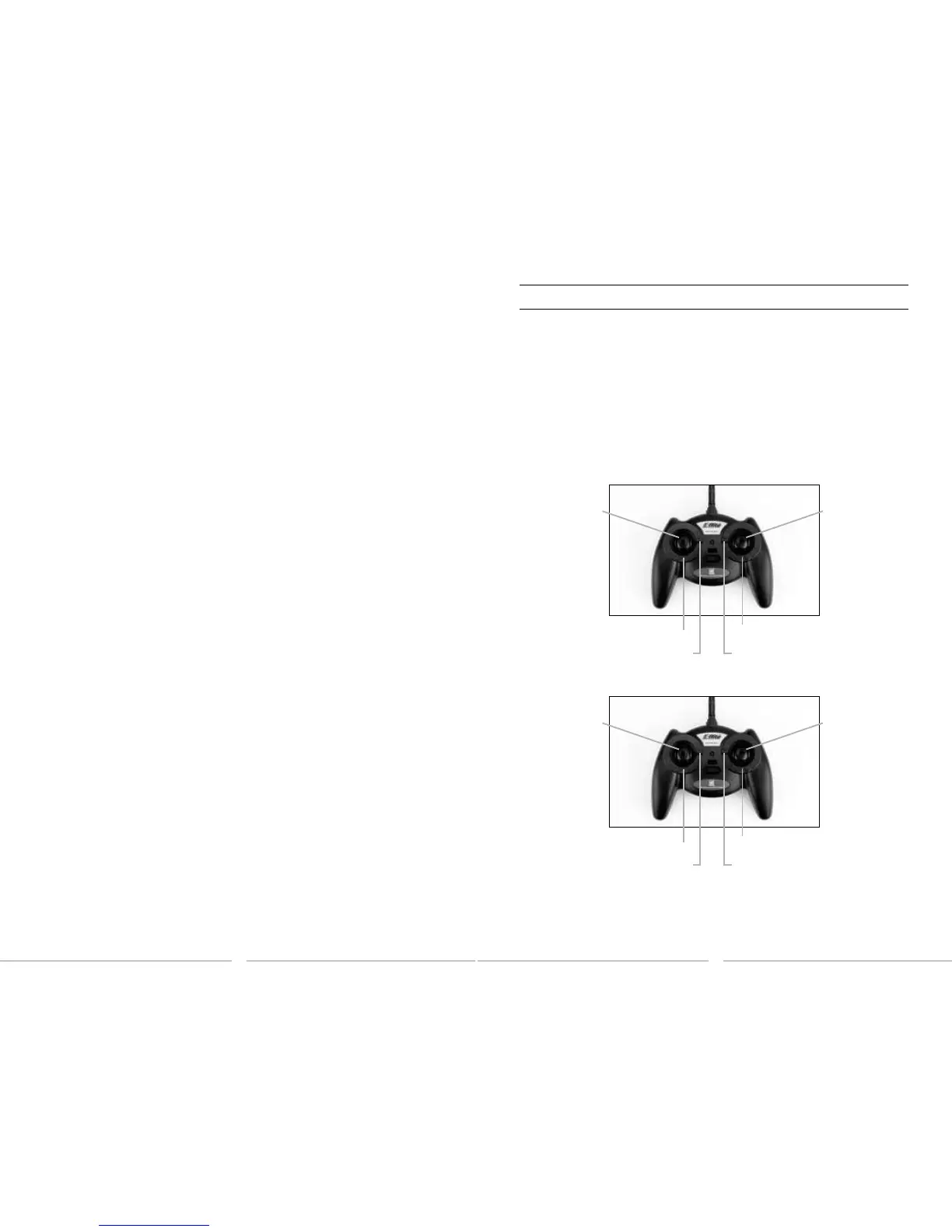
Mode 2
Throttle Trim Buttons
Aileron Trim Buttons
Elevator Trim Buttons
Rudder Trim Buttons
Mode 1
Elevator Trim Buttons
Aileron Trim Buttons
Throttle Trim Buttons
Rudder Trim Buttons
Rudder/Throttle
Functions
Rudder/Elevator
Functions
Aileron/Elevator
Functions
Aileron/Throttle
Functions
Transmitter Control Identification
Note:EachtimebeforeyouflyyoushouldALWAYSturnthe
transmitter on before connecting the flight battery to the 5-in-1
unit. After each flight, be sure that you always disconnect the flight
battery from the 5-in-1 unit before powering the transmitter off.
Note: The E-flite MLP4DSM transmitter is shown for reference only.







 To Next Page