- 16 -
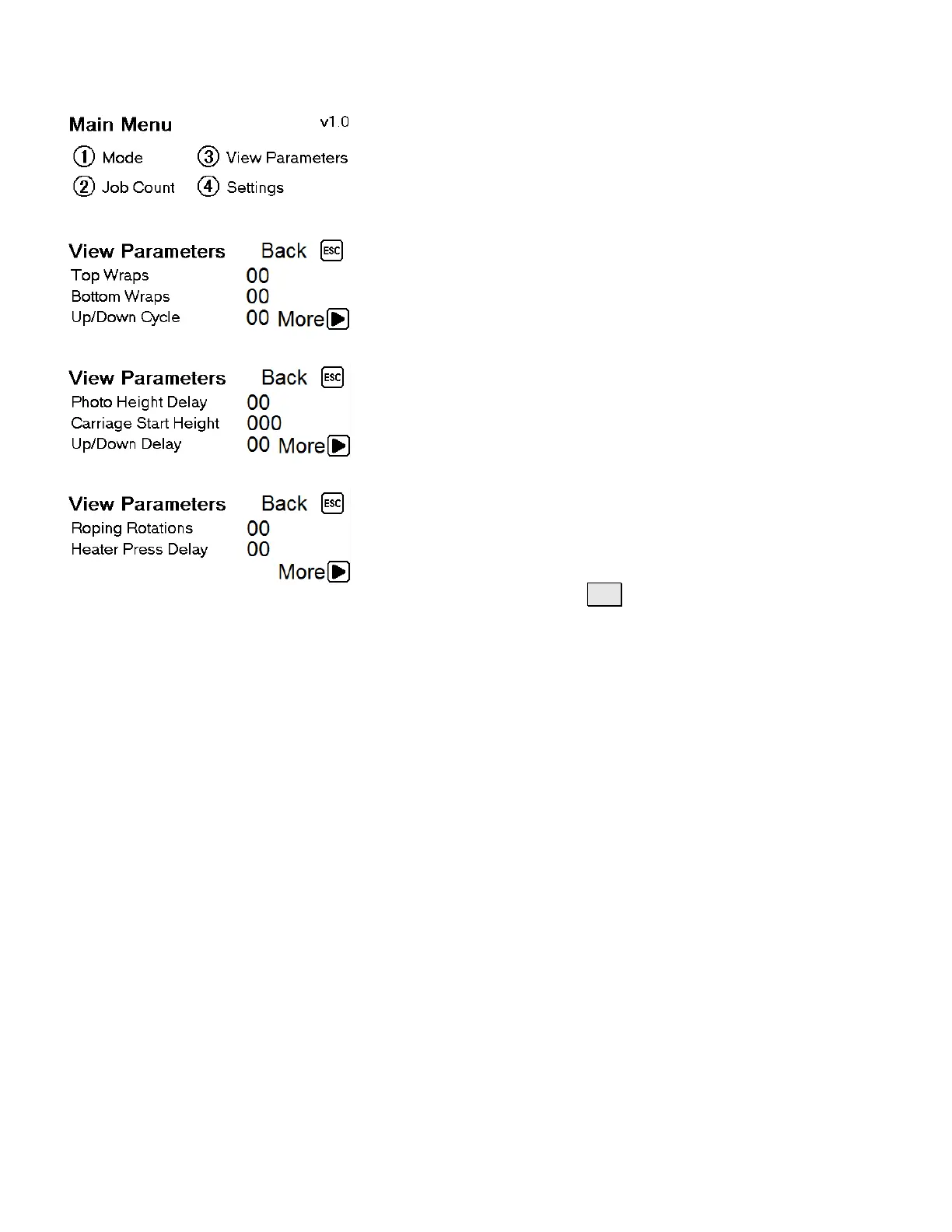
3.4 Navigating LCD Screens
From this screen, you can navigate to;
① Mode, ② Job Count,
③ View Parameters, ④ Settings
Parameter Settings / page 1
From this screen, you can set;
Top Wraps, Bottom Wraps, and
number of Up & Down cycles
Parameter Settings / page 2
From this screen, you can set;
Photo Height Delay, Carriage Start Height
and Up/Down Delay
Parameter Settings / page 2
From this screen, you can set;
Roping Rotations and Heater Press Delay
To change a setting, press SET, enter quantity or time in
tenths of a second (ie; 15=1.5 seconds).


 To Next Page