- 17 -
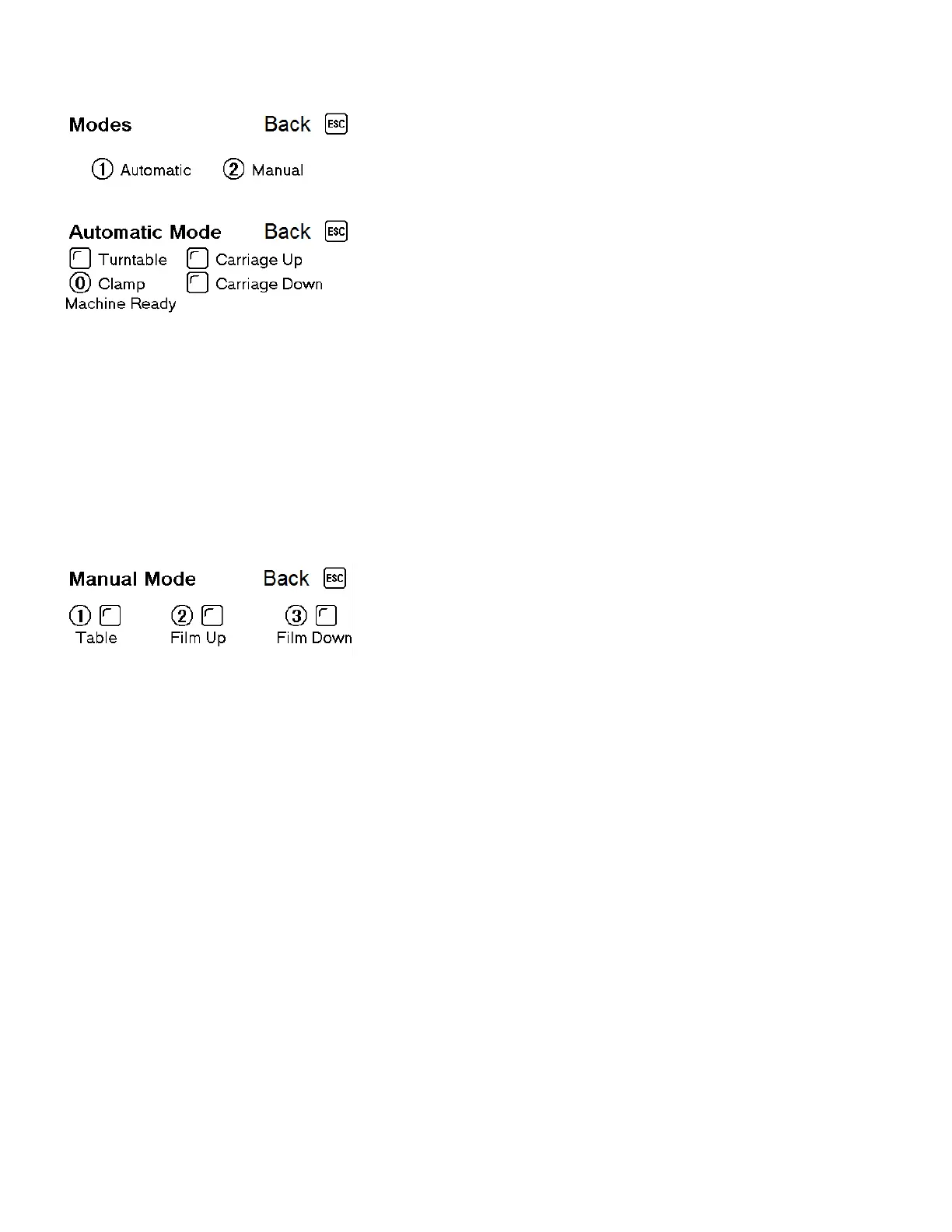
3.4 Navigating LCD Screens
From this screen, you can select the different types of modes
the machine has.
This mode is used to automatically wrap packages.
To begin, press Start button
Note: The film clamp must be closed to start a job. To manually close the
film clamp, press either the film clamp button to the front of the
machine or the
⓪ button
The machine will wrap around the package once at the bottom
and the carriage will begin traveling up to the height of the
package. At the top of the package, the machine will wrap the
number of times set in the top cycle parameter and then the
carriage will travel to the bottom of the package and wrap the
number of times set in the bottom cycle parameter.
This mode is used when you need to wrap goods by hand or
use the machine as a turntable.
① Table - Start/Stop turntable rotation
② Up - Start/Stop carriage travel up
③ Down - Start/Stop carriage travel down


 To Next Page