P139-HD Audio System User Manual
GA063-3 Rev G 08/25/2015 Page
of 35
8. Setting Radio Volumes
8.1. Description
The audio quality will be greatly diminished if the volume control located on each radio is set too high.
Excessive volume from a radio may result in audio crosstalk (bleed-over) and poor audio quality as a
result of clipping. This crosstalk may compromise secure communications.
8.2. Procedure
It is very important to set the radio volumes in accordance with the following procedure for each radio
(and each audio device).
Set volume controls on earphones, helmets, and drop cords, to loudest setting
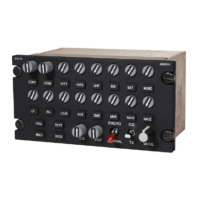
Set volume control knobs on the audio panel, including Master Volume knob, to their middle
positions (indicator line at 12 o’clock).
Adjust the volume control on each radio and other audio device to a comfortable listening level.
Once set up as specified above, use only the volume control knobs on the Eagle Copters audio
panels to change the volume.
Audio Levels should be confirmed every time the audio system is used, and this procedure must be
repeated every time the volume level is changed through the Configuration Web Page.


 To Next Page