P139-HD Audio System User Manual
GA063-3 Rev G 08/25/2015 Page
of 35
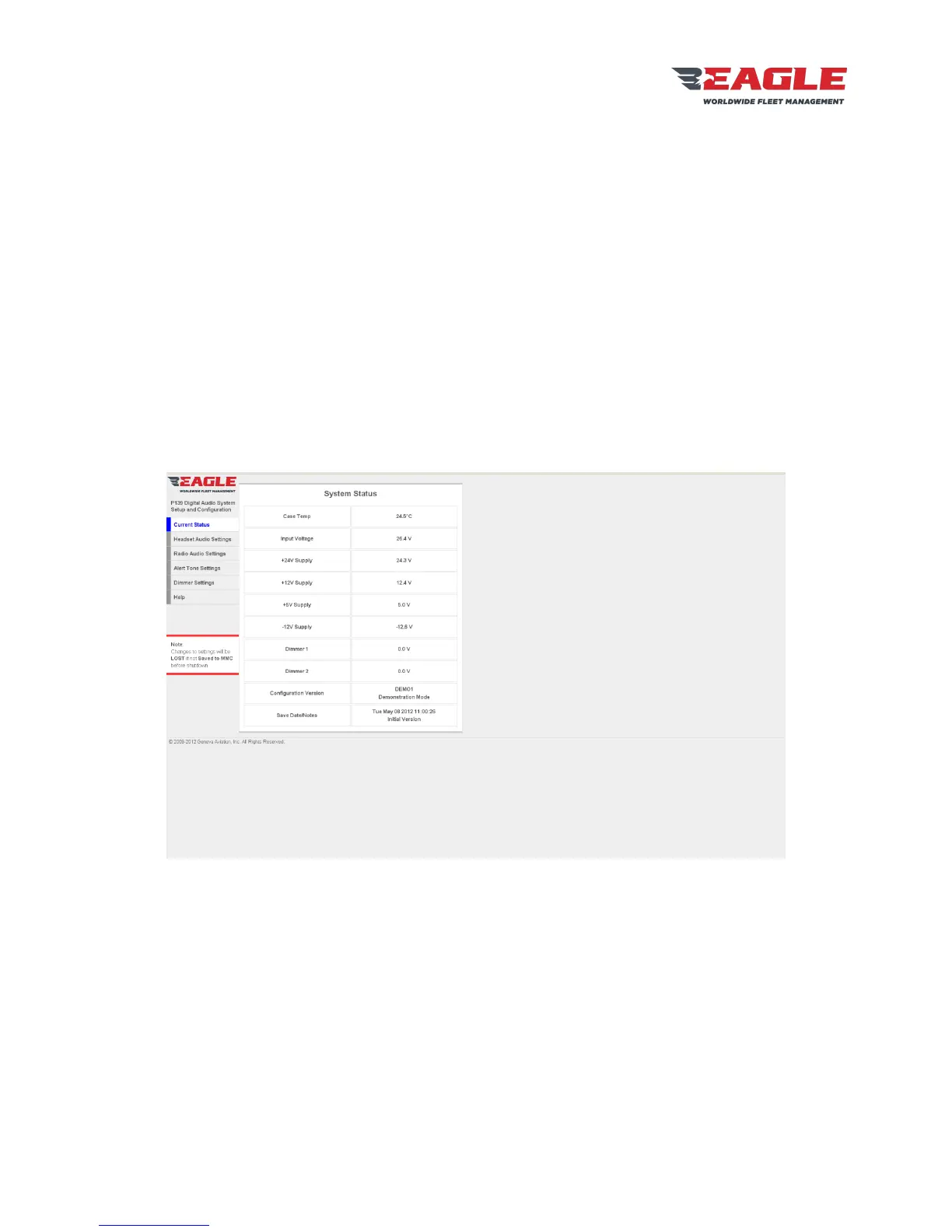
9.4. Status Page
The Current Status Page (Figure 5) shows temperature and voltage levels inside the Audio System. The
numbers are updated every 10 seconds.
The Current Status page also shows the voltage seen by the two dimmer inputs. The control panel
brightness for any given input voltage is set by the Dimmer Settings page (see section 9.8). The default
setting is 28V being full brightness and 1V being minimum brightness. The default option also sets the
dimmer to full brightness when it reads 0V; indicating instrument lights are off for daytime use.
Single-cabin aircraft may use only one dimmer channel for all control heads. Larger aircraft may use one
channel for the cockpit, and one for the cabin. This is factory set based on individual customers’
requirements.
The final item in the System Status list is the 5-digit Configuration Number and customer name. Please
quote the Configuration Number when ordering spares, new systems, or discussing configuration
changes with Eagle Copters.
Figure 5 Current Status Page


 To Next Page