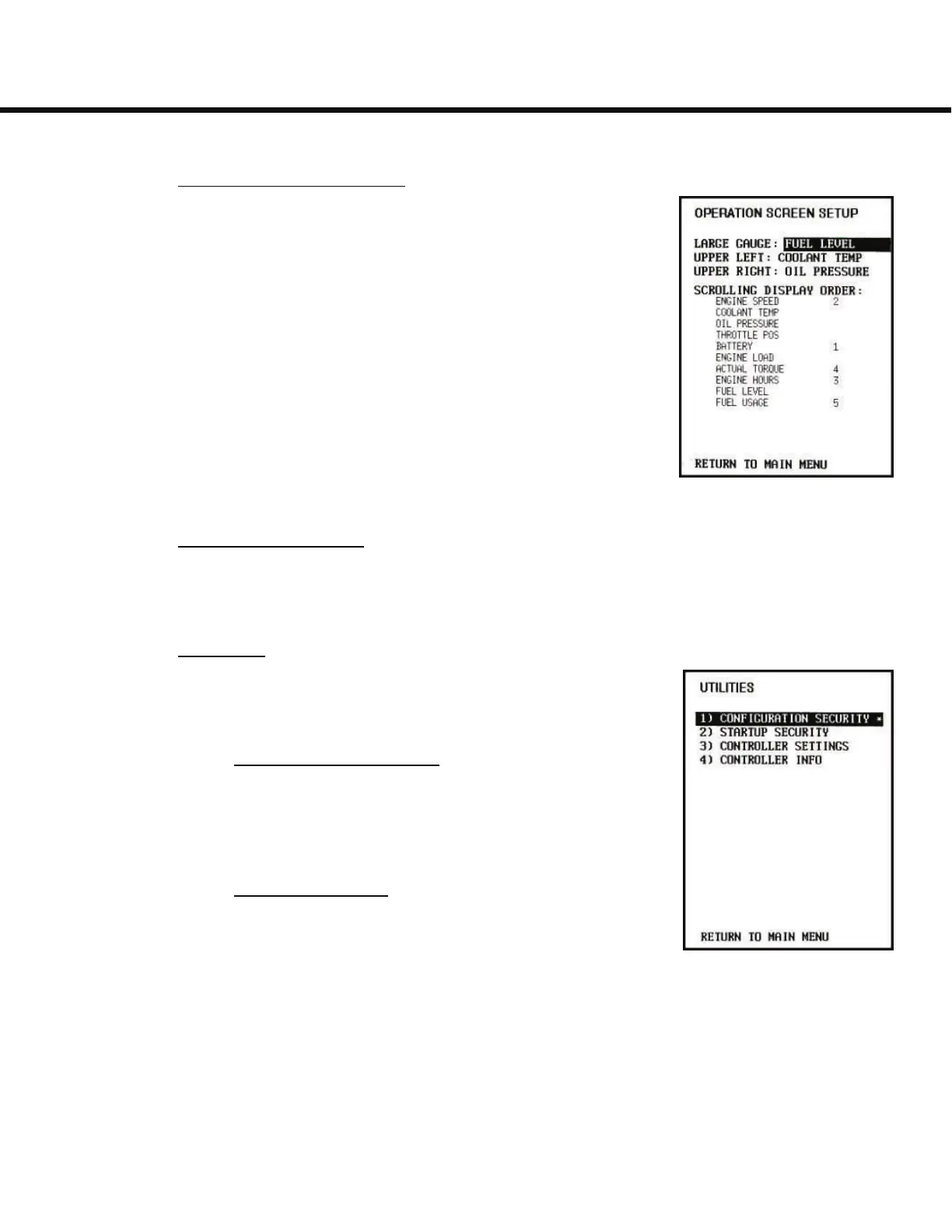
4) Operation Screen Setup:
The Operation Screen setup menu allows the user to
change the display of the gauges on the Operation Screen.
The Large Gauge, Upper Left, and Upper Right can be se-
lected by using the Up and Down buttons and changed us-
ing the Right and Left buttons to any of the available
gauges.
Changing the values for each gauge listed under the Scroll-
ing Display Order allows the user to change the order and
inclusion of the supplemental gauges shown at the bottom
of the Operation Screen. The values are set with the Up/
Down, Left/Right buttons similar to the main gauges. A
blank value means that the gauge will not be displayed.
5) Analog Input Setup:
This menu is for Eagle Tugs configuration of the display unit and provides
no functionality to the user.
6) Utilities:
The Utilities menu provides some additional configuration
options.
1) Configuration Security
Controls access to configuration options. Eagle Tugs
limits access to prevent unintentional modification of
the controller settings.
2) Startup Security
This enables the user to set a 4 digit code that needs
to be entered every time the H30 is powered up.
General Usage
5-4



 To Next Page