EW-5010A OPERATION MANUAL
2.3 Change jig and adjust
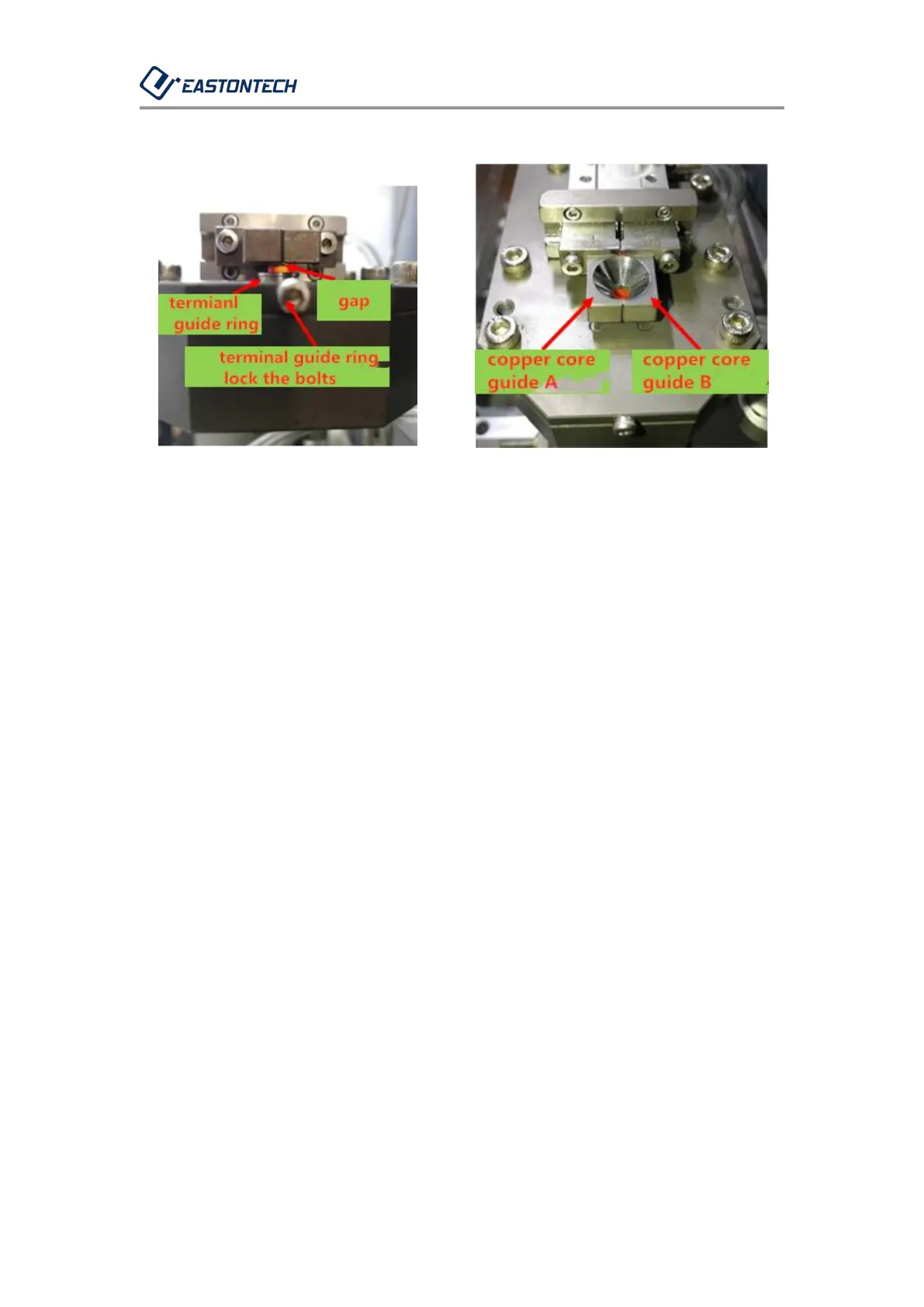
(Figure 221) (Figure 222)
2-3-1. Confirm the terminal specifications. There are 6 specifications for
the terminal guide rings of 0.5, 0.75, 1.0, 1.5, 2.5, and 4.0 square.
2-3-2. Figure 221, loosen the terminal guide ring M2.5-21.5 bolts (just
loosen one turn), and then tighten the specifications required for
replacement.
2-3-3. Confirm the terminal specifications. There are 5 specifications for
the copper core guide of 0.5, 0.75-1.0, 1.5, 2.5, and 4.0 square.
2-3-4. Figure 222, loosen the copper core guide M2.5-6 bolts, and
pre-lock the specifications required for replacement.
2-3-5. Put one selected terminal into the terminal guide ring for copper
core guide A and B alignment, as shown in Figure 221, leave a gap of
about 0.1mm to 0.2mm between the terminal and copper core guide.
Then, lock the copper core guides A and B. The locked copper core



 To Next Page