INSTALLATION AND CONNECTION
7
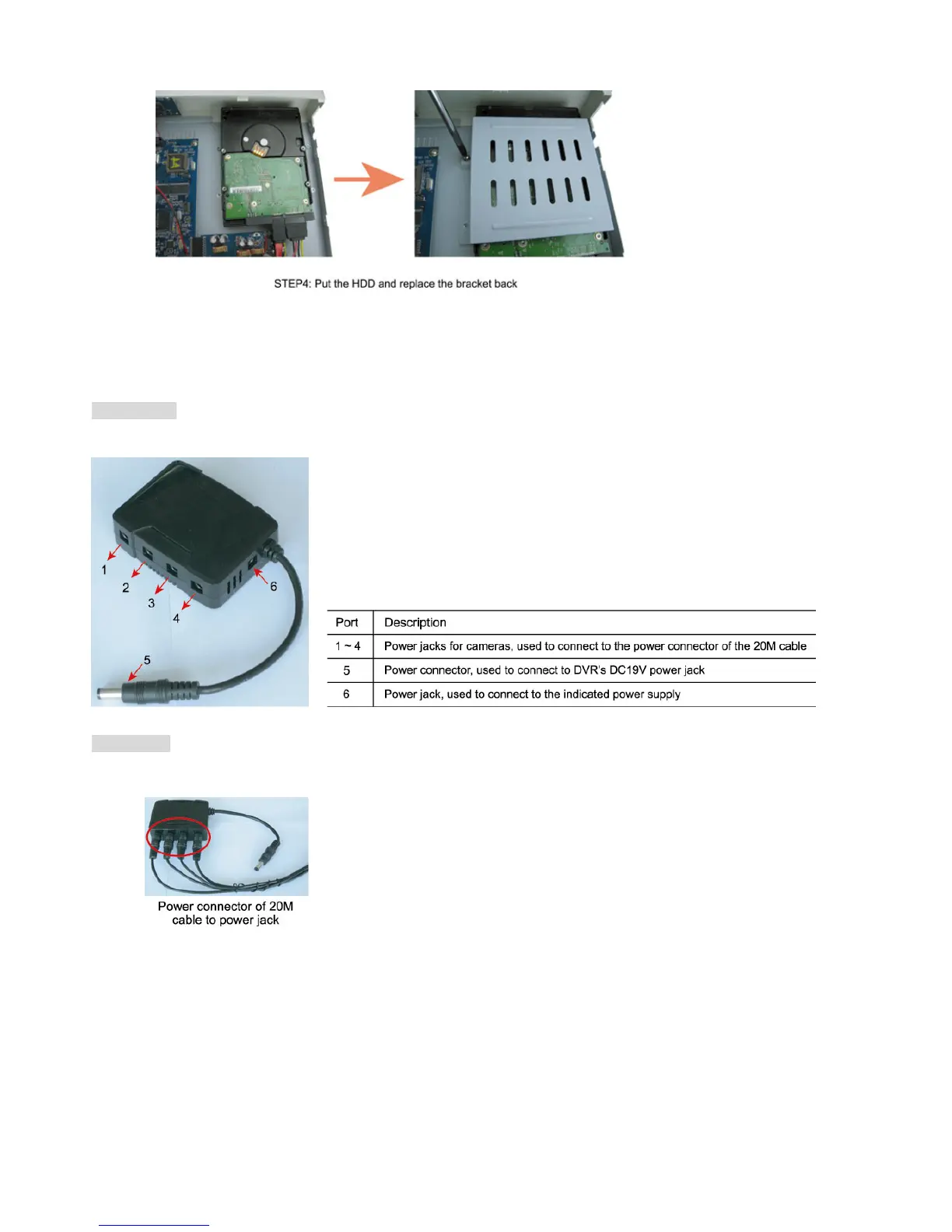
Step 4: Put the HDD to the DVR, and replace the HDD bracket back to the DVR base.
Step 5: Close the upper cover of the DVR, and fasten all the screws you loosened in Step 1.
2.3 Camera to DVR Connection
Item Needed
DC-DC Converter x 1
Connection
Step 1: Connect the power connector of the 20M cable to any port from Port 1 to Port 4 of the DC-DC converter.



 To Next Page