REMOTE OPERATION
32
NO. Function Description
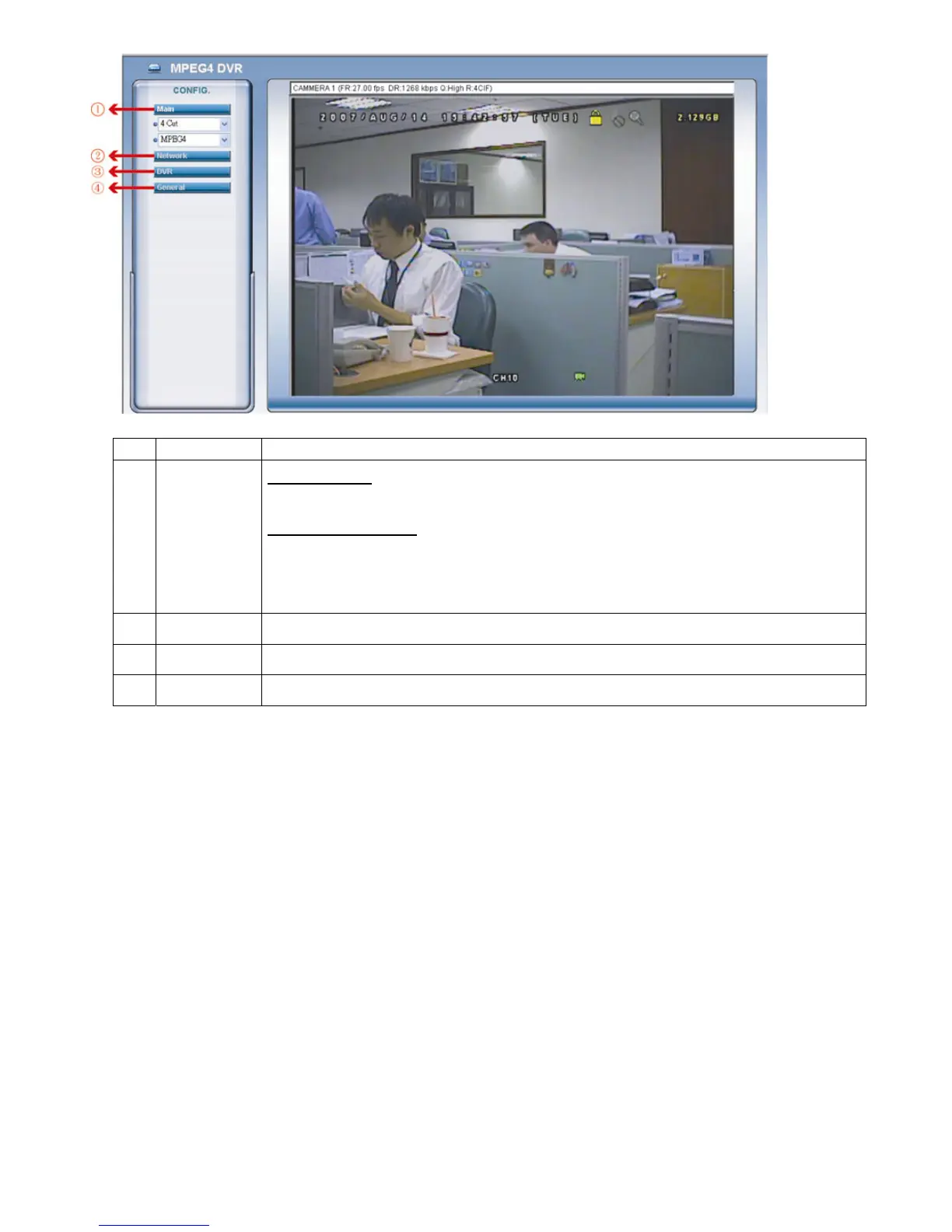
1 Main Menu
Channel Selection
Select to view a single channel (Channel 1 / Channel 2 / Channel 3 / Channel 4), or a 4-cut view (4 Cut).
Web Transmission Format
Select the web transmission format: MPEG4 or Quick Time.
QuickTime is Apple Inc.’s multimedia software. You need to have QuickTime installed in you operation system
first. When “QuickTime” is selected, you will be promoted to enter the user name and password to access the
server of the DVR.
2 Network
View and set the network configuration as described in “3.2.2 Network Configuration” at page 11.
3
DVR
View and set the DVR color, motion detection, time, record timer, and alert.
4 General
View and set the DVR language & accounts, check the server logs, and upgrade the DVR firmware.



 To Next Page