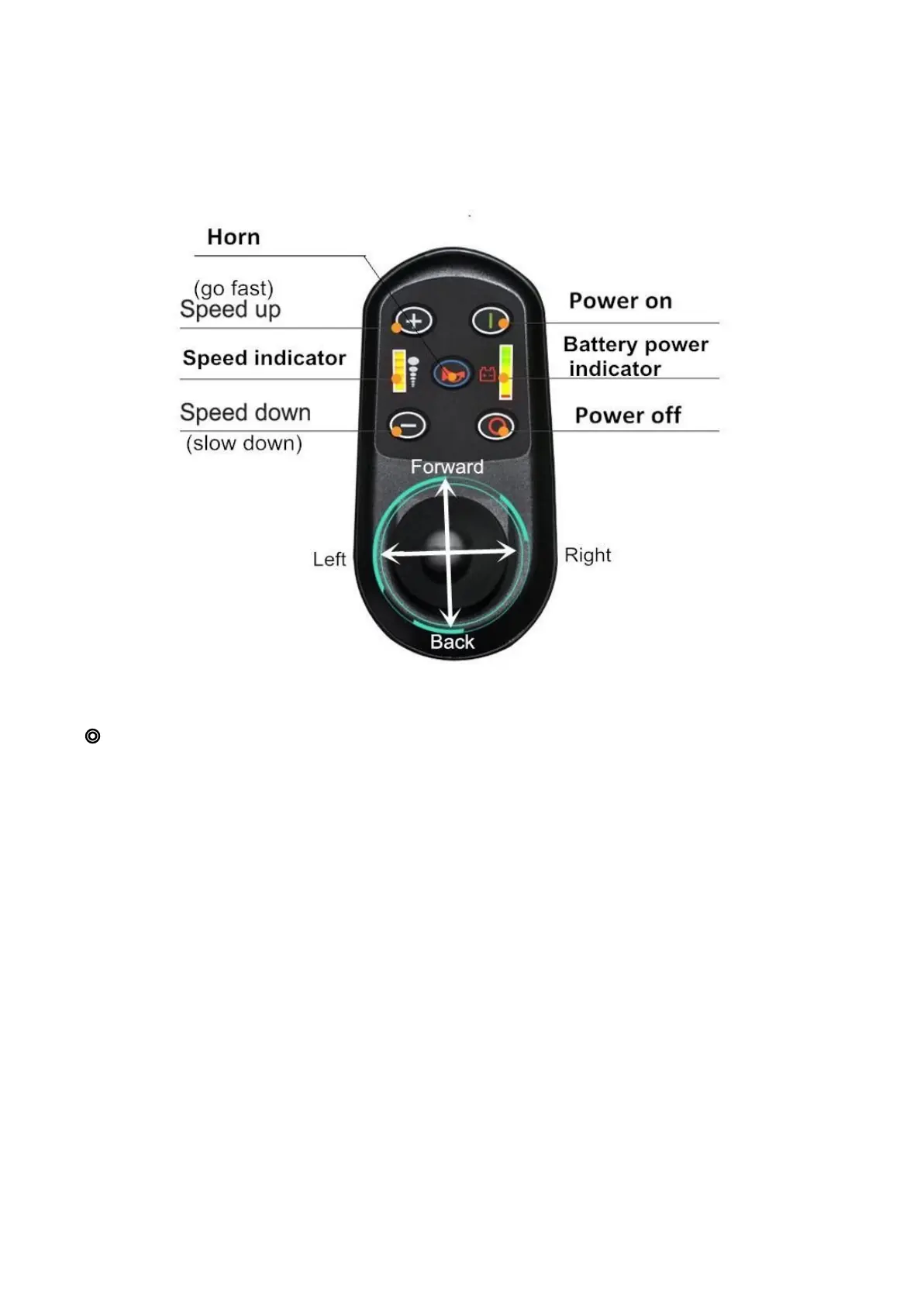
Controller
The EasyFold PRO 2.0 is equipped with a joystick style controller.
◎ Controller and Driving Tips
1. Take some time in a safe, controlled environment to learn the operation of the controller, the
speed and the maneuverability of the wheelchair.
2. When turning, reduce your speed; this will help you avoid any potential tilting or tipping of the
wheelchair.
3. Be sure to adjust the speed depending on your environment.
4. To slow down, slowly bring the joystick back toward the initial position.
5. To stop, bring the joystick back to the initial position.
6. Use extra care when you drive the EasyFold PRO 2.0 in reverse. You may lose control or fall
if one of rear wheels hits an object. When operating in reverse:
A. Operate the wheelchair slowly and at an even speed.
B. Stop often and check to make sure your path is clear of obstacles.



 To Next Page