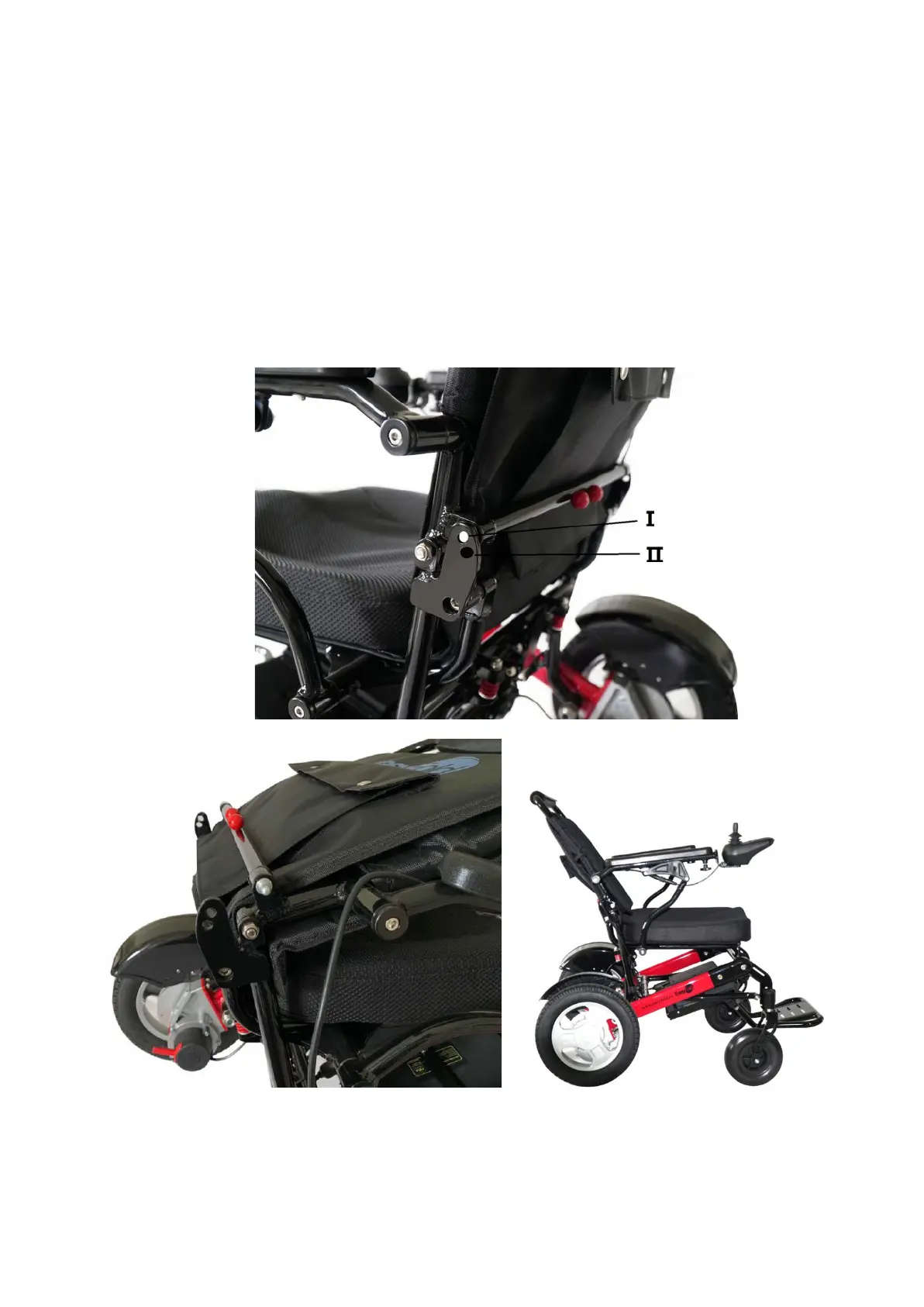
Reclining In The EasyFold PRO 2.0
The back rest’s angle on the EasyFold PRO is able to be adjusted. To adjust, please follow these
procedures:
STEP 1 - To recline the chair, push the two red clamps together.
STEP 2 - Push down on the back support to set the position.
STEP 3 - Release the clamps once the position is set.
NOTE: When adjusting the backrest, it is advised to do so while the EasyFold is unoccupied. This
ensures there is no pressure on the backrest while adjusting. Adjusting the backrest with an
occupant could result in the rider falling or tipping the EasyFold.



 To Next Page