Need help?
Do you have a question about the Easyguard EC003 and is the answer not in the manual?
Recommendations and suggestions for mounting PKE antennas for maximum induction range.
Planning wire routing and methods for making reliable wire connections, including solder or crimp.
Introduces key fob buttons and their basic functions like arm, disarm, and remote start.
How to arm/lock the vehicle using the key fob, considering PKE status.
How to disarm/unlock the vehicle using the key fob, considering PKE status.
How PKE allows automatic arm/disarm when approaching or leaving the vehicle.
Instructions for starting and stopping the engine remotely using the key fob.
How to start and stop the car using the push start button.
How the alarm reacts to illegal door opening or ACC trigger while armed.
Procedure for overriding the alarm system if the remote control is lost.
How to disarm the alarm and start the car using the reset switch.
Wiring diagram for the engine start button, showing connections for power, switch, and LED.
Troubleshooting PKE function malfunctions or intermittent operation.
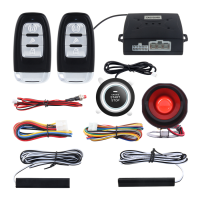
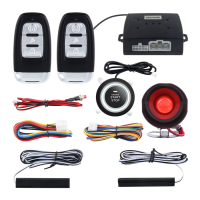
This document provides a comprehensive user manual and wiring diagram for the EASYGUARD EC003, a car alarm system that integrates passive keyless entry (PKE), remote engine start, and smart push start/stop functionalities. It is designed for most DC12V gasoline (petrol) and diesel vehicles, but not for vehicles already equipped with a push start button or those with double locking/unlocking pulse signals. For diesel vehicles requiring longer cranking times, the manual suggests pre-warming the spark plug or adding a timer delay switch.
The manual emphasizes that the product should be installed by a professional car alarm installer due to the complexity of the system and the potential for damage if installed incorrectly. DIY installers are advised to thoroughly study the manual and wiring diagrams. Key safety precautions include never operating the remote start function in enclosed or poorly ventilated areas, keeping remote controls out of reach of children, and ensuring the gear selector is in Neutral (N) or Parking (P) position when using remote engine start. The manufacturer explicitly states it is not responsible for installation or reinstallation costs.
Recommendations for control module placement include securing it away from heat sources and obvious leaks, such as above the glove box, inside the center console, or above the under-dash fuse box. For optimal PKE induction range, the alarm antenna should be mounted on the upper inside of the front windshield, away from metal products. PKE antennas are directional and fragile, requiring careful handling and mounting on solid, non-flexible surfaces. Suggested PKE antenna mount positions vary for different vehicle types (sub-compact, sedan, pickup, convertible), with position B being the most common. Mounting PKE antennas in the trunk is discouraged as it significantly reduces induction range.
The manual details wiring methods for the 1.6-pin ignition wire harness and the 10-pin wire harness, providing color codes, wire usage, and specific notes for various connections. It stresses the importance of mechanically sound and insulated connections, recommending soldering or crimp connectors over twisting and taping. Special instructions are provided for vehicles with chip immobilizers, requiring an extra bypass module and a GWR (ground while running) wire connection. Guidelines for connecting the fuel pump wire, parking/hand brake wire, and siren are also included, with advice on polarity changes for positive output horns.
The engine start button changes color (blue, red, yellow) to indicate different operational statuses (armed, disarmed, ACC on, engine started/off). The key fob features buttons for lock/arm, unlock/disarm, remote engine start/cut off, panic mode, and remote trunk release. A spare key slot is also mentioned for emergency use.
Detailed wiring diagrams and instructions are provided for 8 different types of door lock systems (Type A-H), including positive trigger, negative trigger, reverse polarity, aftermarket actuators, vacuum systems, one-wire systems, and multiplex systems (positive and negative). The manual advises identifying the vehicle's specific wiring diagram and using a digital multi-meter to determine resistor values for multiplex systems.
Two methods are described for releasing the steering lock:
Three methods are provided for bypassing the chip immobilizer:
A section addresses common FAQs, such as issues with the car starting then shutting off, remote engine start not working, programming, GWR wire connection, window closer module connection, and PKE function inconsistencies. The product comes with a 1-year quality guarantee for failures due to product quality issues, but not for incorrect operation or installation.
 General
| Brand | EASYGUARD |
|---|---|
| Model | EC003 |
| Remote Control | Yes |
| Remote Engine Start | Yes |
| Keyless Entry | Yes |
| Shock Sensor | Yes |
| Engine Immobilizer | Yes |
| Panic Mode | Yes |
| Siren Pause | Yes |
| Emergency Override | Yes |
| Valet Mode | Yes |
| Alarm Volume | Adjustable |
| Number of Buttons | 4 |
| Compatibility | Most vehicles |
| Power Supply | DC12V |
| Remote Control Frequency | 433.92MHz |

 To Next Page