42
Chapter 5: Maintenance And Troubleshooting
Inserting Batteries
The meter uses two alkaline 1.5V (AAA) batteries. Batteries will normally
last for more than 2000 tests. Other types of 1.5V (AAA) batteries are
also acceptable, but the capacity of test times may differ. Insert the
batteries when you first use the meter or replace with new batteries when
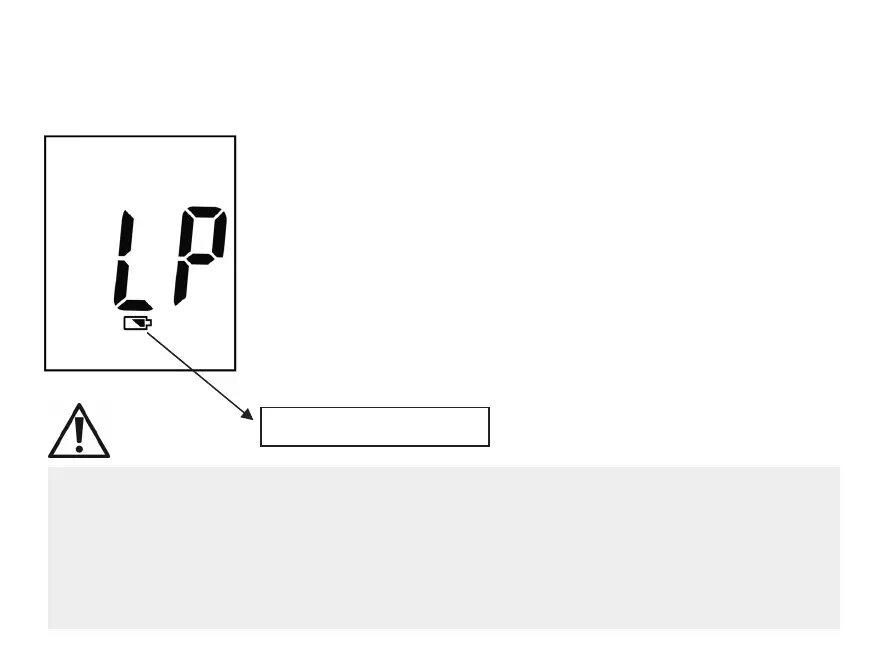
the “LP” (Low Power) message and the low battery symbol appear on
the display.
The meter will not turn on the first time batteries are inserted.
Please press and hold Power Button or insert the test strip to turn your
meter on.
The meter will turn off automatically. Or you can press and hold
Power Button to turn your meter off.
Low batter
s
mbol
1. The meter won’t delete earlier records after you replace batteries.
2. You should reset the time and date again after you replace batteries. See Section
"Setting the time and date" in Chapter 1.
3. 1.5V (AAA) x 2 batteries are available at most stores. You may take the old batteries
with you for replacement.
4. Remove batteries when you will not be using the meter for one month or more.


 To Next Page