15
Capture Mode
Slide the mode switch to the Capture Mode. Press the “Menu” button to
access the following options. Please press right/left arrow to select
“Capture/Setup/Game ”. Once you have selected the option, press
Up/Down arrow to adjust the setting. Press “OK” to confirm the setting or
press “Menu” button to quit.
“Capture”/”Scene ”
Under this mode, the camera will automatically adjust an ideal setting
for users to take their pictures. When the camera is set to “Auto” (the
default setting of the camera), it will prepare the best setting for users to
take their pictures.
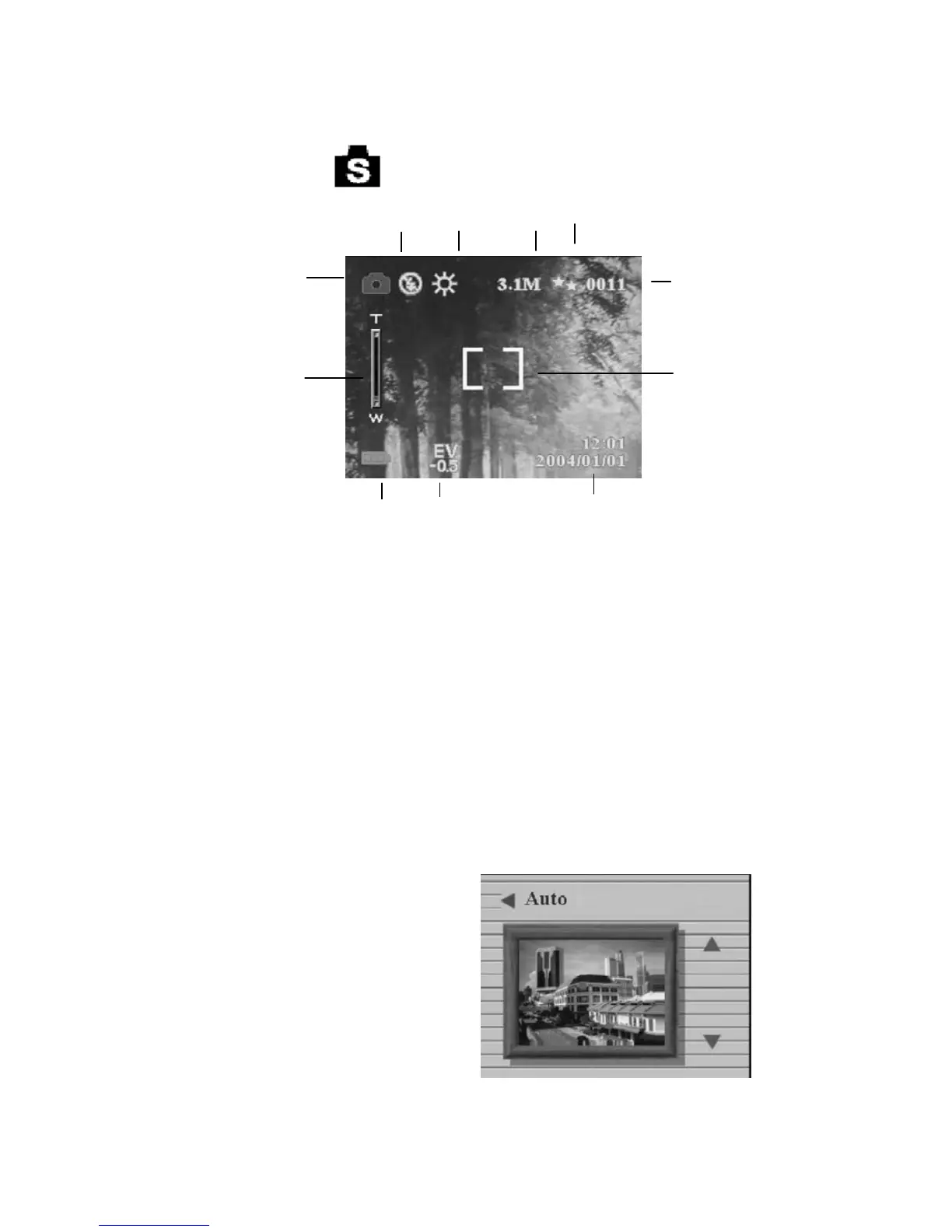
Auto
Portrait
Scenery
Flower
Natural Green
Night Scene
Night scene Portrait
Couple shot
Pre-view
Ca
ture Mode
Flash
White
Balance
Resolution
Ima
e
ualit
Digital Zoom
Time/Date
Batteries
EV adjust
umber of Shots
Remaining
Focus area


 To Next Page