6
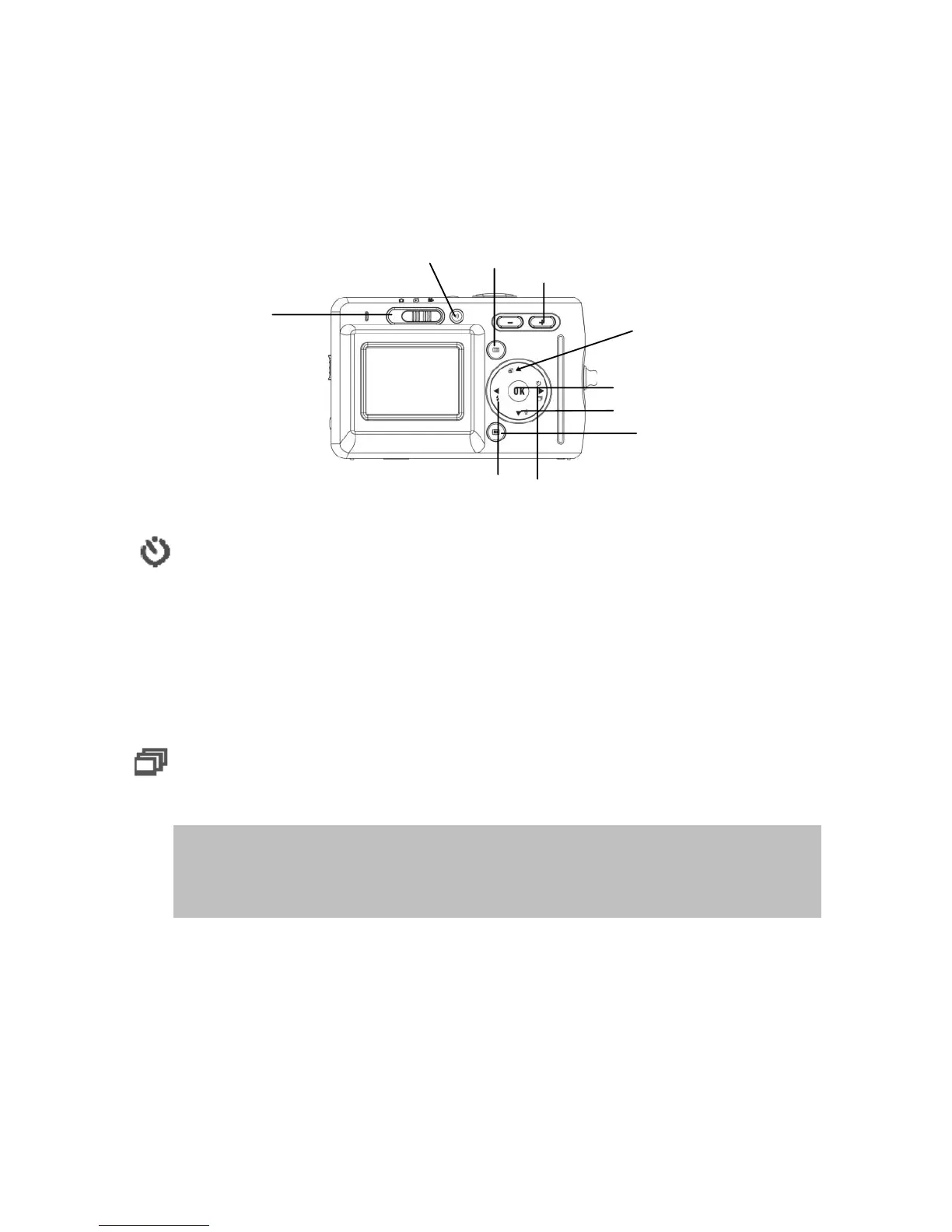
Basic Function Buttons
This section will explain the basic function buttons to instantly operate
this camera.
Self-timer: The self-timer function is used in any of the following
modes: Capture and Video. A tripod is highly recommended when using
the self-timer. Press the right button to select self-time (press once
(twice) to activate the shutter 2 (10) seconds after the shutter button is
pressed fully.) When the icon appears on the LCD, press the shutter
button to activate.
Continuous shot: This function allows 3 continuous shots.
Continuously press the right button three times to activate this function.
NOTE: 1. Turn off the Flash prior to using the continuous shot function.
2. Under continuous shot, the flash will remain inactive.
3. If the internal or SD card have run out of memory, the
continuous shot will not function.
Mode Switch
Zooming
Out/In
Menu
Left/Flash Button
Ri
ht/Sel
-timer Button
Up/ Protect Button
Down/ Delete Button
Dis
la
OK Button
Recording
utton


 To Next Page