28
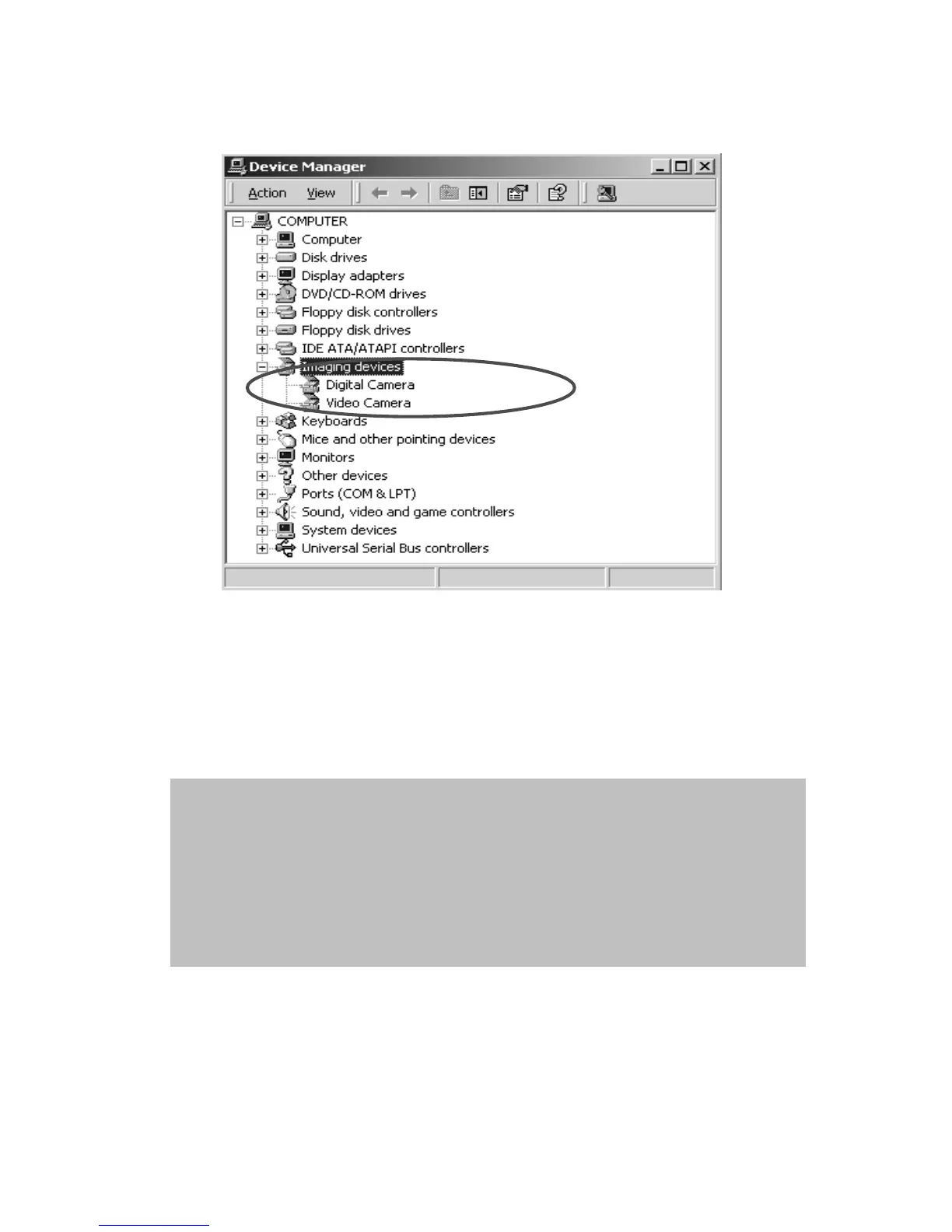
4. After the camera is set to the “PC Camera” mode and connected to
a PC, two imaging devices, “Digital Camera” and “ Video Camera”
will appear in “Device Manager”. You can review real-time pictures
with the imaging program of the operation system, namely
“Accessories.”
NOTE: 1. Voice memo files will include three different file format as
“.jpg”, “.wav” and “.html”. Which have the same file name,
but format. The recommended format for users (desiring to
include their recorded voice memo in their selected pictures)
is HTML.
2. The sound is saved in “.wav” format.
3. The picture device requires support of DirectX
®
8.1 or
higher.


 To Next Page