EasyManua.ls Logo

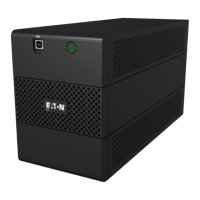
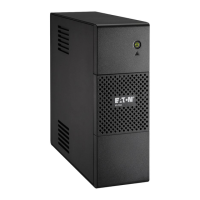
Eaton 550 - User Manual

Eaton 550
8 pages
Print Icon
To Next Page IconTo Next Page
Loading...
Installation and
user manual
EATON 5S
550/700
www.eaton.com

Questions and Answers

  • A
    Aaron BrownJul 26, 2025
    Why is my Eaton 550 UPS beeping and the green button and red LED are on?
    • K
      kathrynarmstrongJul 26, 2025
      If the green button and red LED are illuminated and the audio alarm beeps every 2 seconds, it indicates that the UPS battery backup outlets are overloaded. To resolve this, disconnect excess equipment connected to the battery backup outlets.
  • K
    kenneth03Aug 6, 2025
    Why is my Eaton 550 operating on battery power when AC power is available?
    • S
      shunterAug 6, 2025
      If your Eaton UPS is operating on battery power despite available AC power, it's possible that the circuit breaker located under the UPS has been tripped due to an overload on the UPS output. To fix this, disconnect excess equipment and reset the circuit breaker by pressing the corresponding button.
  • H
    Heather HowardAug 15, 2025
    What to do if connected devices are not supplied when AC power fails with my Eaton UPS?
    • J
      John MercadoAug 15, 2025
      If the devices connected to your Eaton UPS are not supplied with power when AC power fails, ensure that the devices are connected to the battery backup outlets.

Summary

Packaging and Initial Setup

Initial Safety and Setup Guidance

Verify package contents and read safety instructions before proceeding with installation.

Quick Start Guide

Connecting the UPS and Peripherals

Step-by-step guide to connect the UPS to power and essential devices.

Configuring Audio Alarms

Instructions on how to adjust the UPS audio alarm settings for notifications.

Battery Management and Safety

Battery Disposal Precautions

Guidelines for safe disposal of batteries according to regulations.

Battery Replacement Procedure

Steps for safely replacing the UPS batteries, including polarity warning.

Operating Conditions

UPS Connections

Connecting the UPS and Devices

Details on connecting the UPS to AC power and peripheral devices for protection.

UPS Operation

Getting Started with UPS Operation

Instructions on charging, turning on, and understanding UPS behavior during power events.

Power Saving and Surge Protection

Tips for conserving battery power and understanding surge protection for all outlets.

Troubleshooting

Resolving Power and Overload Issues

Guidance on troubleshooting power supply problems, overloads, and circuit breaker trips.

Addressing UPS Faults and Alarms

How to identify and resolve UPS faults indicated by LED lights and audio alarms.

Eaton 550 Specifications

General IconGeneral
Capacity550 VA / 330 W
Output Voltage230V
Output Frequency50/60 Hz
Input Voltage230V
Input Frequency50/60 Hz
Outlets4
Battery TypeSealed Lead Acid (SLA)
Typical Recharge Time6 hours
Operating Temperature0 to 40°C
Storage Temperature-15 to 45°C
Humidity0-95% (non-condensing)

Related product manuals