EasyManua.ls Logo

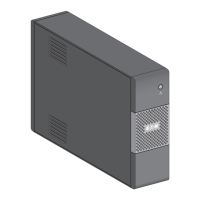
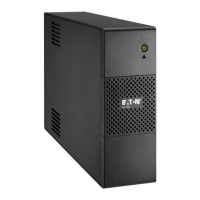
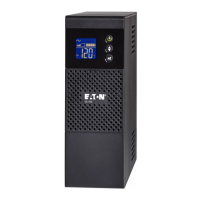
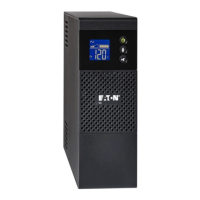
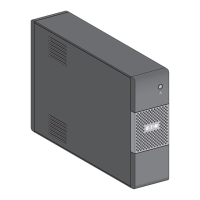
Eaton 5S 1500 - User Manual

Eaton 5S 1500
22 pages
Print Icon
To Next Page IconTo Next Page
Loading...
Installation and
user manual
English - Français
Español - Português
EATON 5S
700/1000/1500
www.eaton.com

Questions and Answers

  • L
    Leslie ValdezAug 8, 2025
    Why is my Eaton 5S 1500 operating on battery when AC power is available?
    • E
      Emma BarronAug 9, 2025
      If the Eaton UPS operates on battery power even when AC power is available, it might be because the circuit breaker located at the rear of the UPS has been tripped due to an overload. To resolve this, disconnect some equipment and reset the circuit breaker by pressing the corresponding button.
  • D
    Dana NealAug 15, 2025
    What to do if Eaton UPS green button flashes and beeps?
    • T
      Timothy FowlerAug 16, 2025
      If the green button on your Eaton UPS flashes and an audible alarm beeps every 3 seconds, it means that the battery backup outlets are overloaded. To fix this, disconnect some of the equipment connected to the battery backup outlets.
  • T
    Terry BentonAug 25, 2025
    What to do if fault sign appear on Eaton 5S 1500 LCD panel?
    • D
      Darius OrtizAug 25, 2025
      If the fault sign appears on the LCD panel of your Eaton UPS and an audible alarm beeps continuously, it indicates a fault has occurred within the UPS, and the battery backup outlets are no longer supplied. In this case, call post-sales support.
  • D
    Daniel BrayAug 31, 2025
    What to do if Eaton 5S 1500 connected devices are not supplied when AC power fails?
    • R
      Ruben BrownAug 31, 2025
      If connected devices aren't getting power from the Eaton UPS during an AC power failure, ensure they are connected to the battery backup outlets.

Summary

Packaging

Safety Precautions

Read safety instructions booklet before installing the Eaton 5S.

Quick Start Guide

Battery Management

Disposal and Safety

Discusses battery disposal regulations and safety warnings.

Battery Replacement

Step-by-step guide for replacing the UPS battery.

Technical Specifications

Product Overview

Operating Conditions

Defines the intended use and installation environment for the UPS.

Component Description

Explains the LCD display and various types of outlets on the UPS.

UPS Connections and Configuration

Network and USB Connections

Guides for connecting network devices and computers via USB.

EcoControl Outlet Setup

Details on configuring EcoControl outlets based on load thresholds.

UPS Operation and Settings

LCD Settings

How to navigate and change settings using the UPS LCD interface.

Basic Operations

Covers battery charging, powering on, and outlet functionality.

Power Issues and Troubleshooting

Power Disturbances & Surge Protection

How the UPS handles power fluctuations and surge events.

Shutdown and Troubleshooting

Procedure for shutting down outlets and resolving common UPS problems.

Eaton 5S 1500 Specifications

General IconGeneral
Output Voltage230V
TopologyLine-Interactive
Form FactorTower
Nominal Input Voltage230V
Input ConnectionIEC C14
Efficiency at Full Load95%
Frequency Range50/60 Hz
Operating Temperature0°C to 40°C
Storage Temperature-15°C to 45°C
Battery TypeSealed lead-acid
Interface PortsUSB
Output Connections8 IEC C13
Typical Backup Time at Full Load5 minutes
Surge Energy Rating320 Joules
Typical Recharge Time4 hours
Humidity0-95% non-condensing
Safety ApprovalsCE

Related product manuals