Need help?
Do you have a question about the Eaton 5E and is the answer not in the manual?
Guides on checking for shipping damage and verifying package contents.
Explains how to connect the UPS to the AC power source and protected equipment.
Covers initial setup, power source checks, and battery charging.
Explains how to start the UPS using battery power when AC power is unavailable.
Describes the procedure for safely shutting down the UPS.
Lists information required for contacting technical support and warranty claims.
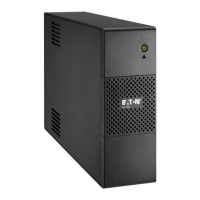
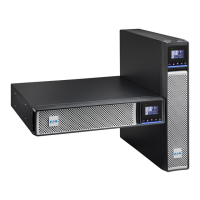
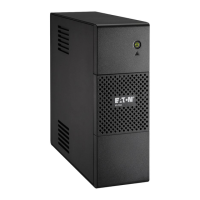
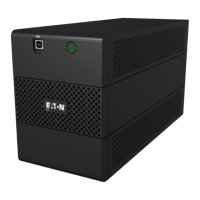
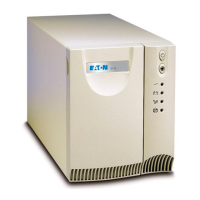
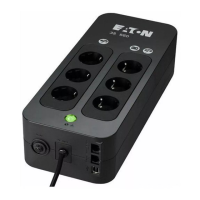
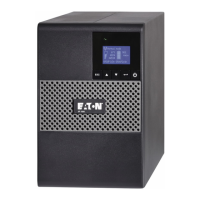
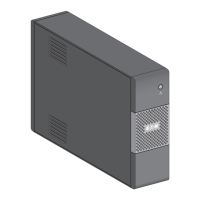
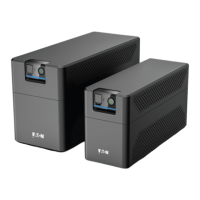
The Eaton 5E is an uninterruptible power system (UPS) designed to protect sensitive electronic equipment from common power problems. These issues include power outages, voltage sags, impulsive transients, line noise, and long-term under and over-voltage conditions. Power disturbances can lead to corrupted data, lost work sessions, and damaged hardware, resulting in lost productivity and expensive repairs. The Eaton 5E aims to mitigate these risks by providing stable and reliable power.
The primary function of the Eaton 5E is to provide continuous power to connected equipment during utility power fluctuations or outages. It operates in two main modes: Normal mode and Battery mode.
In Normal mode, the UPS supplies protected AC power output to connected loads while simultaneously charging its internal batteries. The UPS LED indicator illuminates green, signifying normal operation and power protection. This mode ensures that your equipment receives clean, stable power from the AC source, and the batteries are kept fully charged for immediate use during an outage.
When a power outage occurs, the UPS automatically switches to Battery mode. In this mode, the UPS draws power from its internal batteries to continue supplying electricity to the connected equipment. During battery operation, the UPS LED indicator blinks, and an audible alarm beeps every five seconds to alert the user to the power outage. The UPS will continue to supply power until the battery capacity becomes low.
The Eaton 5E also incorporates Automatic Voltage Regulation (AVR). This feature maintains a constant voltage level for electrical equipment loads even when the incoming AC voltage falls outside the acceptable tolerance range. This means the UPS can correct minor voltage fluctuations without switching to battery power, thus preserving battery life.
In the event of a prolonged power outage and dwindling battery capacity, the UPS enters a Low-battery warning state. The LED indicator blinks quickly, and the audible alarm beeps every 1.5 seconds. This serves as a critical alert, prompting users to gracefully shut down all applications on connected equipment to prevent data loss, as an automatic UPS shutdown is imminent. Once the battery power is completely depleted, the UPS reaches the End of battery backup time, at which point all LEDs turn off, and the audible alarm stops.
Upon the return of AC input power, the UPS automatically restarts (unless it was manually shut down at the end of the backup time) and resumes supplying power to the load, transitioning back to Normal mode and recharging its batteries.
The Eaton 5E is designed for straightforward installation and operation.
Before installation, it is crucial to inspect the equipment for any shipping damage. If damage is found, a claim should be filed with the carrier. The UPS should be placed on a flat, stable surface, ensuring at least 6 inches (150 mm) of free space around its openings for proper ventilation. The UPS is designed for tower position installation.
Connecting the UPS involves plugging it into an AC-power source via a wall outlet equipped with an earth connector, using the provided cord. It's essential to verify that the UPS's nameplate specifications match the AC power source and the total electrical consumption of the connected load. Critical equipment, such as computers, monitors, and modems, should be plugged into the backup and protected outlets. These outlets provide battery backup power and are not affected by the ON/OFF button, meaning they receive power as soon as the AC cord is plugged in.
To start the UPS, ensure the power cord is plugged in. After a single buzzer indication, press the ON/OFF button on the front panel for a few seconds. The UPS LED indicator should illuminate green, signifying normal operation. If any red alarms are present, they should be resolved before proceeding. The UPS will perform an initial battery test, during which the LED may blink for a few seconds.
The UPS can also be started on battery power when disconnected from the AC source by pressing the ON/OFF button. In this scenario, the UPS transfers from Standby to Battery mode, and the LED indicator blinks with a buzzer snooze.
To shut down the UPS, press the ON/OFF button for two seconds. The UPS will beep, and the indicator will blink before turning off, transferring the unit to Standby mode.
For enhanced functionality, USB models of the Eaton 5E include a USB COM port. Users can connect the UPS to a computer using a USB cable and download configuration tool software from eaton.com/downloads. This allows for monitoring and managing the UPS.
Users are encouraged to register their warranty at https://www.pqproductregistration.eaton.com.
Proper maintenance ensures the longevity and optimal performance of the Eaton 5E.
Keeping the area around the UPS clean and dust-free is important for preventive maintenance. In dusty environments, the exterior of the system should be cleaned with a vacuum cleaner. For optimal battery life, the equipment should be kept at an ambient temperature of 25 °C (77 °F).
The internal lead-acid batteries have a rated service life of 3-5 years. This lifespan can vary based on usage frequency and ambient temperature; for instance, battery life is halved for every 10 °C above 25 °C. Batteries used beyond their expected service life will likely have significantly reduced runtimes and should be replaced at least every four years to maintain peak performance. Low temperatures (below 10 °C) will also reduce battery runtime.
If the UPS is to be stored for an extended period, the battery should be recharged every six months by connecting the UPS to utility power. The internal batteries can reach 90% capacity in less than three hours, but Eaton recommends a 48-hour charge after long-term storage. It is crucial to check the battery recharge date on the shipping carton label; if this date has passed and the batteries were never recharged, the UPS should not be used, and service should be contacted.
The Eaton 5E contains lead-acid batteries and other recyclable materials. It is imperative to follow local regulations for the proper disposal of both the packing materials and the used equipment. Batteries should never be disposed of in fire, as they can explode and contain corrosive, toxic, and explosive substances. The UPS and its batteries should not be discarded in regular trash but taken to a local recycling or hazardous waste center. Similarly, waste electrical and electronic equipment (WEEE) must be disposed of properly through appropriate recycling channels. Eaton provides information on recycling at eaton.com/recycling.
The Eaton 5E is designed for autonomous operation with built-in notifications and alerts for potential operational or performance issues. These alerts range from silent event logs to blinking LCD status screens for alarms and continuous beeps with red LEDs for faults. A troubleshooting chart is provided to help users diagnose and resolve common issues, such as power supply problems, battery issues, and communication failures.
For any questions or problems, users should contact Eaton or their local service representative, providing the model number, serial number, firmware version, date and symptoms of failure, and customer contact information. If a repair is needed, a Returned Material Authorization (RMA) number will be issued, which must appear on the outside of the packaging. Original packaging should be used for shipping to prevent damage, as units damaged due to improper packaging are not covered under warranty. For critical applications, immediate replacement options may be available through the Help Desk.
 General
| Noise level | 45 dB |
|---|---|
| Output power | 1200 W |
| UPS topology | Line-Interactive |
| Input frequency | 50/60 Hz |
| Maximum current | 10 A |
| Output power capacity | 2 kVA |
| Surge protection features | Fax, Modem, Telephone |
| Input operation voltage (max) | 280 V |
| Input operation voltage (min) | 170 V |
| Output operation voltage (max) | - V |
| Output operation voltage (min) | 230 V |
| Power plug | C14 coupler |
| AC outlet types | C13 coupler |
| AC outlets quantity | 6 AC outlet(s) |
| USB 2.0 ports quantity | 1 |
| Battery voltage | 12 V |
| Battery capacity | 9 Ah |
| Battery recharge time | 6 h |
| Number of batteries supported | 2 |
| Typical backup time at full load | 50 min |
| Typical backup time at half load | 26 min |
| Form factor | Tower |
| Certification | CE, CB |
| Product color | Black |
| LED indicators | Yes |
| Operating temperature (T-T) | 0 - 40 °C |
 Weight and Dimensions
| Depth | 330 mm |
|---|---|
| Width | 133 mm |
| Height | 180 mm |
| Weight | 10460 g |

 To Next Page