10
Durant
PGM
View Edit
Enter
St art
St op
Res et
PGM
BATCH
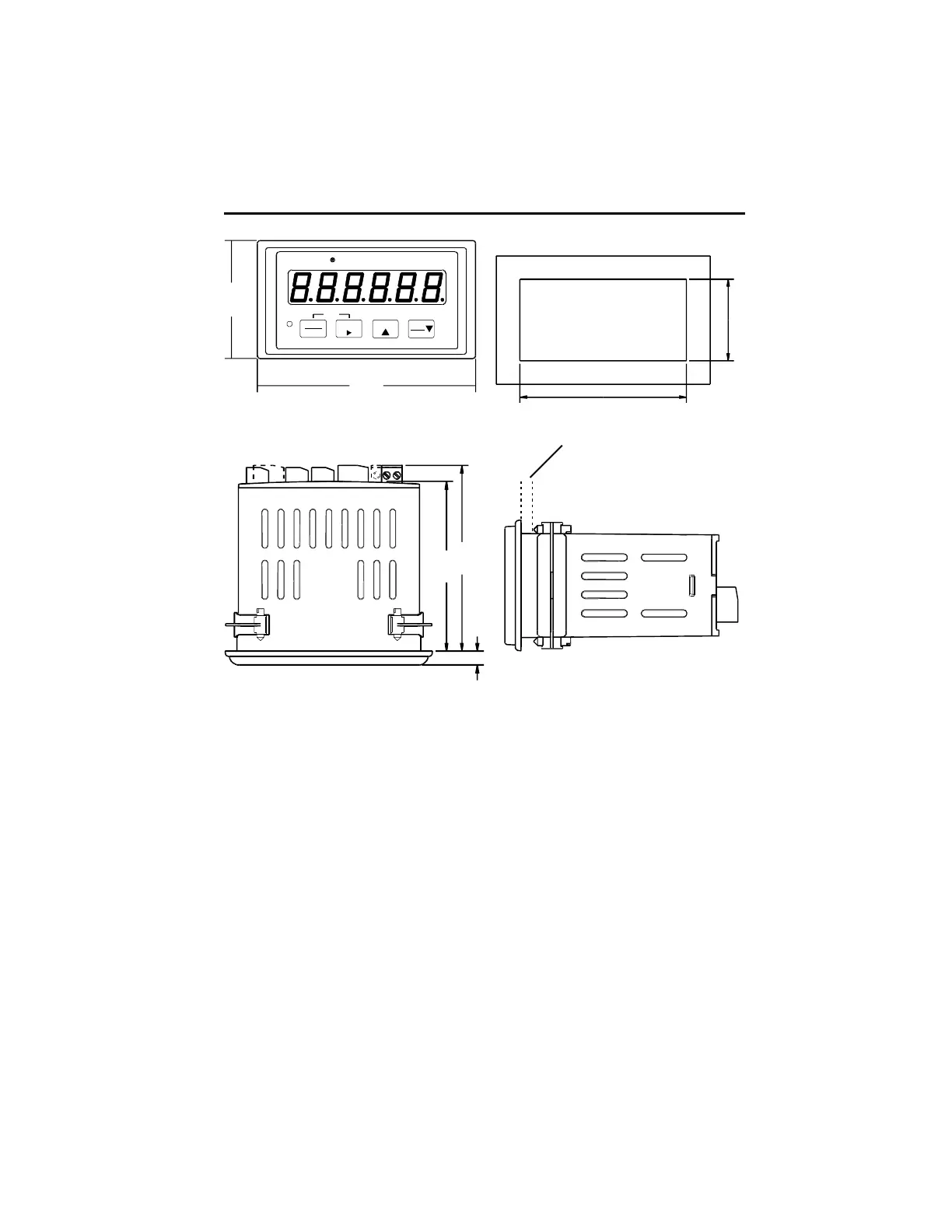
2.19
4.04
3.31
3.63
.27
Mounting Instructions
1. Slide mounting gasket (not shown) over unit body until adhesive surface
makes contact with the front bezel.
2. Slide unit into cutout in panel.
3. Attach mounting clips and screws.
4. Tighten screws until unit is firmly in place. DO NOT OVERTIGHTEN screws
to the point of squeezing the gasket out from behind the bezel.
MOUNTING
Panel Cutout
Max. Panel Thickness .190 [4.83]
[92.00]
3.622 +/- .031
[45.00]
1.772 +/- .024





 To Next Page