41
234
234
234
234
234
234
234
234
234
234
234
234
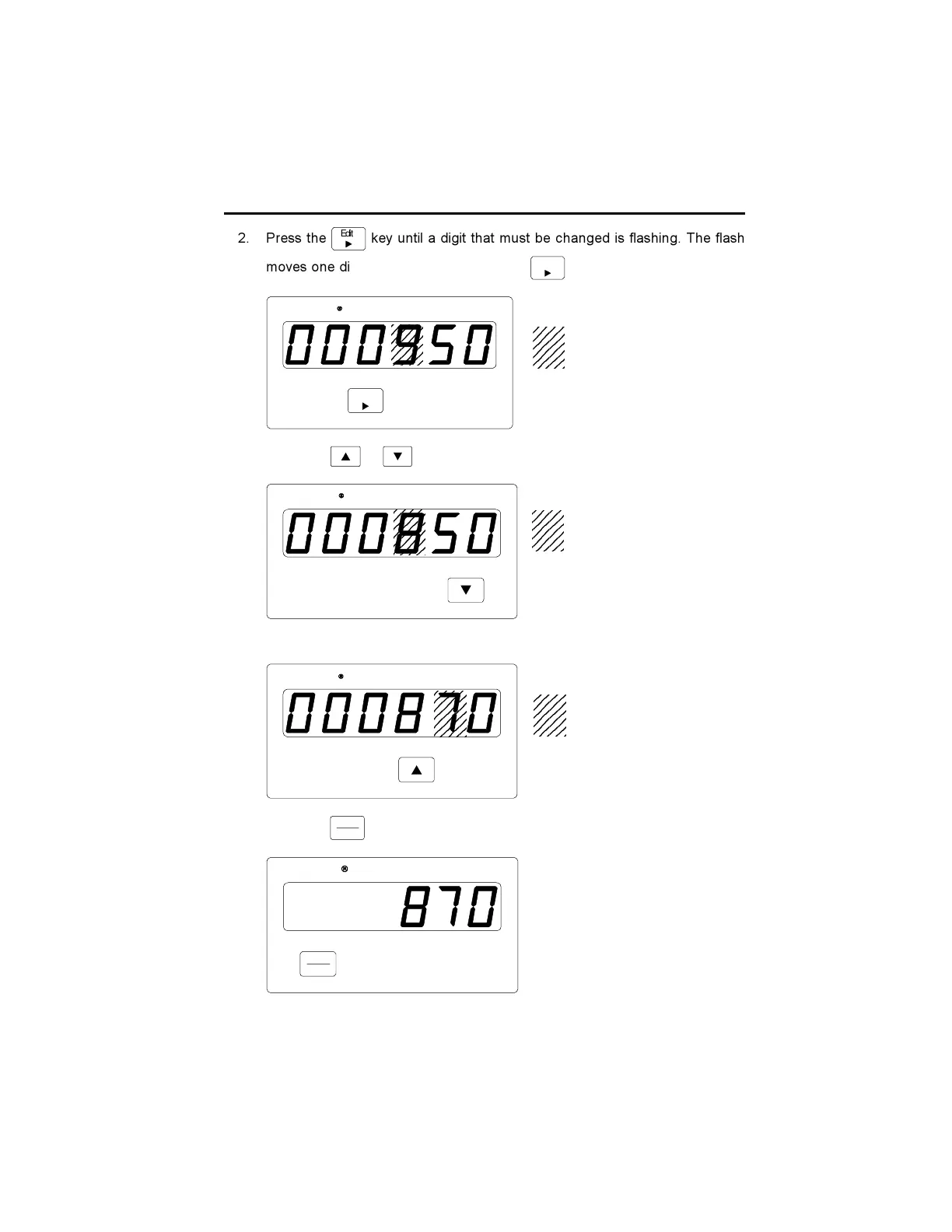
2. Press the
Edi t
key until a digit that must be changed is flashing. The flash
moves one digit to the right each time the
Edi t
key is poked.
Edit
Durant
3. Press the or key to change the value of the flashing digit.
Durant
4. Repeat steps 2 and 3 until all digits are changed to the new preset value.
Durant
5. Press the
View
Enter
key to enter the new value.
Vi e w
Enter
Duran
t
All leading zeros disappear and the flashing stops.
RUN MODE cont.
234
234
234
234
Indicates flashing digit.
23
23
23
23
Indicates flashing digit.
234
234
234
234
Indicates flashing digit.











 To Next Page