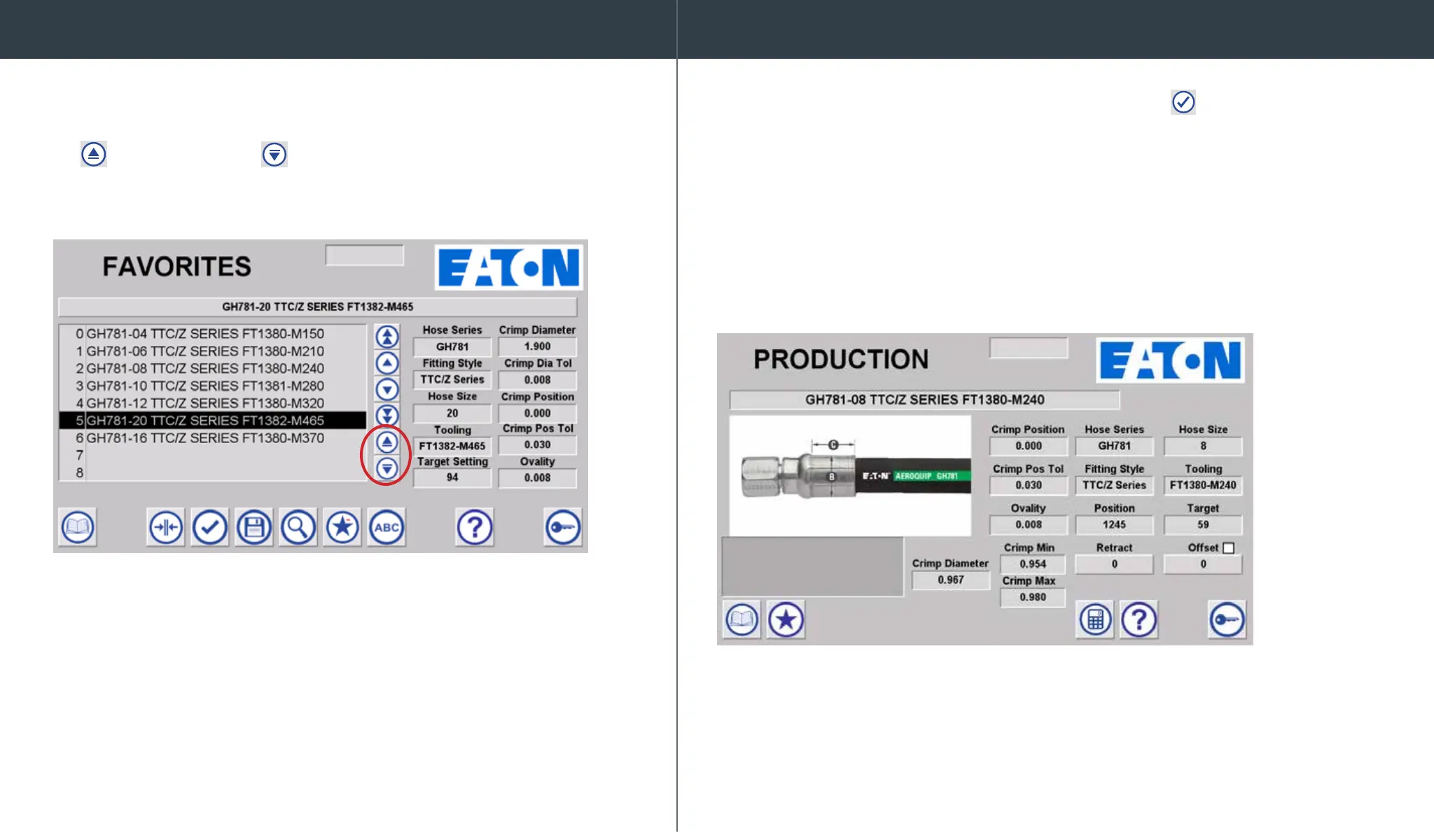
If privileges are enabled, you can select a favorite row and then
move the selected spec up or down in the favorites list by selecting
the
move spec up and
move spec down arrows.
Load a hose into the machine by selecting the Load icon and navigate
to production screen. Crimp spec details are shown. Verify the proper hose,
tting, and tooling selections and begin the crimping process by pressing the
crimp switch on the machine. After crimping, measure the achieved crimp
diameter to ensure a safe and reliable hose assembly.
*Warning – Follow all instructions in this operator’s manual and do not permit
anyone to operate this equipment unless they are properly trained
and have read and thoroughly understand this manual.
* Offsets can be entered, but will not be saved for future use. An offset cannot
be saved back to “Product Library.” Offsets can only be saved to “favorites.”
Moving a favorite record Crimping from product library menu


 To Next Page