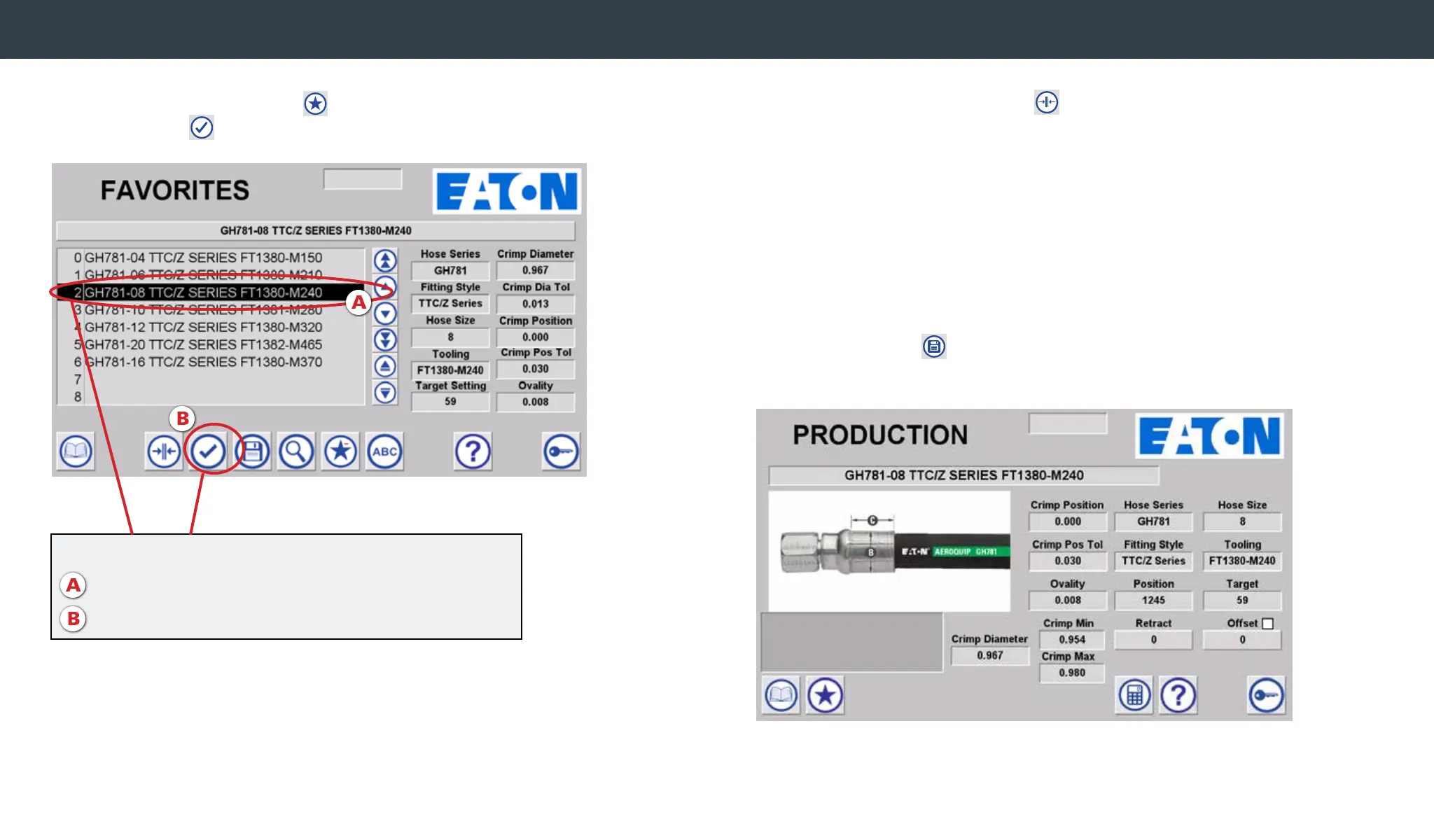
Navigate to the Favorites menu . Highlight desired crimp spec and
hit the Load icon to load the favorited spec into the machine.
Navigate to the production screen
. Crimp Spec details are
shown. Verify the proper hose, tting, and tooling selections and
begin the crimping process by pressing the crimp switch on the
machine.
*Warning – Follow all instructions in this operator’s manual and do
not permit anyone to operate this equipment unless
they are properly trained and have read and thoroughly
understand this manual.
After crimping, measure the achieved crimp diameter to ensure a
safe and reliable hose assembly. Enter the measured crimp diameter
using the calculator . The offset will automatically be calculated
and saved with the favorites record.
Navigate to favorites menu
A. Highlight desired spec
B. Hit Load icon to load favorited spec into machine
Crimping from Favorites Menu


 To Next Page