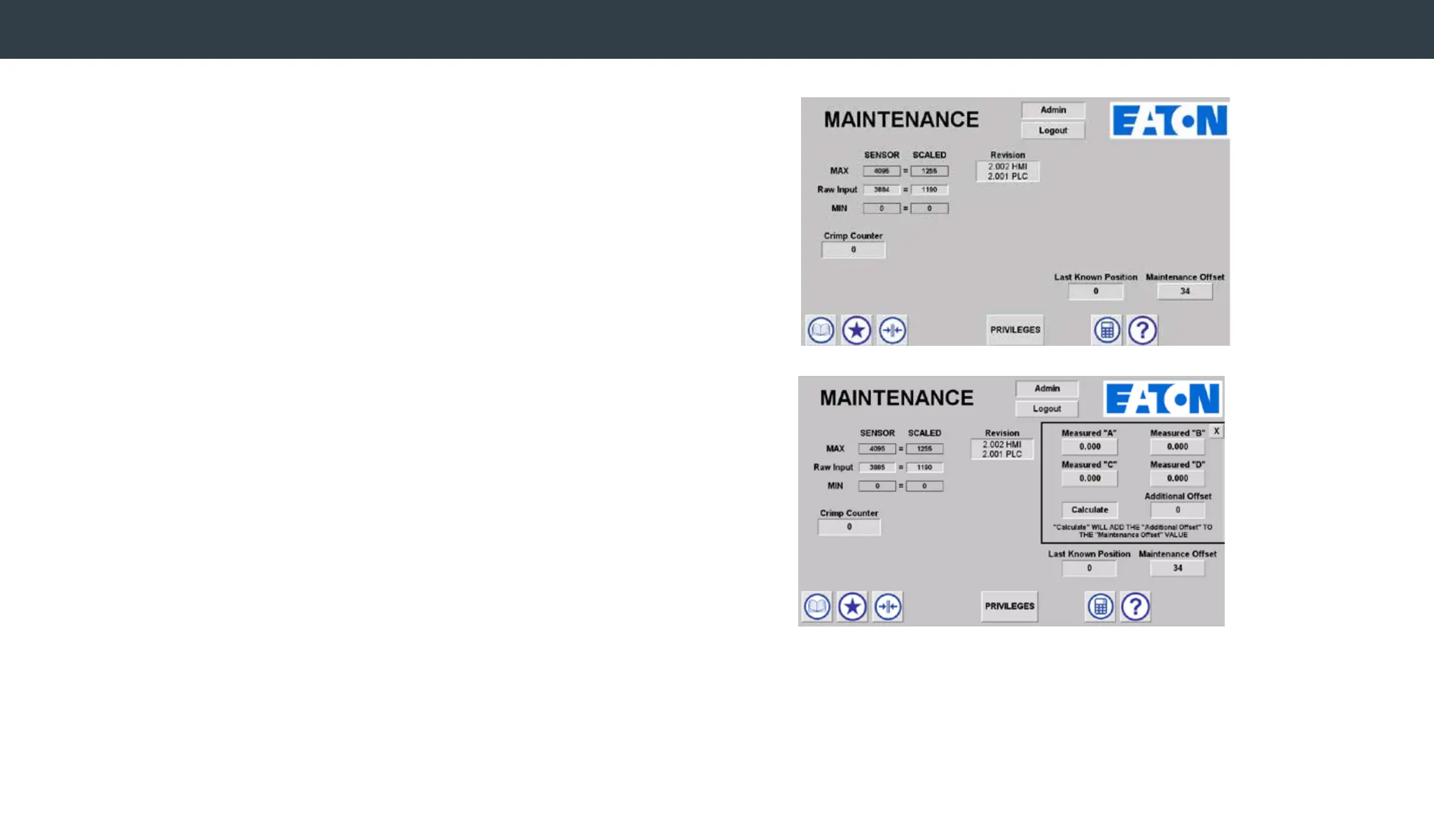
To check calibration or to recalibrate the machine,
• Navigate to the Product Library.
• Select CALIBRATION spec and load it into the machine.
• Navigate to the production screen and crimp a TTC/Z series -8 tting
with an M240 die.
• Log in as admin.
While on the Maintenance screen,
• Select the calculator icon. The calculator window will open.
• Enter the FOUR MEASUREMENTS and select the Calculate button.
The offset value is automatically calculated and stored.
Note: The calculated offset may be adjusted and overwritten by
selecting the Offset button and entering a new value. Note - Valid
values are between 0.900 and 1.100. Do not include decimal
points when entering. Examples: 0900, 1100
Note: The calculator icon only appears when the CALIBRATION spec is loaded.
Any additional offset is calculated and added to original offset value.
Re-check an additional -8 TTC/Z series tting and repeat as required.
Machine Calibration


 To Next Page