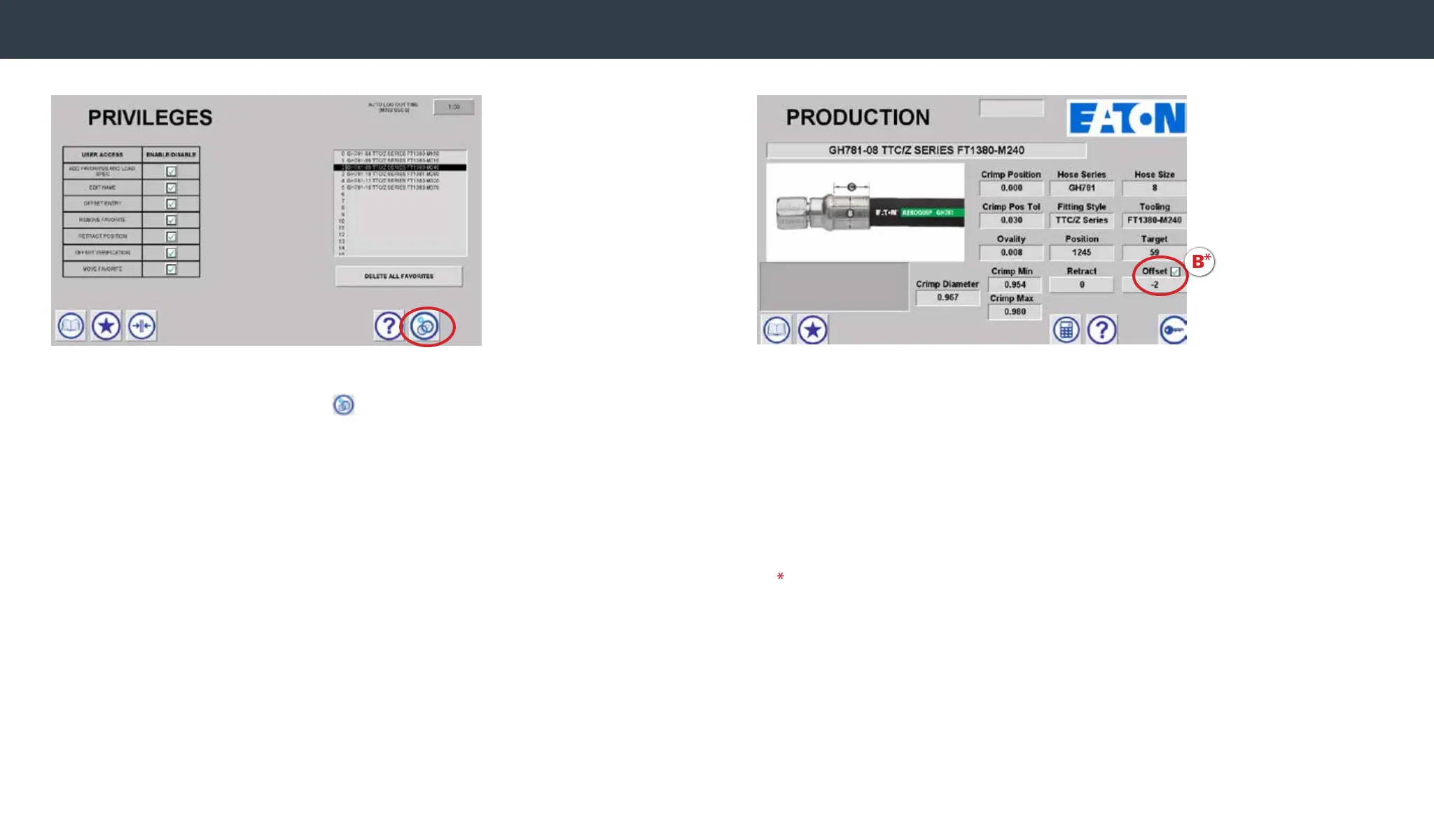
Privileges
You must be logged in as Admin to set privileges.
• First select the maintenance icon
• Then select the Privileges button.
The admin can then set the privileges that the non-Admin
user can access. Privileges that can be granted is a follows:
Add Favorite/Load Crimp Spec
When enabled, allows common user to add a favorite and
to load a crimp spec from the Favorites screen
Edit Name
When enabled, allows common user to edit
the names of Favorites
Offset Entry
When enabled, allows common user to enter measured
crimp diameters and to calculate the offset
Remove Favorite
When enabled, allows common user to remove a favorite
Retract Position
When enabled, allows common user to set the crimp machine
retract position
Offset Verication
When enabled, allows common user to verify an offset by
selecting the box next to the offset
(See B image above)
Move Favorite
When enabled, allows common user to move and reorder favorites
Note - By default the common user will have access to all Privileges.
The admin must disable access for privileges that the common
user should not be able to access.


 To Next Page