
 Need help?
Do you have a question about the Eaton Power Xpert UX and is the answer not in the manual?
Details position indicators, push buttons, voltage detection, viewing window, and access mechanisms on the control panel.
Details secondary connector, charging handle, status indicators, operation counter, and manual operation buttons.
Turns off the circuit breaker using the OFF push-button.
Moves the unit from service to test position using the drive shaft.
Activates the earthing switch to earth cables, ensuring safety.
Turns off the earthing switch, enabling cable door operation.
Moves the unit from test to service position using the drive shaft.
Turns on the circuit breaker via the ON push-button.
Turns off the circuit breaker mechanically without auxiliary supply.
Turns on the circuit breaker mechanically, noting protection circuit limitations.
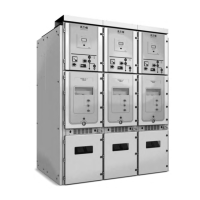
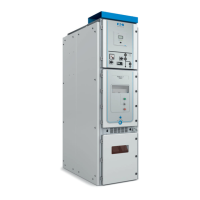
The Power Xpert™ UX is a sophisticated electrical distribution device designed for safe and efficient operation within industrial and commercial settings. It incorporates a range of features for control, monitoring, and maintenance, ensuring reliable power management.
The primary function of the Power Xpert™ UX is to control and protect electrical circuits. It features a circuit-breaker that can be switched ON or OFF, either electrically or mechanically, to manage power flow. The device also includes an integral earthing switch, which is crucial for safety during maintenance or when a circuit needs to be de-energized. This earthing switch can be operated manually and, once engaged, provides a secure earth connection for the cables, allowing for safe access to the cable compartment.
The device is designed with a withdrawable unit, allowing it to be moved between different positions: SERVICE, TEST, and REMOVED. In the SERVICE position, the unit is fully connected and operational. The TEST position allows for testing the circuit breaker's functionality without energizing the main circuit, providing a safe environment for diagnostics. The REMOVED position completely isolates the unit from the main circuit, facilitating maintenance or replacement.
A key safety feature is the interlock system, which prevents unsafe operations. For instance, the cable door cannot be opened if the earthing switch is not in the ON position, ensuring that cables are earthed before they can be accessed. Similarly, the circuit-breaker door can only be opened when the unit is in the TEST position, or when the circuit-breaker is OFF, preventing access to live components.
The Power Xpert™ UX also integrates a voltage detection system (VDS) to indicate the presence of voltage on the cables. This system provides a visual cue, typically red arrows and dots, when cables are live, and no indication when they are dead, enhancing operator safety.
Operating the Power Xpert™ UX involves a series of carefully designed steps to ensure safety and proper functionality.
The circuit-breaker can be switched ON or OFF electrically using dedicated push-buttons on the panel. For mechanical operation, in cases of no auxiliary supply, emergency operating facilities are provided. These involve inserting a rod into specific points (TRIP for OFF, CLOSE for ON) and pushing to trigger the manual open or close buttons. This ensures that the circuit-breaker can still be operated even in power outage scenarios.
To move the withdrawable unit between positions (SERVICE, TEST, REMOVED), a hand crank is used with a drive shaft. Turning the hand crank anti-clockwise moves the unit from SERVICE to TEST, and further to REMOVED. Turning it clockwise moves the unit back towards SERVICE. Position indicators on the panel clearly show the current position of the circuit-breaker truck (TEST or SERVICE).
The earthing switch is operated manually using an operating handle. To engage the earthing switch, the cover is opened to access the operating shaft, the interlock driver is pressed down, and the handle is inserted. Turning the handle clockwise moves the earthing switch to the ON position, earthing the cables. To disengage, the handle is turned anti-clockwise. The earthing switch can also be padlocked in both ON and OFF positions for enhanced security.
The device features several indicators for clear operational status. A position indicator shows whether the circuit-breaker is ON or OFF. Another indicator shows the status of the earthing switch (ON or OFF). The spring charged/discharged indicator shows the state of the circuit-breaker's operating mechanism. An operation counter tracks the number of switching cycles, which is useful for maintenance planning. A viewing window allows visual inspection of internal components.
In situations where there is no auxiliary supply, the circuit-breaker can still be switched ON or OFF mechanically. This involves unlocking a mechanism with a key and using a rod to manually trigger the circuit-breaker's open or close functions. It is important to note that in such cases, tripping and protection circuits may not function properly, emphasizing the need for caution.
The design of the Power Xpert™ UX incorporates several features that facilitate maintenance and ensure the longevity of the device.
The withdrawable design is a significant maintenance advantage. By moving the unit to the REMOVED position, it can be completely isolated from the main circuit, allowing for safe inspection, cleaning, or replacement of components without de-energizing the entire system. The TEST position also allows for functional checks without live power, reducing diagnostic time and improving safety.
The various position and status indicators (circuit-breaker ON/OFF, earthing switch ON/OFF, spring charged/discharged) provide immediate visual feedback on the device's state. This helps maintenance personnel quickly assess the operational status and identify potential issues.
The operation counter is a valuable tool for predictive maintenance. By tracking the number of switching operations, maintenance teams can anticipate when certain components might need inspection or replacement based on their expected lifespan, thereby preventing unexpected failures.
The design allows for access to key components. For instance, the cable compartment door can be opened when the cables are earthed, providing access for cable inspection or connection work. The secondary connector is also designed for easy placement and removal, facilitating checks on control circuits.
The mechanical operating facilities for the circuit-breaker and earthing switch ensure that the device can be safely operated even in the event of electrical control system failures. This is critical for emergency shutdown or restoration procedures.
The integrated VDS is a crucial safety feature during maintenance. It provides a clear indication of whether the cables are live or dead, preventing accidental contact with energized parts and ensuring that maintenance work is only performed on de-energized circuits.
The ability to padlock the earthing switch in both ON and OFF positions provides an additional layer of safety during maintenance. This prevents unauthorized or accidental operation of the switch, ensuring that circuits remain in a safe state while work is being performed.
Overall, the Power Xpert™ UX is engineered for robust performance, user-friendly operation, and simplified maintenance, making it a reliable choice for critical power distribution applications.
 General
| Model | Power Xpert UX |
|---|---|
| Rated Frequency | 50/60 Hz |
| Number of Poles | 3 |
| Communication Protocols | Modbus |
| Rated Short-Time Withstand Current | Up to 63 kA |
| Breaking Capacity | Up to 63kA |
| Standards | IEC 60947-1 |
| Operating Temperature | +40°C |






 To Next Page