4.3 Audio Connections
4.3.1 SIGNAL CABLE
Use a good quality, 2-conductor shielded cable for all audio input and output connections.
4.3.2 INPUT CONNECTIONS
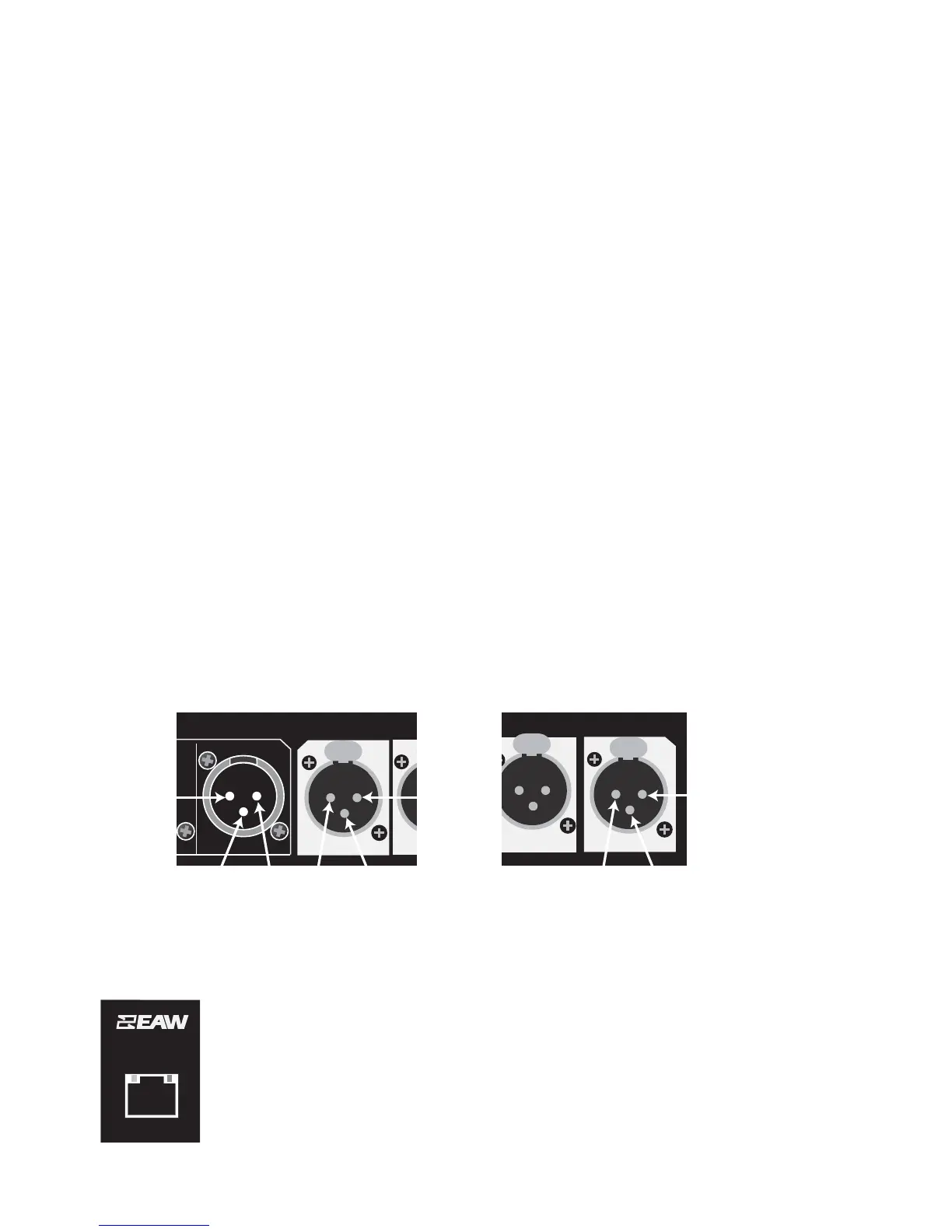
The four, female, XLR-type connectors labeled Athrough D are audio input connectors.
NOTES:
1. Select the signal type, analog or AES/EBU, in the hardware Utilities menu or
EAWPilot/UX8800 settings window.
2. XLR connector B is inactive when AES/EBU is selected for XLR connector A & B.
3. XLR connector D is inactive when AES/EBU is selected for XLR connector C & D.
Analog Pin-Out: XLR A to XLR D
Electronically balanced, line level
Pin 1: Shield
Pin 2: + (plus or high)
Pin 3: - (minus or low)
AES/EBU Pin-Out: XLR A and XLR C
Transformer isolated, balanced.
Pin 1: Signal ground (shield)
Pin 2: Channel 1
Pin 3: Channel 2
4.3.3 OUTPUT CONNECTIONS
The eight, male, XLR-type connectors labeled 1 through 8 are the audio output connectors.
Analog: XLR 1 to XLR 8
Electronically balanced, line level.
Pin 1: shield
Pin 2: + (plus or high)
Pin 3: - (minus or low)
4.4 Network Connections
4.4.1 ETHERNET
The UX8800 communicates with a computer through its built-in, front panel, Ethernet port. This port is
configured as a standard NIC (network interface card). The UX8800 can be connected to an Ethernet
network using hub, switch, router, or wireless connections.
Cable: 8 conductor CAT-5 or better
Mating Connector: RJ-45 male
Wiring Configuration: Standard for connection to a network hub, switch, or router
Crossover type for direct connection to a computer’s NIC
Page 6


 To Next Page