4.4.2 U-NET
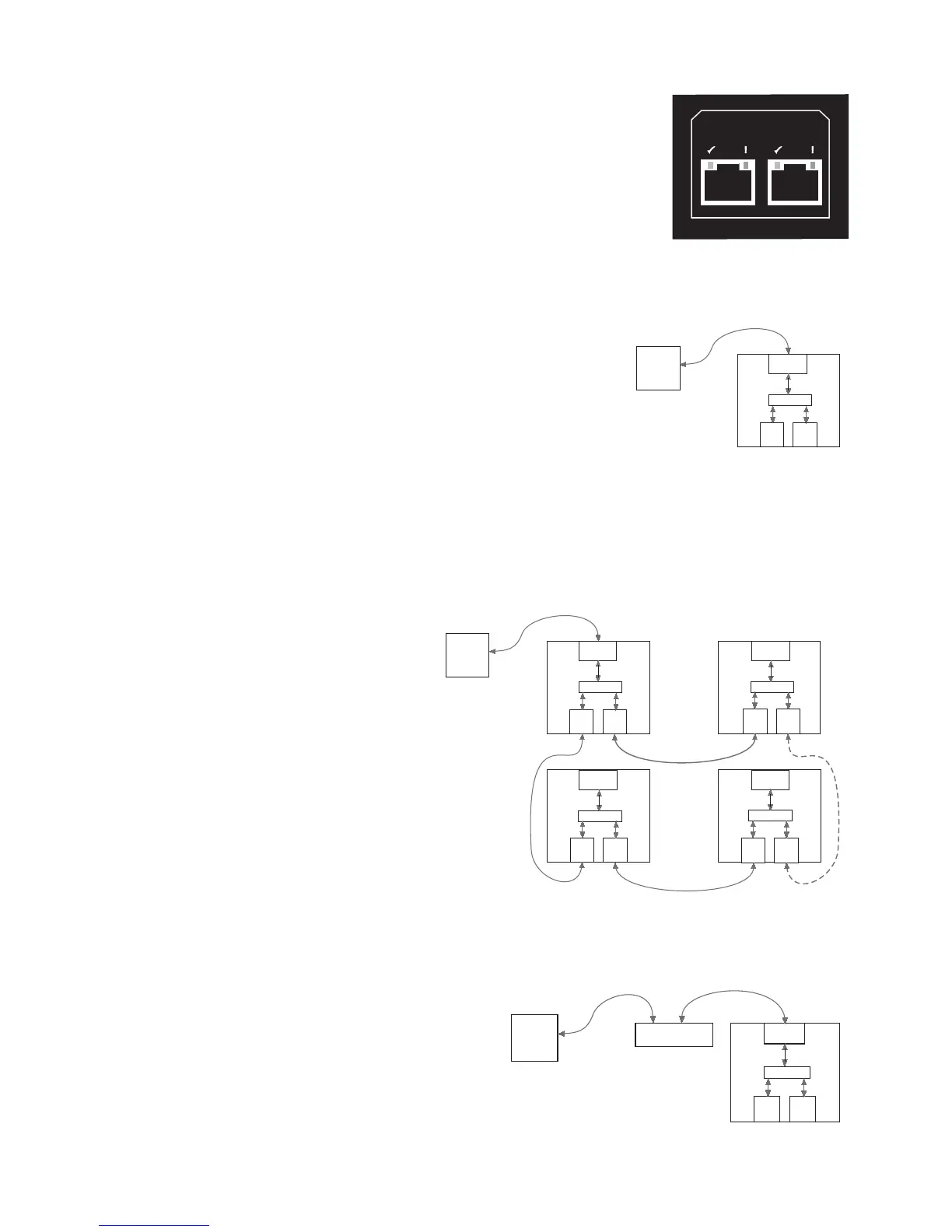
The UX8800 can be networked with additional UX8800s and other U-Net enabled products
through its built-in U-Net ports. The rear panel U-Net 1 and U-Net 2 ports are bi-directional
communication ports used to communicate audio and/or control signals. Either or both ports may
be used to connect to other U-Net enabled products. When U-Net ports are connected, control
signals are automatically sent and received. Audio signals must be assigned to be sent and received
over U-Net channels using the CH function for the Input Channels and/or Output Channels.
Cable: 8 conductor CAT-5 cable or better
Mating Connector: RJ-45 male
Wiring Configuration: Standard or crossover (supplied)
NOTE: The U-Net ports auto-sense the cable wiring configuration.
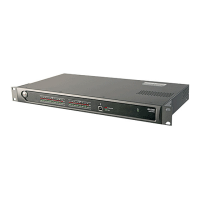
4.4.3 CONNECTING ONE PROCESSOR TO ONE COMPUTER
Use the processor’s front panel Ethernet port and the supplied Ethernet crossover cable to
connect directly to a computer’s 10, 10/100, or 100 Mbps Ethernet port. A user-supplied,
shorter or longer cable may be substituted. The UX8800’s Ethernet port is auto-
negotiating, meaning it will automatically exchange information over a link about speed
and duplex capabilities and negotiate these to the highest common denominator.
CAUTION: An Ethernet crossover cable is required when connecting two Ethernet ports in the
same layer of the OSI model (Open Systems Interconnection Reference Model). A computer’s
Ethernet port, meaning its NIC (network interface card), and the UX8800 are both OSI layer
3 ports. Therefore, an Ethernet crossover cable is REQUIRED when directly connecting the
UX8800 to a computer’s NIC. An Ethernet crossover cable reverses transmit and receive pin
connections between the connectors at each end of the cable.
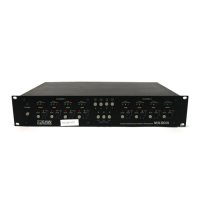
4.4.4 CONNECTING ONE COMPUTER TO MULTIPLE PROCESSORS USING U-NET
Use the front panel Ethernet port on one processor to
connect to a computer as in Section 4.5.1 above. This
processor serves as a bridge to the U-Net network.
Connect other processors and this processor together
using the U-Net ports.
NOTE: Audio signals may also be routed between
processors over the same U-Net cables by assigning
other U-Net inputs and outputs to the input and
output channels.
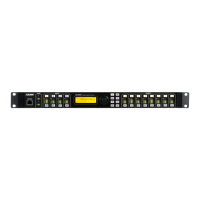
4.4.5 CONNECTING ONE PROCESSOR TO AN ETHERNET NETWORK
Use the front panel Ethernet port and a standard Ethernet cable to connect to a 10, 10/100, or 100 Mbps
Ethernet hub or switch on the network.
Page 7


 To Next Page