16
EN
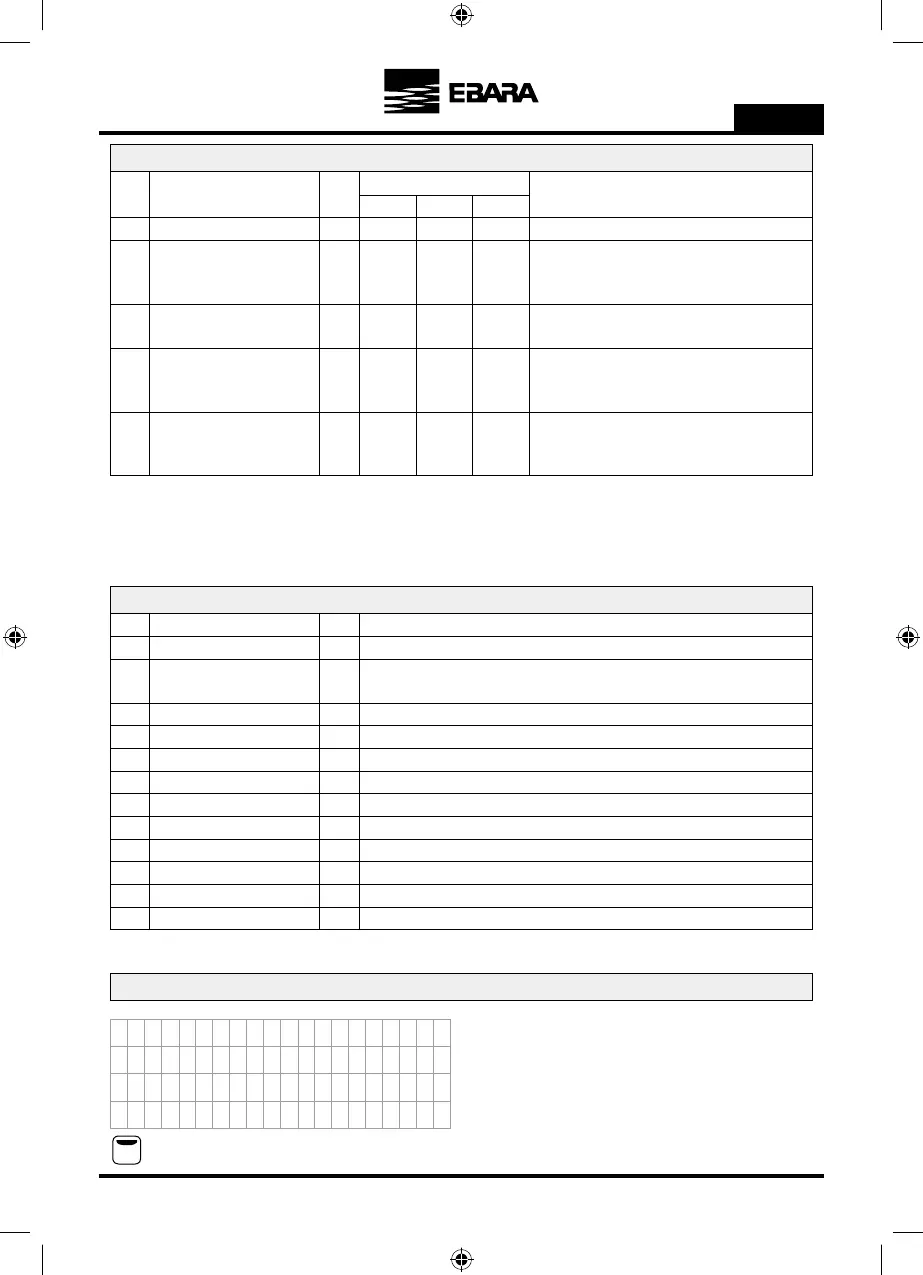
1. PARAMETERS
Par. Description Units
Programming
Default Min. Max.
Wizard 0.5 FS
Notes
1.1 WORKING PRESSURE Bar Pressure you wish to maintain in the system.
Wizard 0.1 111.2 MOTOR CURRENT Amp
Current of the motor in amperes. Taking into account
whether your motor is wired as three phase 230V or
three phase 400V.
011.3 ROTATION DIRECTION
You can change the rotation direction of the motor by
modifying this parameter from 0 to 1 or vice versa.
Wizard 0.1 99.91.4 STOP FREQUENCY Hz
The system will stop when the frequency converter has
been working for a certain time (see parameter 5.06)
below this frequency.
0.5 0.3 31.5 START-UP DIFFERENTIAL Bar
This is the differential that enables you to reduce the
pressure to start the pump using the value entered in
parameter 1.1.
2. DISPLAY
Par. Description Units Notes
2.01 MODULE TEMPERATURE ºC This indicates the temperature the electronic module of the unit is at.
2.02 ANALOGUE SIGNAL mA
This indicates the value in mA of the pressure transducer. This data will be 4 mA for 0 Bar
and 20 mA for the upper limit of the transducer connected.
2.03 VOLTAGE HOURS Hours
This indicates the total number of hours the unit has been connected to an electricity grid.
2.04 HOURS WORKED Hours
This indicates the total number of hours worked (providing an output voltage) of the frequency converter.
2.05 START-UP NUMBER This indicates the total number of start-ups from zero that the unit has made.
2.06 DIGITAL INPUT 1 This indicates whether digital input 1 is ON or OFF.
2.07 DIGITAL INPUT 2 This indicates whether digital input 2 is ON or OFF.
2.08 RELAY 1 OUTPUT This indicates whether the relay 1 output is ON or OFF.
2.09 RELAY 2 OUTPUT This indicates whether the relay 2 output is ON or OFF.
2.10 SOFTWARE VERSION Version of the unit software.
2.11 CONS. POWER OF PUMP W Instantaneous power consumed in output terminals toward pump.
2.12 CONS. POWER OF GROUP W Power consumed instantaneously by all of the pumps.
3. LOG
Wizard: This parameter is the one entered or calculated in the start-up wizard.
FS: Full-scale value of the transducer (entered in the start-up wizard).
F1
When you access the log menu you will find a list in chronological
order of alarms that have been triggered in your unit, indicating the
date and the time they occurred
Use the arrows and to move forward or back to view the
different alarms that have been triggered.
Press F1 to exit this menu.
A3
CE
A
A
0
o
3
X
F
/
o
F
E
L.
OO
R
V
2
l
1
I
A0
EN
N
O
/
e
0
T
F
E
U
A
1
p
R1
LFTG
F
L
1
s
0
R
1
A
9
t
MAI
A
A
A
6
A
4
D
2
c
A
a
A
r
A
E
-
S
:
e
A



 To Next Page