17
EN
EN
4. MANUAL
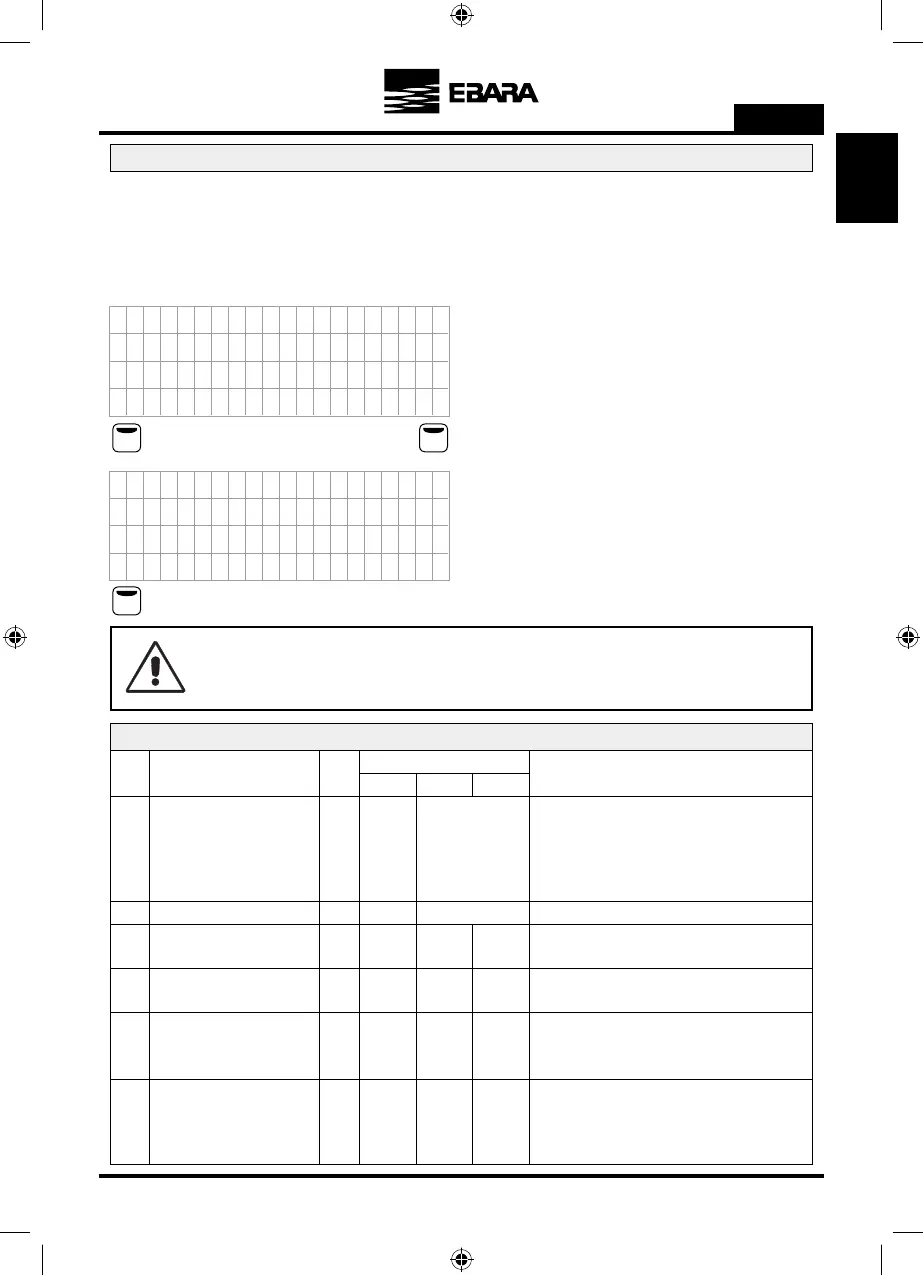
The system is prepared to carry out speed and operation tests manually through this menu. When you access this
menu, regardless of the status of the system, the unit from which you are accessing stops its functions and therefore
stops the pump.
When you access this menu this screen appears:
F2F1
F1
5. ADVANCED PARAM.
Par. Description Units
Programming
Default Min. Max.
Spanish
Spanish
English
French
Italian
Portuguese
German
Dutch
Polish
Romanian
Turkish
Russian
Notes
5.01 LANGUAGE
You can select between different languages for the
menu and the warnings.
Bar Bar - Psi5.02 UNITS OF PRESSURE Bar Units of working pressure and display.
8185.03
MAXIMUM NUMBER OF
PUMPS ON
Maximum number of pumps that can function in the
system simultaneously.
Wizard 5 305.04
TRANSDUCER FULL-SCALE
VALUE
Bar Value of the transducer at 20 mA.
** 0.5 FS5.05 2 WORKING PRESSURE Bar
Second working pressure for installations that require it.
** As a default value it will show 4 bar.
10 0 1005.06 PRINCIPAL STOP DELAY Sec
Time from the moment the main pump is working at a
speed below the stop frequency (parameter 1.4) until
it stops fully.
ATTENTION:
Improper use of manual mode can cause overpressures in the installation.
U4
CE
A
A
0
o
3
X
F
/
o
F
E
A.
OO
R
0
4
l
1
I
LM
EN
N
.
.
e
0
T
N
0
U
A
1
p
R
A
LFH O
F
0
0
s
F
s
1
A
9
t
M
N I
z
a
A
B
A
0
)
2
c
A
O
A
n
A
(
r
S
:
e
4
U4
C )
A
4
0
o
3
f
F
/
r
F
O
A.
OO
R
2
4
l
1
f
LM
EN
N
.
.
e
0
i
N
0
U
A
1
p
R
A
LFH O
F
0
6
s
F
s
1
A
9
t
M
N I
z
a
A
B
A
0
g
2
c
AA
n
A
(
r
S
:
e
4
Where you can see the frequency, an operation timer and the pressure
at that precise moment read by the transducer.
Press F1 to exit this menu.
When you press ON (with the F2 key) you will start the motor and
you can increases or reduce the frequency using the arrow keys. At
the same time you can see how the countdown begins for 2 minutes of
operation. If you do not press any keys, after 2 minutes the motor will
stop automatically. If you press the F2 key during the countdown, it
will be increased to 15 minutes, 30 minutes, 1 hour, 2 hours, 4 hours,
8 hours and 24 hours for each press.
Press F1 to exit, stop the motor and return to the wait screen of this
menu.
+



 To Next Page