ELIOEN
49
www.eberg.eu
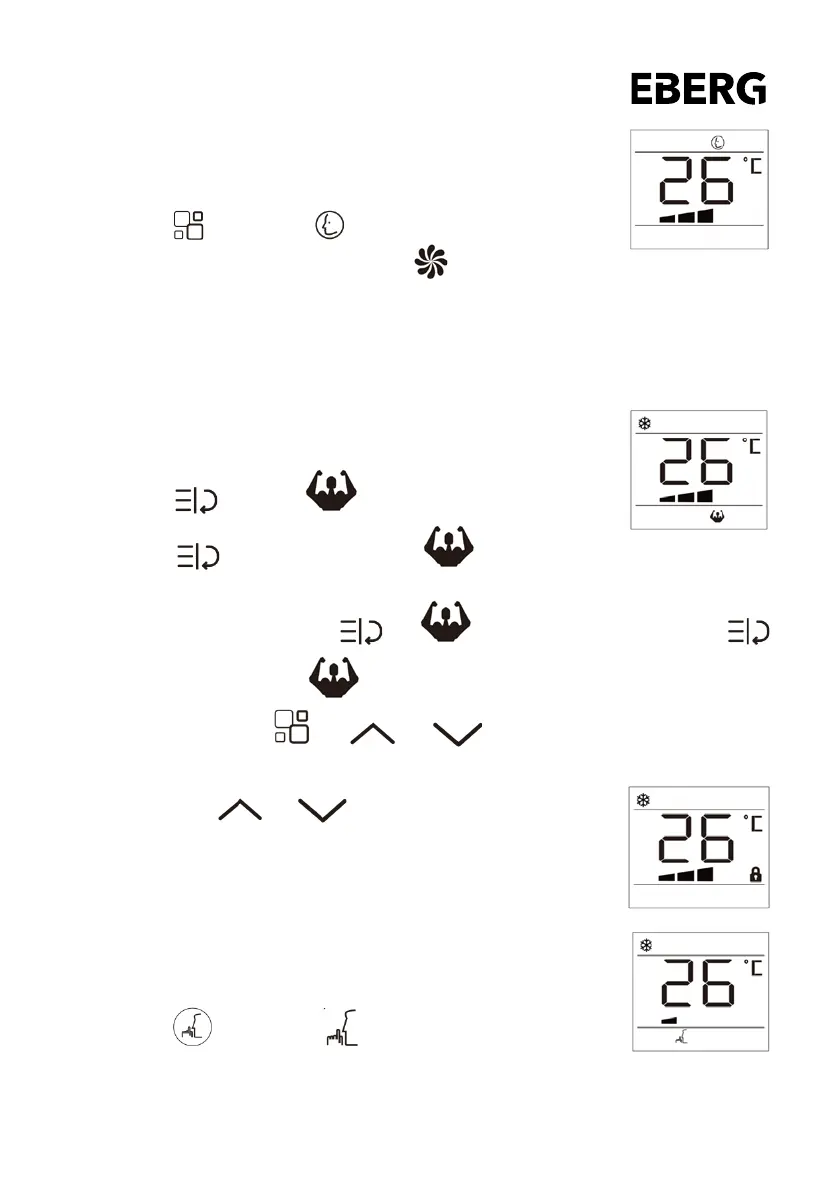
SMART mode
The appliance chooses automatically whether to operate in air
conditioning or fan mode.
To set this mode correctly:
• Press the button, and the symbol appears.
• Select the required fan speed by pressing the button.
• Three speeds are available: High/Low/Auto.
If the appliance is cooling only model the unit operates in Fan mode when the room temperature is below
23°C (73°F), and Cool mode when the room temperature is above 23°C (73°F).
TURBO function
This function set the appliance directly to COOL mode with setting temperature
18°C (64°F) and High fan speed in order to reach low temperature in the shortest
time.
• Press the button , the symbol ash on screen.
• Press the button again to conrm, the will stop ash and
show on screen, that the function is working.
• To cancel this function, press the , the ash on screen, and then press the
button again to conrm , the will stop ash and disappear from screen.
• Press other button like “ ” or “ ” or “ ” also can cancel this function.
CHILD LOCK function
• Hold down the and and press for more than 3 seconds to
open or cancel the child lock function.
• When the child lock icon is on, pressing any button on the remote control
will be invalid.
SLEEP function
This function is useful for the night as it gradually reduces operation of the
appliance.
To set this function correctly:
• Select the cool as described above.
• Press the button, and the symbol appears.
• The appliance operates in the previously selected mode.
• When you choose the sleep function, the screen will reduce the brightness, and the fan speed is low.


 To Next Page