41
2b) EBERG REQU+ VERSION
POWER SUPPLY CONNECTIONS
Before proceeding with the connection, make sure that the wires (Live and Neutral) are inside the area specifically
obtained in the wall.
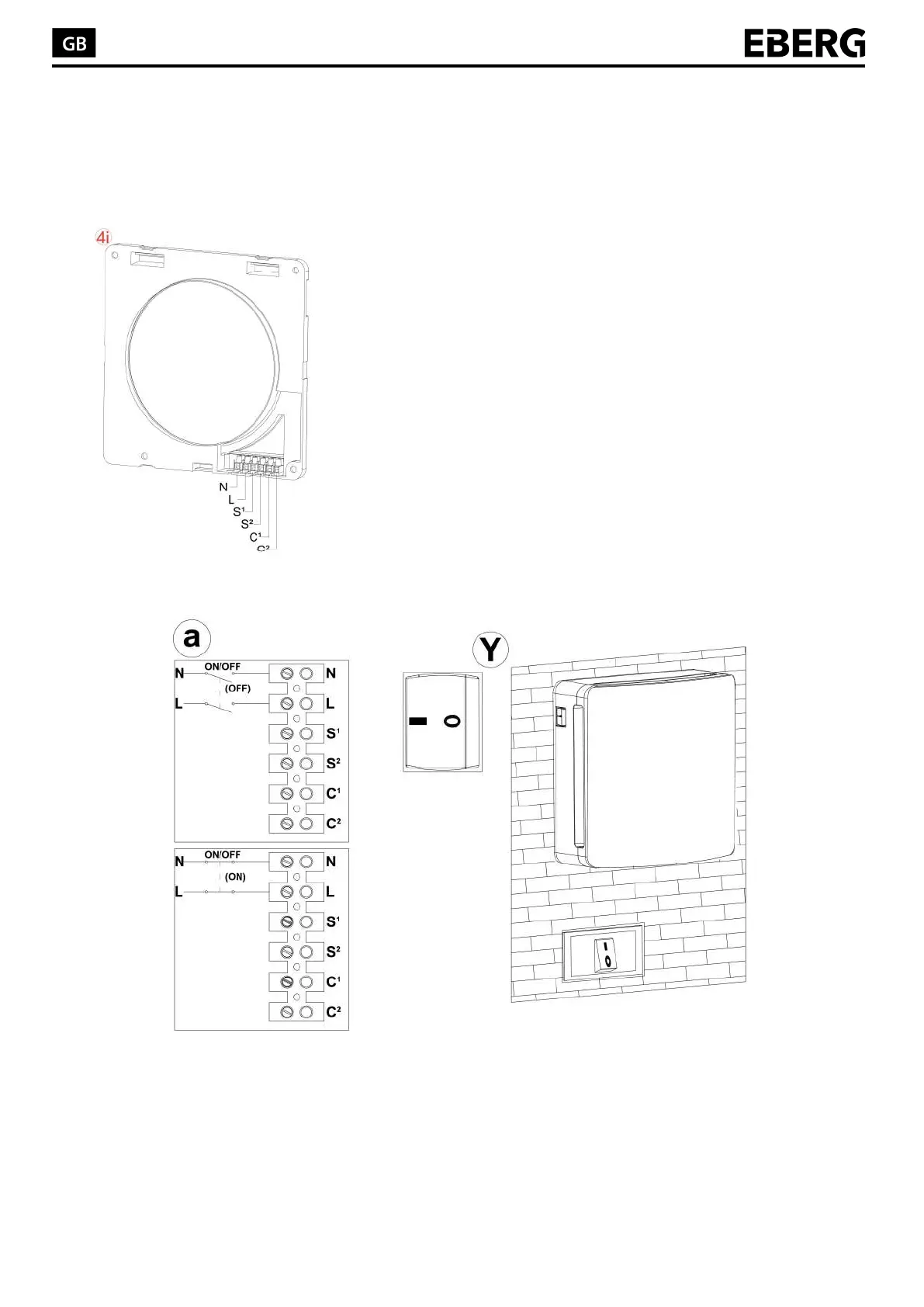
Take the internal wall-mounting part (4i) and the tools necessary to
connect the main supply to the terminal box.
Connect properly and safely the Live wires to the terminal block
identified as “N” and “L”.
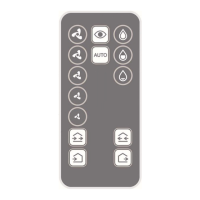
Switching ON and OFF can be run by remote. To control the product
with recessed switch, it’s necessary, during operation, that switches
are always set on 1, as shown in the picture (Y). To turn on the
product through wall switch, connect a bipolar switch in sequence to
“L” and “N”, as shown in the picture (a)
Product can be connected to the network home automation by
serializing the main supply to set switching ON and OFF.
Connections must be done as shown below:


 To Next Page