EC-80320 User’s Manual
- 5 -
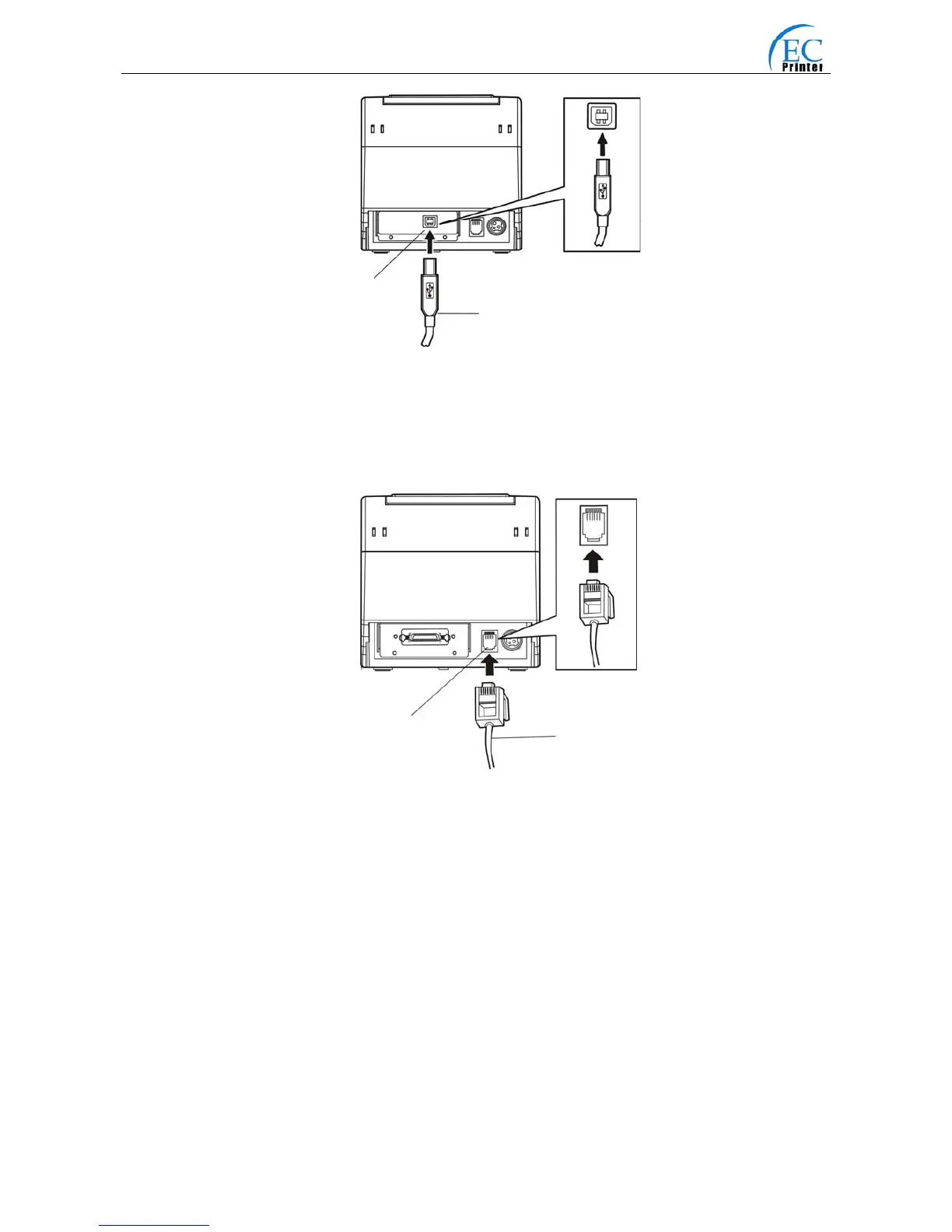
2.3.4 Connecting the Drawer Cable
Turn off the printer and plug the drawer cable into the drawer connector on the back of the printer
as shown in Fig2-5.
Warning: Don’t connect a telephone line to the drawer connector; otherwise both the
telephone line and the printer may be damaged.
2.3.5 Connecting the Ethernet Cable
1. Plug the crystal end of the Ethernet cable (RJ-45) into the printer's Ethernet connector as
shown in Fig2-6.
2. Plug the other end of the Ethernet cable (flat) to the LAN’s entrance。
Fig2-5 Connecting the Drawer cable
Fig2-4 Connecting the USB interface cable
USB Interface
USB Cable
Drawer cable
Drawer connector



 To Next Page