6
7
0
7
0
You can send one SMS message that includes more than one command to add or delete numbers by using the
COMMA mark ( “
,
“ ) between the commands. See examples of SMS messages below:
The following SMS message is an example of reprogramming (adding) the 1
st
phone number (which is 0417 358 532)
for unit 901 and also adding the second phone number for unit 14 (which is 0418 565 578) and deleting the 3
rd
phone number of unit 100 in the system.
9999A9011*0417358532*5#,A0142*0418 565 578*5#,D1003#
8
0
Deleting the users’ phone numbers by SMS command.
You can also send SMS COMAND to DELETE user’s phone numbers as follows:
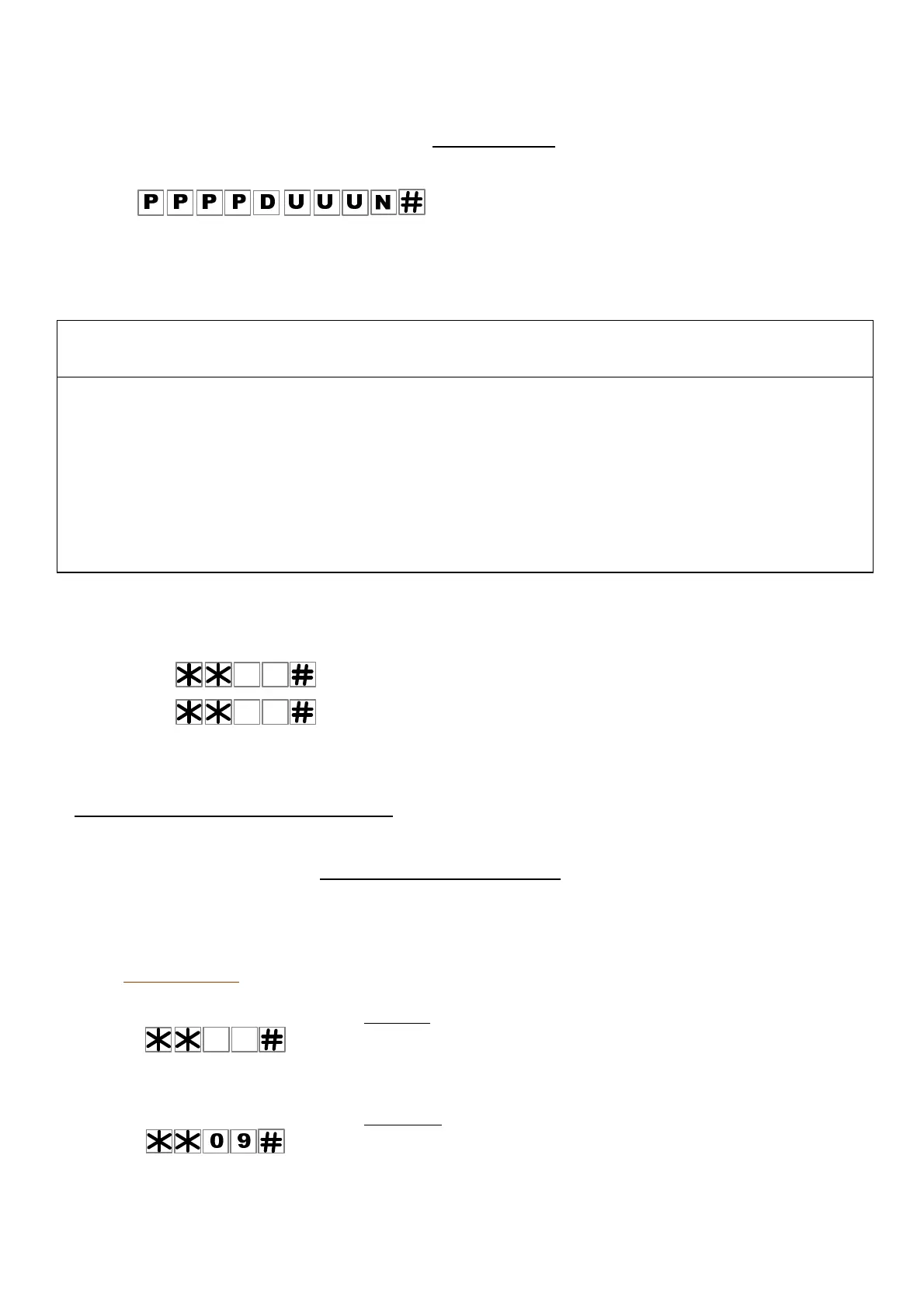
The configuration of the SMS message below, would Delete the user’s phone number:
- The first four letters represent the Password ( P P P P ). The factory default Password is 9 9 9 9
- Followed by the latter “ D ” that represent
D
eleting a user phone number.
- Then (U U U) represent the unit’s Name Number, from 001 to 999.
- The letter ( N ) represent the 1
st
or the 2
nd
or the 3
rd
phone number of the unit followed by the # symbol.
How to Delete ALL the users’ phone numbers
You can delete all the users’ phone numbers via the keypad ONLY (and not by SMS command) as follows:
1. Enter program mode.
2.
Press and then press and hold the # key until you hear a long “Beep”.
3.
Press to confirm within 10 seconds otherwise the system will exist this mode.
4.
The system will confirm by announcing: “ Deleted “.
3. SMS confirmation service by the unit
The unit will reply to any SMS message only if the password was correct.
The unit will reply by SMS message to the sender to inform if the command was confirmed or failed.
The factory default setting is that the unit does send a confirmation SMS messages.
How to Cancel or Activate the SMS service in the unit
You can Cancel or Activate the SMS service of the unit via the keypad or by SMS command as follows:
Via the keypad
1. Enter program mode.
2. Use the following command to cancel the SMS service;
The unit will confirm the command by a Long Beep.
Or
3. Use the following command to activate the SMS service;
The unit will confirm the command by a Long Beep.
Example of SMS message DELETING the
first phone number of unit 901
=> Please Note: The system is sensitive to cases and space between the letters.


 To Next Page
 Loading...