GB
51
DESCRIPTION
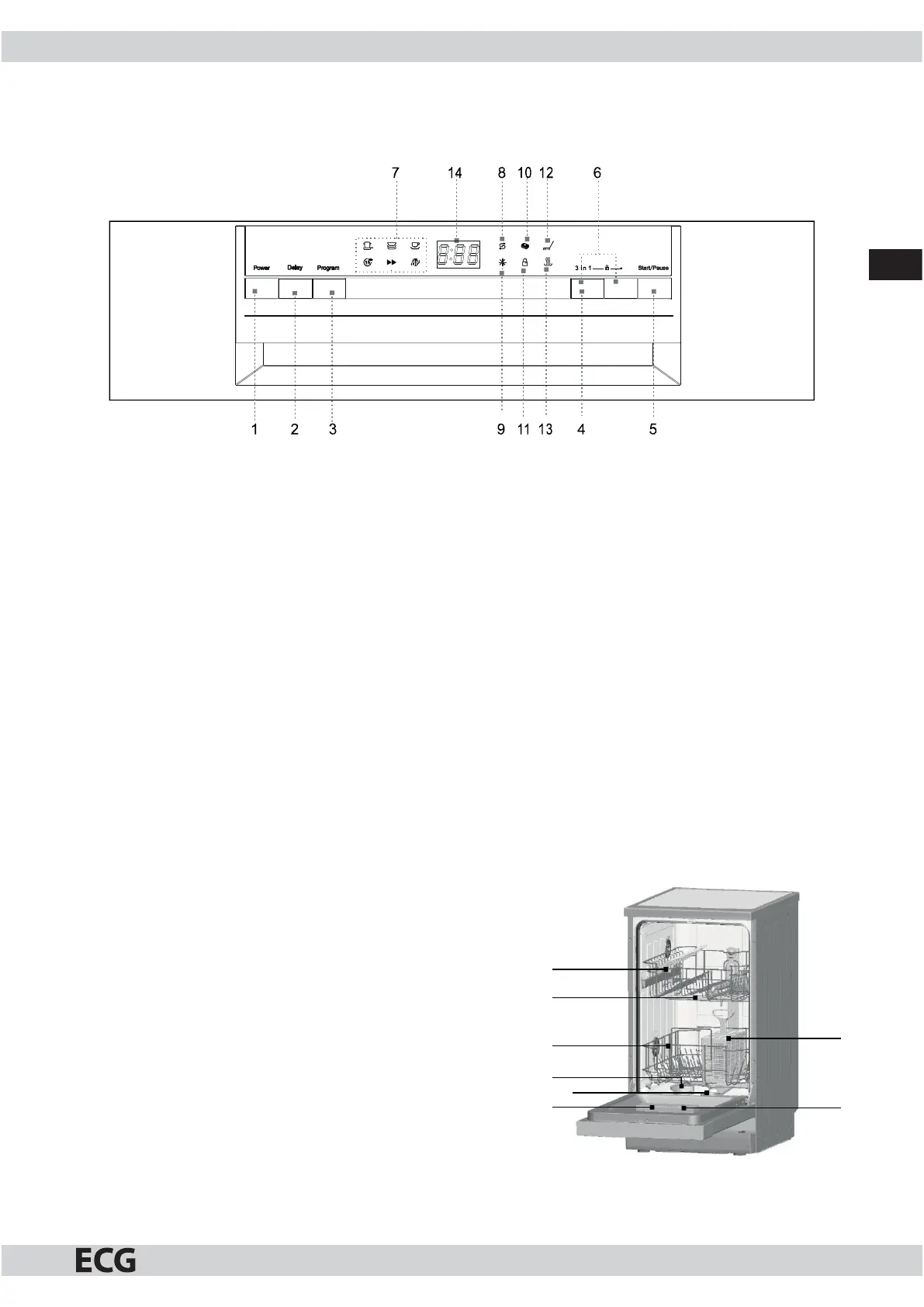
CONTROL PANEL
1. Switch: Switching the appliance on and o .
2. DELAY button: You can delay the start of the program by up to 24 hours by pressing this button.
3. Program buttons: Select the required program by pressing the button repeatedly. Light of aparticular
indicator shows the selected washing program.
4. “3 in 1” button: Press this button to activate or deactivate the function of the tablet 3in1.
5. START/PAUSE button: Press this button to start or to pause the washing.
6. Child lock: Press and hold (3 seconds) these two buttons to lock the dishwasher controls. If you want to
unlock the controls again, press these buttons again.
7. Selected program indicators: The selected program is indicated by alit up indicator.
8. Salt re ll indicator: Lights up when you need to re ll the salt dispenser.
9. Rinse-aid re ll indicator: Lights up when you need to re ll the dispenser.
10. Indicator 3in1: Function indicator lights up when activated.
11. Child lock indicator: When the child lock is activated, the indicator ashes 6 × and then remains lit when
the lock is active.
12. Washing indicator: It is on when the dishwasher washes the dishes.
13. Drying indicator: Iight is on when the dishwasher dries the dishes.
14. Digital display: Shows the remaining part of the program, error codes and countdown of the delayed
start.
DISHWASHER INTERIOR
1. Upper basket
2. Spray arms
3. Bottom basket
4. Water softener
5. Filters
6. Detergent dispenser
7. Rinse aid dispenser
8. Forks compartments
1
2
3
4
5
6
8
7


 To Next Page