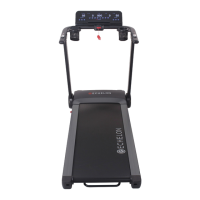
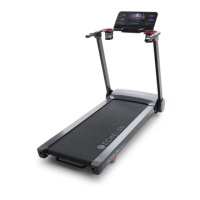
PRODUCT USE ECHELON FITNESS | STRIDE-6
PRODUCT FEATURES
14
ECHELON FITNESS // STRIDE-6 // INSTRUCTION MANUAL
When power is on, display lights up for 2 seconds on all windows and enters standby mode. Speed window displays current firmware
version for 2 seconds before entering standby mode.
To start “Manual Mode”, insert safety key firmly into correct position and press “START/STOP” button. Console begins countdown for 3 seconds
and belt starts to run at lowest speed of 0.5 mph (0.8 km/h). To adjust “Speed” or “Incline”, press “Wheel Quick button for Speed”, “Wheel Quick
Button Incline”, “Quick Speed”, and “Quick Incline” for appropriate settings. To end the exercise, press “Stop” or fully remove safety key.
PULSE:
To detect a pulse, please wear an exercise heart rate monitor. Pulse window displays the spotted pulse value.
IMPORTANT: The detected pulse value is not for medical purpose.
SLEEP MODE:
Console goes into “Sleep Mode” when there’s no function for 10 minutes. Pressing any button awakens the console to begin the exercise.
During Sleep Mode, touch screen will continue to light up.
SAFETY KEY:
All data clears after removing the safety key and all windows display “---“. All functions can only be operated when safety key
is firmly inserted into correct position. Make sure to clip the safety key lanyard to the firmest part of your clothing for your own
safety when using the treadmill.
USB POWER CHARGER:
On the console housing, there’s one USB charger with 5V and 2A output. This is USB-A.
Plug in the power cable and
connect with your smartphone for power charging.
BLUETOOTH AUDIO CONNECT:
Connect a bluetooth audio device to the treadmill to amplify your music or audio.



 To Next Page