9
email - gmsupport@echomaster.com (US) - tel - 866-766-2267
Installation Guide
8
email - gmsupport@echomaster.com (US) - tel - 866-766-2267
Illustrations are typical and may not match exact vehicle details.
Installing CHSML Camera
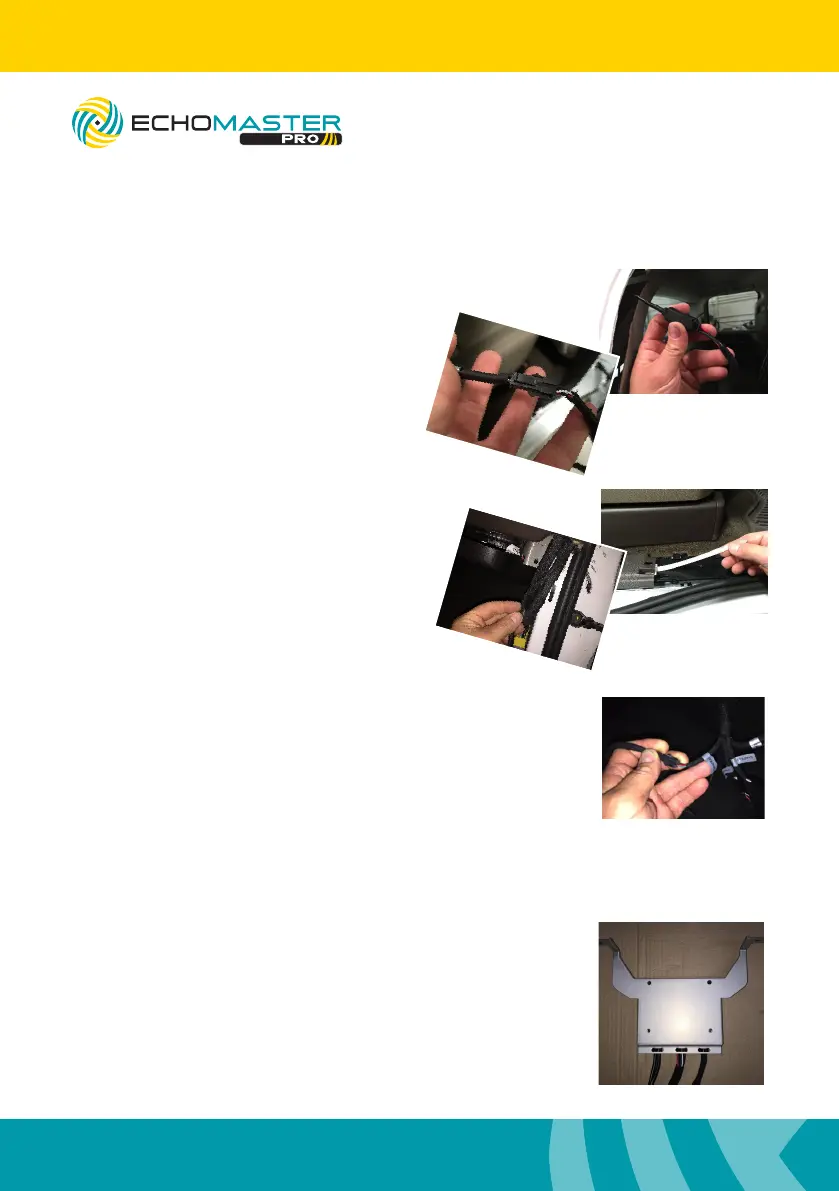
Step 7
Connect the camera power extension
harness then connect the longer
camera extension cable.
Be sure the connections are fully seated.
Step 8
Route the cable behind, down and past
the rear seat belt. Proceed to route forward
along the door sill to the passengers kick
panel. Use a long zip tie or exible wire
shing tool to help route the cable.
Step 9
Connect the camera extension harness into the camera
connector that has been labeled CAMERA 3.
Using the CAMERA 3 connection allows the user to manually
turn the camera ON/OFF
Mounting the Module to the Bracket
Mount module to the bracket using the
4 x M3 screws provided.
FC-CHMSL-SIL
Integrated Towing Assistance Package



 To Next Page